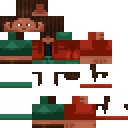
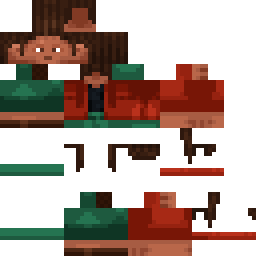
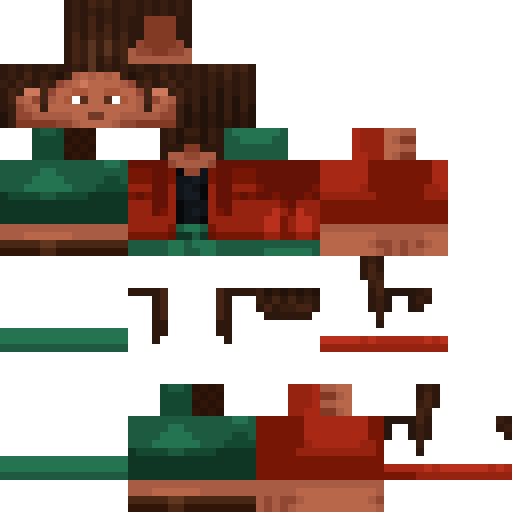
Simutti Minecraft Skin
✓ Approved
Skin for Simutti
0
Downloads
241
Views
0
Likes
Reactions
Log in to react.
Minecraft profile
baf5d56e-f0ba-48b9-a292-f67f68826a3cModel
classic
Views / 30 days
16
Observed names
Dates show when minecraft.how first observed each name.
Simutti—
Skin history
History grows as minecraft.how observes profile changes.

Head command
/give @p minecraft:player_head[profile={name:"Simutti"}]Users with Same Texture (51 total)
51
Total Users
20.3K
Combined Views
0
Combined Downloads
 TSZ_Dr_egg
8.3K views0 downloads
 CLAIRMOON_
281 views0 downloads
 TSTARGAMING405
276 views0 downloads
 Fecostli
274 views0 downloads
 Coolkidthegogo
264 views0 downloads
 Sub2Oasio
261 views0 downloads
 NewPrada
260 views0 downloads
 Parcivalplays02
256 views0 downloads
 TheVoid123
256 views0 downloads
 MHW_RAIGA65
253 views0 downloads
 noobhead8702
252 views0 downloads
 Flux25809
249 views0 downloads
 PoKiaChou
249 views0 downloads
 SPD0987
247 views0 downloads
 Antifemand
246 views0 downloads
 dizzyyyyy13371
246 views0 downloads
 Gringo10
245 views0 downloads
 sethhasanstd
244 views0 downloads
 Peashooter2025
244 views0 downloads
 Icehamster12
242 views0 downloads
 MrMinecraft9453
240 views0 downloads
 Supersonicjew69
239 views0 downloads
 floonaut90
238 views0 downloads
 Electenze0
238 views0 downloads
 Demo0nic1
238 views0 downloads
 koolhere
238 views0 downloads
 bigbbl4l
238 views0 downloads
 XOTIM99
238 views0 downloads
 BurningFlame21
237 views0 downloads
 benirker3
237 views0 downloads
 SkyDragonNF
235 views0 downloads
 SkyblockPro_1231
235 views0 downloads
 Way2Violent
234 views0 downloads
 MaiKaba
234 views0 downloads
 badatgames12
233 views0 downloads
 Eddie_be
233 views0 downloads
 nexustar84147
232 views0 downloads
 simyropanda
232 views0 downloads
 thornzey
227 views0 downloads
 Urbannerboar1899
226 views0 downloads
 Daytimeboat
226 views0 downloads
 SKzXXI
225 views0 downloads
 cooldude492
223 views0 downloads
 diggeran455
222 views0 downloads
 IIlIDawgIIlI
222 views0 downloads
 Katcakes77
222 views0 downloads
 Errerasauro_1
221 views0 downloads
 Netheritery
221 views0 downloads
 Bernas_Gamer79
211 views0 downloads
 Oskari521
192 views0 downloads
PNG · 64×64
Share this skin
Scan with your phone to share this skin
Tags
MinecraftSkinsSimutti
Frequently Asked Questions
To download the Simutti Minecraft skin:
- Click the "Download" button to get this free Simutti skin
- The skin file
.pngwill be saved to your device - Works with both Java Edition and Bedrock Edition
- See below for complete installation instructions
To apply the Simutti skin:
- Log in to your Mojang or Microsoft account on the official Minecraft website.
- Navigate to the "Skins" section in your profile.
- Upload the downloaded
.pngfile. - Launch Minecraft, and your character will now use the Simutti skin.
Note: The process may vary slightly between Minecraft Java Edition and Minecraft Bedrock Edition.
Yes, the Simutti skin is compatible with both Minecraft Java Edition and Minecraft Bedrock Edition. However, the method of applying the skin may differ slightly between the two versions. Follow the instructions provided on this page for your specific edition.
Absolutely! You can edit the Simutti skin using a Minecraft skin editor. Simply open the downloaded
.png file in the editor, make your changes, and save the file. Then, upload the edited skin to your Minecraft profile.If the Simutti skin isn't working, try the following:
- Ensure you downloaded the correct file format
.png. - Make sure you're using the correct version of Minecraft Java Edition or Bedrock Edition.
- Check that the skin file is not corrupted. Re-download the skin if necessary.
- Log out and back into your Mojang or Microsoft account to refresh your profile.
Create your own skin
Draw a pixel-perfect Minecraft skin in the browser with our free 3D skin editor.
→ Skin Creator