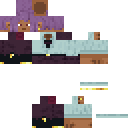
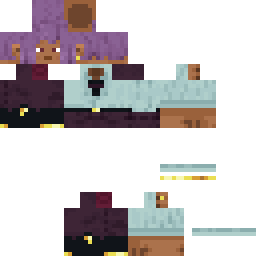
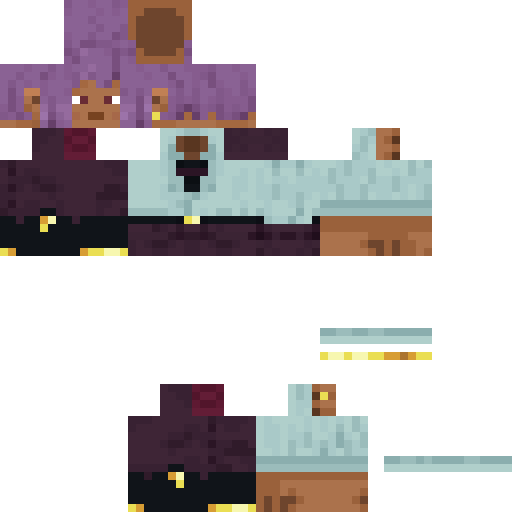
RZR_stout Minecraft Skin
✓ Approved
Skin for RZR_stout
0
Downloads
293
Views
0
Likes
Reactions
Log in to react.
Minecraft profile
2d49c5a5-bbcd-4c6f-bcce-cdce0794bbd5Model
classic
Views / 30 days
96
Observed names
Dates show when minecraft.how first observed each name.
RZR_stout—
Skin history
History grows as minecraft.how observes profile changes.

Head command
/give @p minecraft:player_head[profile={name:"RZR_stout"}]Users with Same Texture (51 total)
51
Total Users
24.8K
Combined Views
1
Combined Downloads
 Kepelle
9.3K views1 downloads
 tvxne
tvxne379 views0 downloads
 ririwew
355 views0 downloads
 SoyMAE
354 views0 downloads
 KittenBeta
353 views0 downloads
 Featherbomber10
351 views0 downloads
 herojk64
347 views0 downloads
 Minato2002
347 views0 downloads
 masterburger21
345 views0 downloads
 natasja0598_1215
336 views0 downloads
 rockfam
333 views0 downloads
 Vimex87
332 views0 downloads
 ShinyMajesty
331 views0 downloads
 SpyingOnetito
331 views0 downloads
 Simplytarable
331 views0 downloads
 patrick435
328 views0 downloads
 MaCane
324 views0 downloads
 Adam4320
324 views0 downloads
 MaxieWaxie2016
321 views0 downloads
 MaximKijas
320 views0 downloads
 Archimicarus
320 views0 downloads
 Antonskak7583
319 views0 downloads
 CheezeIsGoat
319 views0 downloads
 Azir99
310 views0 downloads
 _ABXL_
309 views0 downloads
 pinuts0904
303 views0 downloads
 Coffeemamma12
302 views0 downloads
 Mincraftgamer23
301 views0 downloads
 Blinkgameing
299 views0 downloads
 Whitebear8252
299 views0 downloads
 xo_dragon
297 views0 downloads
 kurotsuki_usagi_
297 views0 downloads
 spasticsmoker69
296 views0 downloads
 DAGER6
295 views0 downloads
 slimerlime
294 views0 downloads
 AronTheBeast2000
294 views0 downloads
 EdgeChronicles
293 views0 downloads
 matzei334
293 views0 downloads
 8Shinobi8
283 views0 downloads
 Iresluffy
282 views0 downloads
 bikonc
280 views0 downloads
 OnePunchDrew
278 views0 downloads
 Ursulaaa
278 views0 downloads
 Brotverbrenner
277 views0 downloads
 Noorology_
276 views0 downloads
 Lienad187
275 views0 downloads
 WS_Axion
274 views0 downloads
 Makaboka228
273 views0 downloads
 rytiinifnI
272 views0 downloads
 alockbaba
269 views0 downloads
PNG · 64×64
Share this skin
Scan with your phone to share this skin
Tags
MinecraftSkinsRZR_stout
Frequently Asked Questions
To download the RZR_stout Minecraft skin:
- Click the "Download" button to get this free RZR_stout skin
- The skin file
.pngwill be saved to your device - Works with both Java Edition and Bedrock Edition
- See below for complete installation instructions
To apply the RZR_stout skin:
- Log in to your Mojang or Microsoft account on the official Minecraft website.
- Navigate to the "Skins" section in your profile.
- Upload the downloaded
.pngfile. - Launch Minecraft, and your character will now use the RZR_stout skin.
Note: The process may vary slightly between Minecraft Java Edition and Minecraft Bedrock Edition.
Yes, the RZR_stout skin is compatible with both Minecraft Java Edition and Minecraft Bedrock Edition. However, the method of applying the skin may differ slightly between the two versions. Follow the instructions provided on this page for your specific edition.
Absolutely! You can edit the RZR_stout skin using a Minecraft skin editor. Simply open the downloaded
.png file in the editor, make your changes, and save the file. Then, upload the edited skin to your Minecraft profile.If the RZR_stout skin isn't working, try the following:
- Ensure you downloaded the correct file format
.png. - Make sure you're using the correct version of Minecraft Java Edition or Bedrock Edition.
- Check that the skin file is not corrupted. Re-download the skin if necessary.
- Log out and back into your Mojang or Microsoft account to refresh your profile.
Create your own skin
Draw a pixel-perfect Minecraft skin in the browser with our free 3D skin editor.
→ Skin Creator