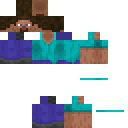
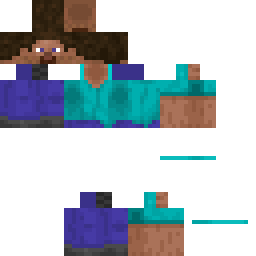
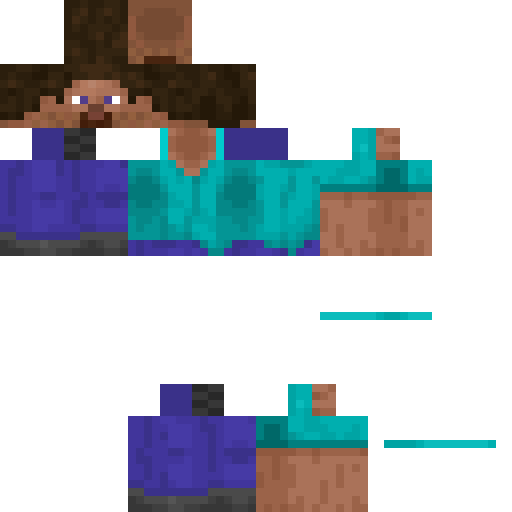
Ion_cant_aim Minecraft Skin
✓ Approved
Skin for Ion_cant_aim
1
Downloads
846
Views
0
Likes
Reactions
Log in to react.
Minecraft profile
bb9d2aa0-7b0e-45e5-bf4e-7d886dd3e969Model
classic
Views / 30 days
496
Observed names
Dates show when minecraft.how first observed each name.
Ion_cant_aim—
Skin history
History grows as minecraft.how observes profile changes.

Head command
/give @p minecraft:player_head[profile={name:"Ion_cant_aim"}]Users with Same Texture (51 total)
51
Total Users
49.2K
Combined Views
51
Combined Downloads
 WiseCrack69
12.2K views1 downloads
 kexy1337
1.1K views1 downloads
 AwesomePizzas
936 views1 downloads
 Octvian
931 views1 downloads
 Death_By_S4M
914 views1 downloads
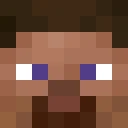 Candisdk
902 views1 downloads
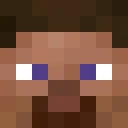 SusCat1989
872 views1 downloads
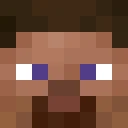 Aaraviiii
856 views1 downloads
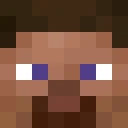 Beilinson
834 views1 downloads
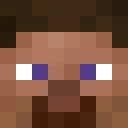 Just_Forget_Me09
833 views1 downloads
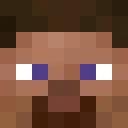 GoldAddala
821 views1 downloads
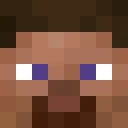 Theospace123
810 views1 downloads
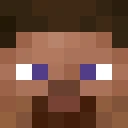 Blue_knight0
809 views1 downloads
 Ukayuchen
799 views1 downloads
 PlaysNCrafts
796 views1 downloads
 Nagato3593
796 views1 downloads
 MR_NEZVERS
781 views1 downloads
 liamtl01
777 views1 downloads
 kirit_ocho
758 views1 downloads
 exxpofim
753 views1 downloads
 SamNoMercy
752 views1 downloads
 Etown1123264
738 views1 downloads
 A4WTIngel
737 views1 downloads
 mobbadebarn77
728 views1 downloads
 Camstar9
716 views1 downloads
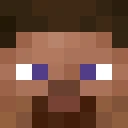 Certifiiied
716 views1 downloads
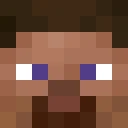 DevoNQ
715 views1 downloads
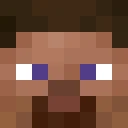 _greenforest_
705 views1 downloads
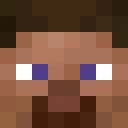 GlaucusFishing
704 views1 downloads
 TheLastTry
702 views1 downloads
 50xx
701 views1 downloads
 letswoohoo
697 views1 downloads
 ma_mans
673 views1 downloads
 pnut215
673 views1 downloads
 CostaNiko
668 views1 downloads
 Joeher74
667 views1 downloads
 VeiledFiber2601
658 views1 downloads
 StinkyCasual
657 views1 downloads
 lennon75
650 views1 downloads
 r33mu
640 views1 downloads
 coryussr
640 views1 downloads
 Bng30
636 views1 downloads
 thehood_09
632 views1 downloads
 Nezzurs
625 views1 downloads
 Chr0n0x123
624 views1 downloads
 ghostbaster1234
618 views1 downloads
 Naya_tidnap
610 views1 downloads
 ikd6810
608 views1 downloads
 HadesOP12
605 views1 downloads
 NaroLikesBoyz
580 views1 downloads
PNG · 64×64
Share this skin
Scan with your phone to share this skin
Tags
MinecraftSkinsIon_cant_aim
Frequently Asked Questions
To download the Ion_cant_aim Minecraft skin:
- Click the "Download" button to get this free Ion_cant_aim skin
- The skin file
.pngwill be saved to your device - Works with both Java Edition and Bedrock Edition
- See below for complete installation instructions
To apply the Ion_cant_aim skin:
- Log in to your Mojang or Microsoft account on the official Minecraft website.
- Navigate to the "Skins" section in your profile.
- Upload the downloaded
.pngfile. - Launch Minecraft, and your character will now use the Ion_cant_aim skin.
Note: The process may vary slightly between Minecraft Java Edition and Minecraft Bedrock Edition.
Yes, the Ion_cant_aim skin is compatible with both Minecraft Java Edition and Minecraft Bedrock Edition. However, the method of applying the skin may differ slightly between the two versions. Follow the instructions provided on this page for your specific edition.
Absolutely! You can edit the Ion_cant_aim skin using a Minecraft skin editor. Simply open the downloaded
.png file in the editor, make your changes, and save the file. Then, upload the edited skin to your Minecraft profile.If the Ion_cant_aim skin isn't working, try the following:
- Ensure you downloaded the correct file format
.png. - Make sure you're using the correct version of Minecraft Java Edition or Bedrock Edition.
- Check that the skin file is not corrupted. Re-download the skin if necessary.
- Log out and back into your Mojang or Microsoft account to refresh your profile.
Create your own skin
Draw a pixel-perfect Minecraft skin in the browser with our free 3D skin editor.
→ Skin Creator