Arclight: Bukkit Plugins on Modded Minecraft Servers
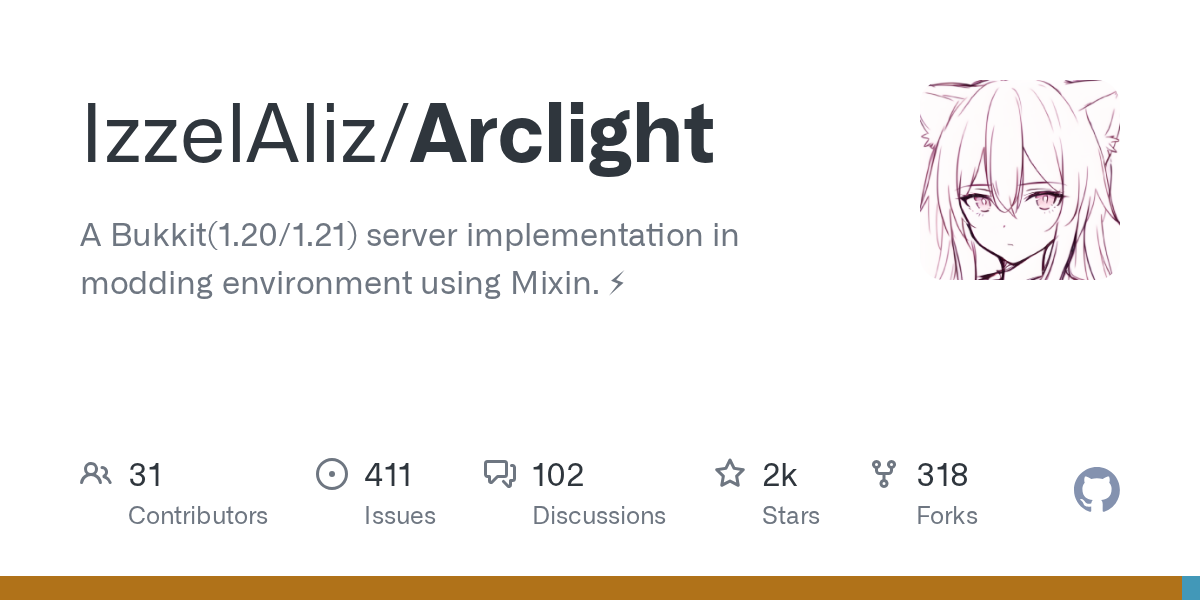
Arclight (IzzelAliz/Arclight)
A Bukkit(1.20/1.21) server implementation in modding environment using Mixin. ⚡
If you've ever wanted to run a modded Minecraft server but missed the huge ecosystem of Bukkit plugins, Arclight solves that exact problem. It's a bridge between two server worlds that usually can't talk to each other: you get your mods and your plugins, all running in the same place.
What Arclight Does
Arclight is a Bukkit server implementation built using Mixin to run on common mod loaders like Fabric, Forge, and NeoForge. Instead of choosing between a vanilla or modded server, you run one that supports both mods and Bukkit plugins simultaneously. The latest release targets Minecraft 1.21.1 and works with Fabric Loader 0.16.14, Forge 52.1.1, and NeoForge 21.1.192.
Here's the thing: most server admins fall into one of two camps. Either you want the stability and massive plugin ecosystem of Bukkit (which is limited to vanilla gameplay), or you want mods but lose access to thousands of Bukkit plugins you'd normally rely on. Arclight erases that line.
The project sits at over 2,000 stars on GitHub and is actively maintained. Recent updates have added support for custom world generation, entity damage events, inventory event handling, and compatibility with major modpacks like ATM10.
Why You'd Use This
Think about a typical server admin scenario. You want Minecraft but with extra content from mods: more dimensions, new items, interesting mechanics. But you also rely on plugins for essentials like permissions management, economy systems, shops, and custom commands. Pick vanilla with Bukkit and you're stuck. Pick mods and you lose that plugin infrastructure.
Arclight changes that tradeoff entirely.
If you're running a community server with custom features built on Bukkit plugins, Arclight lets you layer mods on top. Want players to use custom skins? The community can browse your Minecraft skin library and apply them. Need to test your server's voting system? Arclight works with standard Bukkit infrastructure, so you can verify everything with a votifier testing tool. Your existing plugin stack just keeps working.
It's also valuable if you're building something experimental. The recent releases show expansion into areas like plugin channel support and custom world generation, which means server creators can do more sophisticated things than traditional Bukkit allowed.
Installing Arclight
The installation process is straightforward. Download the appropriate JAR file for your mod loader from the project's download site at arclight.izzel.io.
java -jar arclight.jar noguiThat's the basic command. The "nogui" argument disables the server control panel, which is what you want for headless servers. This project handles mod loader detection automatically, so you don't need to manually configure Fabric versus Forge.
The first launch will set up your server directory structure. From there, you drop Bukkit plugins into the plugins folder like you would on any Bukkit server, and place mods in the mods folder. Both load together on the next restart.
One caveat: the documentation lives on the project wiki, so if something goes wrong, check there before assuming it's broken. The wiki covers more advanced setup scenarios like reverse proxies and plugin channel configuration.
Key Features and What Changed Recently
The latest release notes show what the team has prioritized. Plugin channel support is significant if you've built custom communication systems between plugins and clients. Custom world generation through plugins means you can use Bukkit plugins to control terrain generation instead of being locked to mod loaders' defaults. Entity damage events got expanded, which matters if you're running combat-focused plugins or PvP servers.
Inventory event improvements landed in the same update, addressing a common pain point: plugins that manipulate player inventories now have more fine-grained control. If you've ever had inventory-related plugin bugs, these additions likely fix them.
ATM10 compatibility is worth mentioning if you're interested in running total conversion modpacks. It shows the project doesn't exist in isolation, but actively integrates feedback from the broader modpack community.
The build script refactor and gradle updates are less flashy but important. Better build tooling means faster iteration and fewer dependency conflicts down the line.
Common Gotchas and Pitfalls
Not every Bukkit plugin works perfectly on Arclight. Some plugins depend on very specific vanilla behavior that changes when mods are present, or they make assumptions about the server thread that don't hold when running under a mod loader. The project maintains compatibility notes, but you may need to test plugins before deploying to production.
Plugin channel conflicts can happen if both plugins and mods try to use the same communication channels. Usually this is resolvable, but it's worth being aware of.
Performance is worth monitoring. Adding mods to Bukkit increases memory overhead and tick time compared to either alone. If you're running a large server, you'll want to profile carefully and potentially increase JVM heap allocation.
Also, if something breaks, you need to know whether it's a plugin issue, a mod issue, or an Arclight integration issue. The Discord community and GitHub issues are active, so help exists, but troubleshooting is slightly more complex than vanilla Bukkit.
Alternatives and Why They're Different
You could use Spigot or Paper and install mods via plugins like Mod Loaders, but that's not the same. Folks who try this get a limited subset of mod functionality packaged as plugins, not native mod support. Paper is excellent for vanilla-plus servers, but it doesn't solve the modded-plus-plugins problem.
You could run a pure modded server without Bukkit at all, but you lose the plugin ecosystem. Some mod loaders have their own plugin systems (Fabric has Quilt, for example), but they're smaller ecosystems with less legacy compatibility.
Arclight is unique because it's specifically designed to run both simultaneously, not as a hack or addon. The architectural choice to use Mixin means it integrates deeply with the mod loader rather than sitting on top of it.
Getting Help and Contributing
The project has a Discord server, GitHub discussions, and a QQ group for Chinese-speaking users. That wiki at wiki.izzel.io/s/arclight-docs has setup guides and API documentation. If something's broken, the GitHub issues board is the right place, and the maintainers respond reliably.
And if you want to support the project directly, BisectHosting offers Arclight server hosting with a 25% discount using the code "arclight."
Open the Arclight repo ↗
Lead writer at minecraft.how. Long-time Minecraft player running a small SMP server, testing every build, mod, and seed before writing about it.