Minecraft MOTD: Complete Guide to Server Messaging
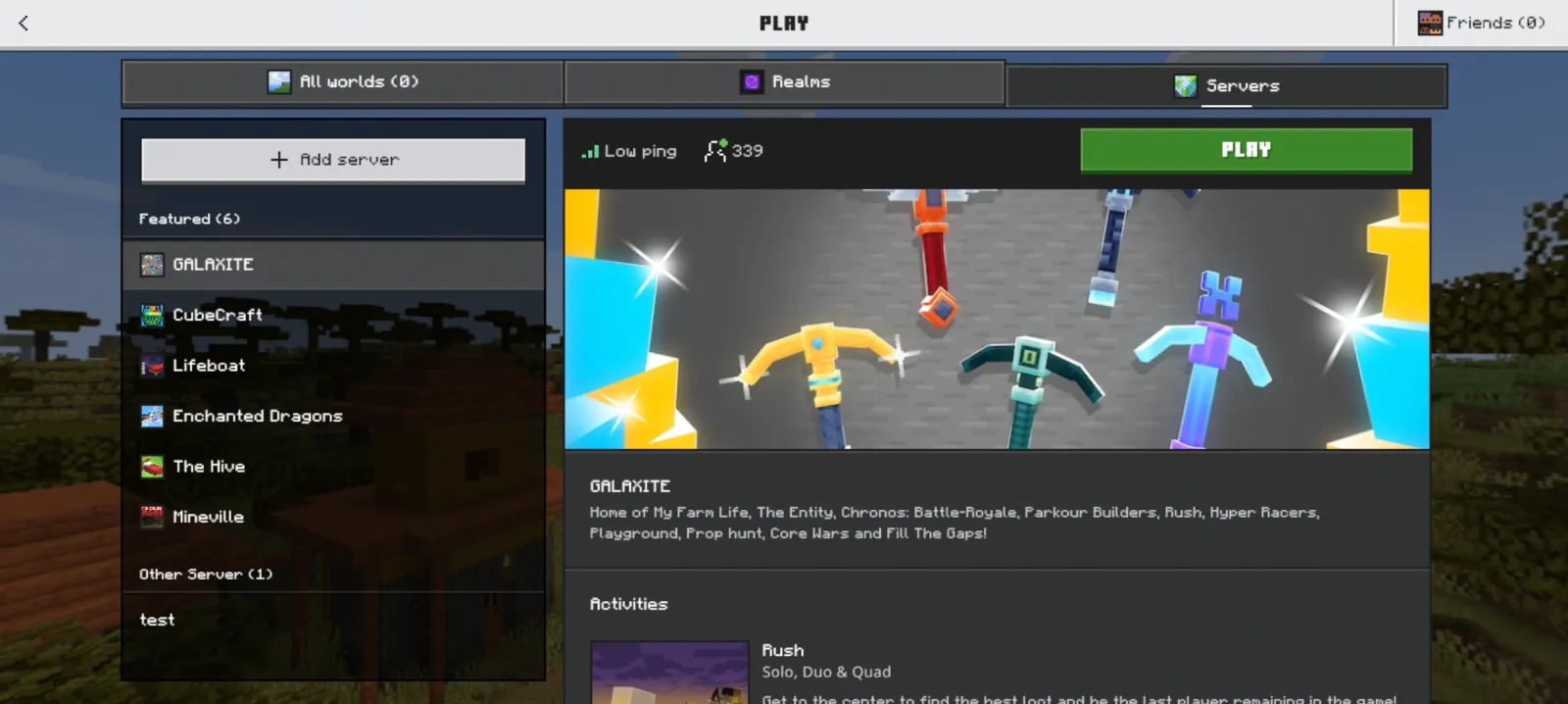
MOTD means "Message of the Day" - it's that line under your server's name in the multiplayer list. You can customize it with colors, formatting, and text to welcome players, advertise rules, or show off your server's personality. Here's everything you need to know about creating an eye-catching MOTD in 2026.
What Is Minecraft MOTD and Why It Matters
Your MOTD is real estate. That little line under your server name? It's your first impression. Most players scanning a server list will see your MOTD before they see anything else about your server. Get it right, and you've got players clicking join. Get it wrong, or leave it blank, and you've just wasted free marketing.
I've been running an SMP for a couple years now, and honestly, I didn't take the MOTD seriously at first. My first server had a blank one for like three months. Then I added something simple - just "Welcome to our SMP!" - and I noticed more players actually sticking around after joining. Correlation? Maybe. But I'm convinced it helped.
The MOTD appears in both Java and Bedrock versions, though the formatting is slightly different between them. Java supports actual color codes and special formatting (bold, italic, strikethrough). Bedrock Edition is a bit more limited, but it still gets the job done.
The Basics of MOTD Formatting
So how does MOTD formatting actually work?
In Java Edition, you use color codes - a section symbol (represented as "&" in most tools) followed by a number or letter. This sounds technical, but it's actually pretty straightforward once you get the hang of it.
If you want red text, you'd use "&c". Green? That's "&a". There are 16 standard Minecraft colors available. Some servers also use formatting codes like "&l" for bold and "&o" for italic. You can chain these together to get red bold text, for example: "&c&l" makes text both red and bold.
Here's where most people get lost: the formatting resets after each word (sometimes). Actually, that's not quite right - it carries forward until you use a reset code ("&r"), but applying a new color code will automatically reset the previous formatting. So if you do "&c&lBold Red&a Cool Green", the "Cool Green" part won't be bold, just green.
The actual syntax depends on where you're setting your MOTD. Most modern servers use a server properties file where you'd type the MOTD directly with color codes. Some hosts have GUI builders that handle the codes for you visually.
Using a MOTD Creator Tool
If you're not comfortable hand-coding formatting, you've got a better option.
The Minecraft MOTD Creator lets you build MOTDs visually. You type in your text, click colors, add formatting, and see a live preview of how it'll look in-game. No color code memorization required. You just copy the output and paste it into your server config. Honestly, this is the way most people should handle it - faster, cleaner, no mistakes.
Different hosting providers have different places to paste your MOTD. Some use a simple text field in a control panel. Some require direct server file access. Your host's documentation should tell you exactly where to put it.
Real MOTD Examples That Work
Let me break down a few MOTDs I've seen work well across different server types.
For a vanilla survival server, something like "&6Welcome!&r Come join our growing community." works great. Nothing fancy, just inviting. It tells people what kind of server it's without being aggressive.
Hardcore/competitive servers often go edgier. Something like "&cCutthroat SMP&r &8[26.2] Hard Mode" tells experienced players what they're getting into. The red color adds intensity. That "[26.2]" part is important too - version clarity matters.
Creative servers can get more playful: "&b>&5 Build Paradise &5>&b&r No rules, unlimited creativity!". The fancy arrow characters (> and <) are purely decorative, but they add personality.
Here's my dry take on MOTD design: don't overdo it. I've seen servers with every color changing every word, and it just looks chaotic. Your eyes don't know where to focus. Stick to maybe two or three colors max.
Hosting Your Server and MOTD Best Practices
When you're setting up a server, the MOTD goes in your server.properties file for Java Edition. The line looks like: "motd=YourMOTDHere". Some hosts might label it differently in their control panel, but it's the same thing.
One thing worth knowing: MOTDs are displayed in the server list, but they don't load every single time a player opens the list. Minecraft caches server list info. So if you change your MOTD, it might take a few minutes to show up for all players checking the list.
Also, keep it shorter than 59 characters (before color codes are applied). Actually, let me correct myself - you can go longer, but the text will wrap weird on some clients, especially on older versions of Bedrock Edition.
Testing your MOTD is straightforward. Create a local test server, set your MOTD, and look at it in the multiplayer list. You'll immediately see if colors are right or if the text breaks awkwardly.
Going Beyond Basic MOTDs
Some servers use the MOTD for more advanced stuff like displaying server status (player count, server version) using plugins. Spigot and Paper servers can use plugins that dynamically update the MOTD every few seconds to show rotating messages or live player counts.
If you want fancier text effects beyond just colors, you could use a Minecraft Text Generator to create styled text for your descriptions elsewhere (like on your server website or Discord), though the in-game MOTD itself has formatting limits.
There's also the option of having multiple lines in your MOTD, separated by section symbols. Some servers display something like: "Line 1: Welcome! | Line 2: Version 26.2". The actual display depends on what the player's client renders, but most modern versions handle it fine.
Making Your Server Stand Out
Okay, real talk: your MOTD won't get you thousands of players on its own. But it's one of the first things new players see when they're deciding between servers. If you've got a good server with a boring or blank MOTD, you're leaving opportunity on the table.
I'd recommend these key points:
- Keep it under 60 characters
- Use 1-2 colors maximum
- Include what makes your server unique (game mode, version, special features)
- Update it occasionally (doesn't have to be often, just sometimes)
- Check how it looks on both Java and Bedrock if you support both
Don't use profanity or anything inappropriate. Not only is it against Minecraft's community guidelines, but it also looks unprofessional. And honestly, you probably have players under 13 on your server.
Want to get even more creative with your server presentation? Check out our Minecraft Skin Creator to design unique player skins, or browse our community's top servers if you want to see what other admins are doing with their MOTDs. On our server list, servers like CraftMC have been dialing in their presentations for years.
Final Word
MOTDs are one of those small details that separate lazy servers from ones that care about the player experience. It takes five minutes to set a good one up. Spend that five minutes. Your server will be better for it.

Lead writer at minecraft.how. Long-time Minecraft player running a small SMP server, testing every build, mod, and seed before writing about it.