Minecraft Shader 1.21.11 Rehberi - Java, Bedrock ve FPS
Minecraft shader 1.21.11 için 2026'daki en iyi kurulum, Iris, Sodium ve Complementary ya da BSL gibi hafif-orta seviye shader paketi içeren Java Edition'dur. Bedrock, desteklenen cihazlarda Mojang'ın Vibrant Visuals'ını kullanabilir, ancak bu yine de tam Java shader desteği gibi değildir.
Minecraft Shader 1.21.11 2026'da Ne Anlama Geliyor?
Bu tam sürümü arayıyorsanız, neredeyse kesinlikle Java Edition 1.21.11'den bahsediyorsunuzdur, Mojang'ın 9 Aralık 2025'te yayınladığı Mounts of Mayhem güncellemesidir. Mojang'ın 1.21.11 değişiklik günlüğü bunu doğrular ve önemlidir çünkü Java ve Bedrock hala grafik modlarını çok farklı şekilde yönetir.
Java hala eğlenceli olan yer.
Bedrock'ta 1.21.111 ya da 1.21.130 gibi sürüm numaralarına bakıyorsanız, bu normal bir durumdur. Mojang'ın yayın değişikliği arşivi Bedrock ve Java'nın düzgün bir şekilde senkronize olmadığını gösterir, bu da pek çok shader rehberinin yanlış soruya yanıt vermesinin nedenini açıklar.
Java'da "shader", Iris gibi bir şey ya da bazen OptiFine aracılığıyla yüklenen gerçek shader paketleri anlamına gelir. Bedrock'ta, resmi yol şu anda Vibrant Visuals'tır ve güzel görünür ancak topluluk shader paketlerinin aynı çeşitliliğini sağlamaz. "Mojang'ın aydınlatma ön ayarını seç" "Bataklığım üssünü kasvetli fantezi ekran görüntüsüne dönüştür" dan daha fazladır.
Ve sürüm paniği biraz abartılı. Mojang'ın güncelleme ritmi artık kocaman bir yıllık güncellemelerden ziyade sabit düşüşlere daha yakın olduğundan, shader araçları da daha hızlı yakalamaya başladı. PCGamesN Mart 2026'da bildirdi Mojang'ın düşüş hızı hala kabaca üç aylık olup, bu da son zamanlarda shader yükleyici güncellemelerinden gördüğümüz şeyle uyumlu: daha kısa bekleme, başlangıç haftasında daha az gürültü.
Minecraft Shader 1.21.11'i Java'ya Nasıl Yüklenir
Benim seçimim burada Iris. Resmi Iris SSS 1.16.5 ve üzeri her Minecraft sürümünü desteklediğini ve Fabric artı NeoForge'u 1.21.1 ve üzeri sürümlerde çalıştığını söyler. Eğer survival dünyası zaten bir modpack içinde yaşıyorsa ve su daha parlak olsun diye tüm şeyi yeniden inşa etmek istemiyorsanız bu büyük bir fark.
Iris kurucusu çoğu oyuncu için en temiz rota çünkü Sodium'u paketler ve bu hala daha iyi frame hızları için en iyi ilk adım. Benim açımdan bu kurulum, vanilla benzeri bir SMP, daha ağır bir Fabric yapısı ve her şeye kira hariç şikayetçi olan eski bir RTX 2060 makinesinde en az can sıkıcı olmuştur.
- Iris kurucusunu indirin ve çalıştırın.
- Minecraft 1.21.11'i seçin, ardından Iris ve Sodium'un kurulmasını sağlayın.
- Shader zip'inizi shaderpacks klasörüne bırakın.
- Iris profilini başlatın, Video Ayarlarını açın, ardından shader paketinizi seçin.
Hepsi bu. Shader'lar client-side olduğu için sunucu yüklemesi gerekli değildir. Arkadaşlarınız vanilla grafikleriyle katılırsa sunucu çökmez. Minecraft zaten kaotik yeterli.
OptiFine Hala Çalışıyor, Uyarılarla Birlikte
OptiFine'ın indir sayfası bir 1.21.11 yapısı listeler, yani evet, hala bir seçenektir. Tek bir mod kurulumu istiyorsanız ve bir sürü yeni render modunu yığmıyorsanız, kullanılabilir durumda. Ancak Iris mod uyumluluğu, güncelleme hızı ve saf akıl sağlığı açısından kazanır. Resmi Iris SSS da Forge'ün desteklenmediğini açıkça belirtir, bu yüzden eski bir Forge kurulumuna bağlıysanız, herhangi bir şeyin "shader" kelimesiyle işbirliği yapacağını varsaymak yerine paketinizi kontrol edin.
Bir uyarı: loader'ı yüklemeden paket konusunda takıntılı olmayın. Gördüğüm "shader yüklenmiyor" şikayetlerinin yarısı aslında "bir zip'i yanlış klasöre attım ve şimdi güneşe kızıyorum" durumudur.
Minecraft 1.21.11 İçin En İyi Shader Paketleri
Modrinth'teki her paketi denemek için kesinlikle bir hafta sonu yakabilirsiniz. Ben bunu yaptım. "Sadece hızlı bir test" ile başlar ve su yansımalarına felsefe keşfetmiş gibi yirmi dakika bakıyorsunuz ile biter.
- Complementary Reimagined r5.7.1: Benim en güvenli tavsiyem. Modrinth sayfası 1.21.11'e kadar desteği listeler ve Ocak 2026 güncellemesi özel olarak chunk fade-in efektinin desteğinden bahseder. Minecraft'ı Minecraft gibi tutar, sadece daha akıllı, temiz ve çok daha iyi aydınlatılmış.
- BSL Shaders: Hala klasik renkli seçenek. BSL'nin Modrinth sayfası geniş 1.21.x uyumluluğunu listeler ve yapı taşıyıcıları için tam uygulamaya dönüşmeden sıcak güneş batışları, daha yumuşak interyörler ve biraz dramatik ekran görüntüsü enerjisi isteyenler için harika kalmaya devam eder.
- Bliss v2.1.2: İyi görünümlü, daha stilize ve şaşırtıcı ölçüde esnek. Mevcut sürüm sayfası 1.21.11 desteğini listeler. Fantezi kasabaları, özel arazi ve gerçekçiliğin aslında yapıyı daha kötü görünür kıldığı dünyalar için seviyorum. Bazı shader'lar her göletinin bir parfüm reklam gibi görünmesi gerektiğini düşünür. Bliss genellikle ne zaman rahatlayacağını bilir.
- Solas Shader V3.3: Daha güçlü atmosfer istiyorsanız ve ayarlarında birkaç dakika geçirmekten hoşlanmıyorsanız benim seçimim. En son Modrinth sürümü 1.21.11'i destekler ve stilize gökyüzüne, renkli aydınlatmaya ve büyük hava durumu ruh haline eğilim gösterir.
Bir tartışma kulübü istemiyor tek bir cevap istiyorsanız, Complementary Reimagined ile başlayın. PC'niz orta seviye ise, genellikle görünüm ve frame hızı arasında en iyi denge sağlar. BSL daha belirgin bir şekilde daha güzel, ancak özellikle özgürlüğü odadan bıraktığı için gölgeleri kırınca hızlı ağırlaşabilir.
Ayrıca bir pakete yerleşmeden önce shader'ları ciltlerle test ederim, çünkü aydınlatma bir paleti mahvedebilir. Parlak vurgular ShaderSK Minecraft Cildi'ndeki renkleri güzelce patlatırken, daha yumuşak aydınlatma bunnygirl12111 Minecraft Cildi'ni uyguladı ve daha derin kontrast Shadersss Minecraft Cildi, ShaderShark1 Minecraft Cildi ve ShadersBR Minecraft Cildi'nde gölge detayını yargılamama yardım etti. Belki aptal bir test, ancak kötü aydınlatma seçimleri taş duvarlarında olduğundan çok daha hızlı oyuncu ciltlerinde gösterilir.
Minecraft Shader 1.21.11 Bedrock, Mobil ve Konsol'da
İnsanlar hala "Bedrock'ta şimdi shader'lar var" diyorler. Evet, aslında o kadar değildir.
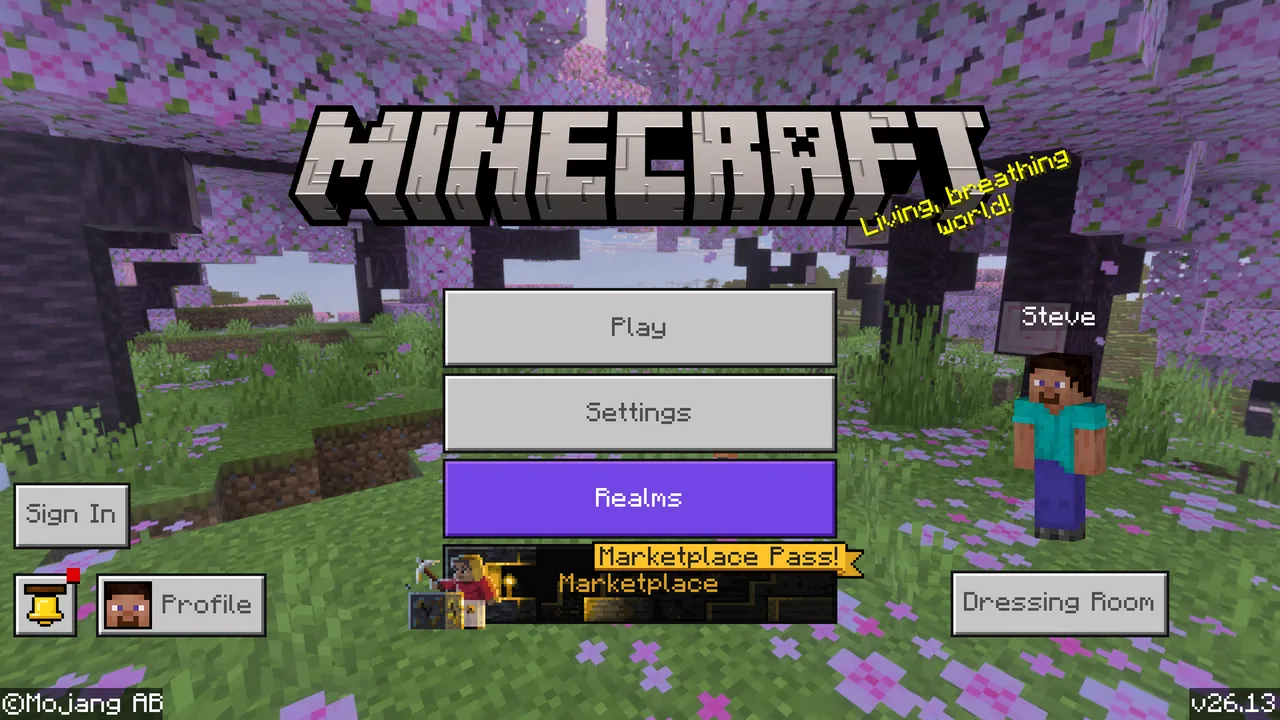
Bedrock, desteklenen cihazlarda Mojang'ın kendi Vibrant Visuals'ına sahiptir ve resmi SSS Bedrock Windows, Xbox, PlayStation, Android ve gereksinimlerini karşılayan iOS donanımında mevcut olduğunu söyler. Bu daha güzel aydınlatma, hacimsel sis, yansımalar ve ayarlanabilir grafik ön ayarları anlamına gelir. Ne anlamına gelmediği tam Java stili özgürlüktür, yirmi topluluk paketi arasında göz atar ve bunları doku dosyaları gibi değiştirir.
Ve eğer telefonlardaysanız dikkatli olun. Iris SSS olağandışı blunt ve Bedrock telefon shader uygulamalarının yerleşik sınırları atladığını iddia etmeleri temelde dolandırıcılıktır. Sert kelimeler, evet, ancak uyarı adil. Bir mobil uygulama sıfır uyarılarla masaüstü sınıfı shader paketi desteği vaat ederse, bu genellikle sahte bıyık giymiş pazarlamadır.
Konsol oyuncuları birkaç yıl öncesinden biraz daha iyi bir hikaye yaşıyorlar. Mojang, 22 Ekim 2024'te yerel PS5 sürümünü açıkladı ve Vibrant Visuals şimdi desteklenen PlayStation ve Xbox donanımında çalışır. Yani evet, konsol Minecraft 2026'da daha iyi görünebilir. Ancak hayır, konsoller hala klasik Java shader paketi oyunculuğu yapmak için değildir.
Minecraft Shader 1.21.11 ve Kararlı FPS İçin En İyi Ayarlar
Burada en çok zaman kazandıran sıkıcı gerçek: shader ön ayarı egodan daha önemlidir. Ultra harika görünür ta ki frame hızınız kendine saygısı olmayan bir slaytshow olur.
- 12 ila 16 render mesafesi ile başlayın, 32 değil.
- Doku kalitesini düşürmeden önce gölge çözünürlüğünü düşürün.
- FPS düşerse hacimsel bulutları önce kapatın veya döndürün.
- Survival dünyalarında simülasyon mesafesini render mesafesinden düşük tutun.
- Elle ayarlamaya başlamadan önce Sodium'ın performans varsayılanlarını kullanın.
- Bir seferde bir değişikliği test edin, yoksa ne gerçekten yardım ettiğini bilemezsiniz.
Mojang ayrıca 1.21.11 döngüsü etrafında doku filtreleme ve chunk fade davranışı da dahil olmak üzere ekstra görsel ayarlar ekledi, bu nedenle vanilla video ayarları artık eskisinden biraz daha önemlidir. Ben genellikle vanilla seçenekleri yakın varsayılana bırakırım, shader paketini ilk ayarlıyorum, ardından geri dönüyorum. Daha hızlı ve sizi aynı anda iki ayrı aydınlatma sistemi kovalamaktan korur.
Oyun, tutarlı bir şekilde daha düşük FPS'ye düşmek yerine kesiliyorsa, bu genellikle bellek tahsisi, arka plan uygulamaları veya shader derlemesi akışlarına işaret eder, saf GPU zayıflığı yerine. Düz İngilizce'de, sadece grafik kartını suçlamayın. Tarayıcı sekmelerini kapatın, ilk kurulumdan sonra yeniden başlatın ve shader önbelleğinin oluşturulmasına izin verin. Evet, bu tavsiye derinlemesine unglamorous'tur. Ayrıca işe yarar.
Minecraft Shader 1.21.11 İçin 2026'daki Seçimim
Çoğu oyuncu için güvenli nokta Java 1.21.11, Iris, Sodium ve Complementary Reimagined'dir. Bu, bir survival üssü inşa eden, normal bir SMP'de oynayan veya oyunu donanım stres testine dönüştürmeden daha iyi görünmesini isteyen birilerine tavsiye edeceğim kurulumudur.
Bedrock'tasanız, cihazınız destekliyorsa Vibrant Visuals kullanın ve bunu, Java oyuncuları hala aldıkları tam shader hobisinin değil katı resmi grafik yükseltmesidir, diyin. Farklı şey. Hala yararlı.
Öyleyse, minecraft shader 1.21.11 2026'da störe değer mi? Kesinlikle, Java'dasanız. Bedrock'ta, çoğunlukla yanlış şeyleri indirmeyi bitirmedikten sonra bir akşam boşa harcamadığınız için gölü neden hala mavi reçel gibi göründüğünü merak etmemek için anlamaya değer.

Lead writer at minecraft.how. Long-time Minecraft player running a small SMP server, testing every build, mod, and seed before writing about it.
Sıkça Sorulan Sorular
Java Edition 1.21.11'e shader nasıl kurulur?
1.21.11 için Iris mi yoksa OptiFine mi kullanmalıyım?
Minecraft 1.21.11 ile uyumlu shader paketleri hangileri?
Bedrock Edition 1.21.11'de shader kullanılabilir mi?
Minecraft 1.21.11 ne zaman çıktı ve hangi güncellemeyi kapsıyor?
Shader kurulduktan sonra arkadaşlarım sunucuda vanilla grafiklerle oynayabilir mi?
Yorumlar
Henüz yorum yok. Düşüncelerinizi paylaşan ilk kişi olun!