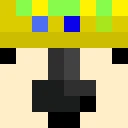
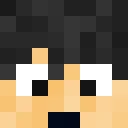
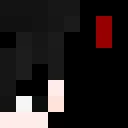
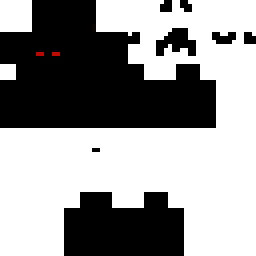
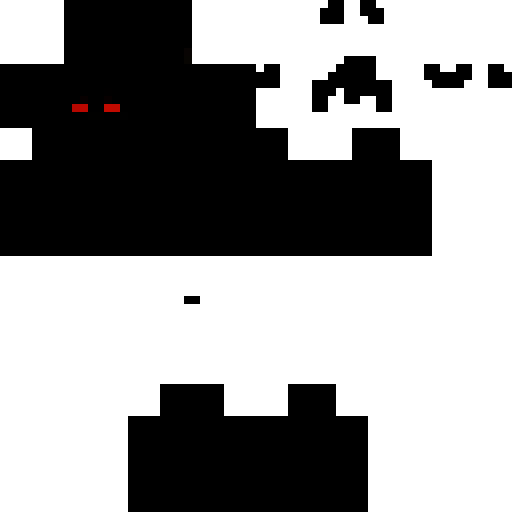
Skin showcase
Watch Page →alfred146 Minecraft Skini
✓ Onaylandı
Bu skin oyuncu modelinizin görünüşünü alfred146 adıyla ilişkili bir görünümle değiştirir. Bunu herkese açık servers veya kendi tek oyunculu dünyalarında kullanabilirsiniz. İndirme, Minecraft başlatıcısı veya profil ayarları aracılığıyla uygulayabileceğiniz standart bir PNG dosyasıdır. Karakterinize saniyeler içinde yeni bir kimlik verin.
98
İndirmeler
2.6K
Görüntüleme
0
Beğeni
Tepkiler
Tepki vermek için giriş yap.
Skin Bilgileri
Minecraft Sürümü:java
Dosya Boyutu:0.4 KB
Cinsiyet:Bilinmiyor
Yükleyen:BOT
Yükleme Tarihi:14.04.2025
Minecraft profile
ce79d4cf-9aba-425a-af75-b2005f5f5487Model
classic
Views / 30 days
35
Observed names
Dates show when minecraft.how first observed each name.
alfred146—
Skin history
History grows as minecraft.how observes profile changes.

Head command
/give @p minecraft:player_head[profile={name:"alfred146"}]PNG · 64×64
Bu skini paylaş
Paylaşmak için telefonunuzla tarayın
Etiketler
MinecraftSkinleralfred146javaneutral
Sık Sorulan Sorular
alfred146 Minecraft skinini indirmek için:
- Bu ücretsiz alfred146 skinini almak için «İndir» düğmesine tıklayın
- Skin dosyası
.pngcihazınıza kaydedilecek - Hem Java Edition hem de Bedrock Edition ile çalışır
- Tam kurulum talimatları için aşağıya bakın
alfred146 skinini uygulamak için:
- Resmi Minecraft web sitesinde Mojang veya Microsoft hesabınıza giriş yapın.
- Profilinizdeki «Skinler» bölümüne gidin.
- İndirilen
.pngdosyasını yükleyin. - Minecraft'ı başlatın, karakteriniz artık alfred146 skinini kullanacak.
Not: Süreç Minecraft Java Edition ve Minecraft Bedrock Edition arasında biraz farklılık gösterebilir.
Evet, alfred146 skini hem Minecraft Java Edition hem de Minecraft Bedrock Edition ile uyumludur. Ancak skinin uygulanma yöntemi iki sürüm arasında biraz farklılık gösterebilir. Belirli sürümünüz için bu sayfada sağlanan talimatları izleyin.
Kesinlikle! Minecraft skin editörü kullanarak alfred146 skinini düzenleyebilirsiniz. İndirilen
.png dosyasını editörde açın, değişikliklerinizi yapın ve dosyayı kaydedin. Ardından düzenlenen skini Minecraft profilinize yükleyin.alfred146 skini çalışmıyorsa şunları deneyin:
- Doğru dosya formatını
.pngindirdiğinizden emin olun. - Doğru Minecraft sürümünü kullandığınızdan emin olun: Java Edition veya Bedrock Edition.
- Skin dosyasının bozuk olmadığını kontrol edin. Gerekirse skini tekrar indirin.
- Profilinizi yenilemek için Mojang veya Microsoft hesabınızdan çıkış yapın ve tekrar giriş yapın.
Kendi görünümünü oluştur
Ücretsiz 3D görünüm editörümüzle tarayıcıda piksel piksel mükemmel bir Minecraft görünümü çiz.
→ Skin Oluşturucu