
BangCraft Mod is a Forge modification for Minecraft 1.20.1 that adds three interactive NPC characters named Jenny, Ellie, and Elliot to your world. Originally released as an updated version of the Fapcraft Mod, BangCraft brings new mechanics, structures, and character interactions that go beyond what standard villagers offer. In this guide we will cover everything you need to know about installing the mod, meeting the characters, and using its unique features.
What is BangCraft Mod?
BangCraft Mod is a character-focused modification that introduces three named NPCs into Minecraft. Unlike regular villagers who wander around trading posts, Jenny, Ellie, and Elliot spawn inside specific structures scattered across your world. The mod is built for Forge and requires GeckoLib as a dependency. It is currently available for Minecraft 1.20.1 and 1.20, and the developer continues to refine and expand the experience with each update.
The core idea behind BangCraft is to give players memorable characters to encounter during exploration. Each character has a custom inventory GUI, unique animations, and interaction options that set them apart from any other mob in the game. Whether you are playing solo on a survival world or running a modded server with friends, BangCraft adds a new layer of discovery to your Minecraft adventures.
The mod has gained significant attention since its release, with over 190,000 views on 9Minecraft alone. Players are drawn to the novelty of having named characters with distinct personalities in their worlds. The community has been actively sharing tips, screenshots, and feedback, which helps the developer improve the mod with each new version.
Key Features of BangCraft Mod
Three Unique Characters
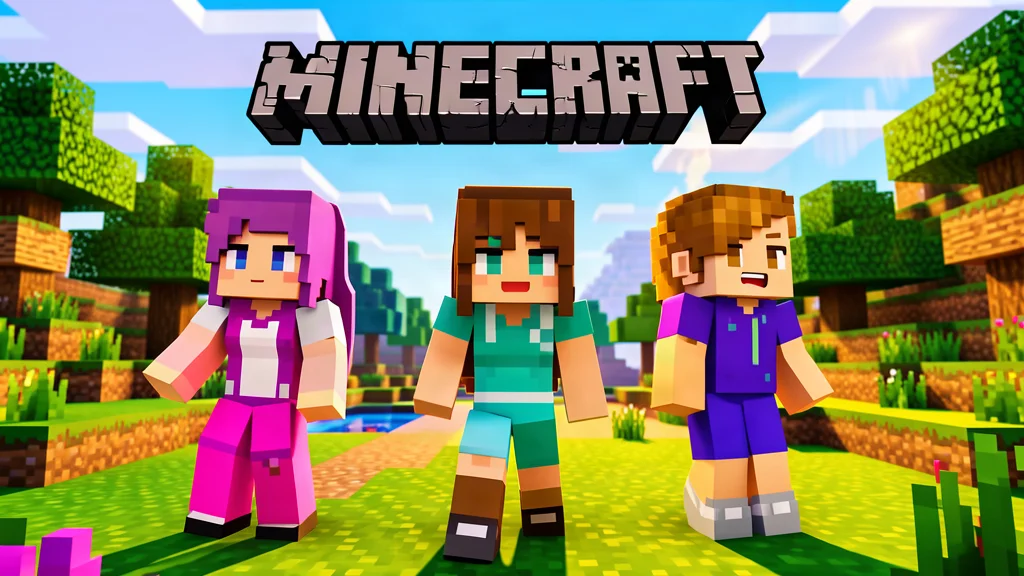
The mod currently includes three characters: Jenny, Ellie, and Elliot. Each one has a distinct appearance and personality. They are not reskinned villagers. They are custom entities with their own models, animations, and behaviors. When you approach one of them for the first time, you will notice right away that they look and act differently from anything else in vanilla Minecraft.
Jenny is often the first character players encounter. She has a friendly demeanor and responds well to players who bring her valuables. Ellie has her own unique animations, including the ability to bend over, which adds a layer of personality you will not find in any other mod. Elliot rounds out the trio with his own look and interaction style. Together, the three characters create a memorable cast that makes exploring the world feel more purposeful.
New Inventory and Interaction System
Right-clicking any of the three characters opens a custom inventory GUI. This interface includes a new button that enhances how you interact with them. The inventory screen also features a special slot where you can place valuable items such as diamonds or iron. According to community feedback, putting valuables into the leftmost slot is the first step toward unlocking deeper interactions with the characters.
The interaction system is designed to be intuitive but also rewarding for players who take the time to experiment. Different items placed in the special slot may produce different responses from the characters. This encourages players to try various combinations and discover what each character likes or dislikes. The GUI itself is clean and easy to navigate, with clear buttons and slots that make interaction straightforward even for first-time users.
Character Animations and Expressions
BangCraft introduces several animations that you will not find in vanilla Minecraft. Jenny, Ellie, and Elliot can wink at you during interactions. The bow has a beautiful effect when used. Ellie has the ability to bend over, adding another layer of character personality. These small details make the characters feel more alive and responsive to player actions.
The animations are powered by GeckoLib, which is why the mod requires that dependency. GeckoLib allows for smooth, complex animations that go beyond what the standard Minecraft entity model can handle. This technical foundation is one of the reasons BangCraft characters feel so much more polished than typical NPC mods.
Structure-Based Spawning
One of the biggest changes in BangCraft is how the characters appear in the world. They no longer spawn naturally as you explore. Instead, they appear inside specific structures. These structures are now rarer than before, with the spawn radius increased from 15 to 30 chunks. This means you will need to travel further and explore more to find Jenny, Ellie, or Elliot, making each encounter feel more rewarding.
The structure-based spawning system encourages players to explore biomes they might normally skip. Instead of building a base near spawn and never leaving, BangCraft gives you a reason to venture out and see what the world has to offer. When you finally stumble upon a structure containing one of the characters, the sense of discovery is genuinely exciting.
No Despawning and Peaceful Mode Support
Once a character spawns, they stay in the world. Jenny, Ellie, and Elliot no longer despawn when you move far away or switch to Peaceful difficulty. This is a significant quality-of-life improvement over the previous version, as players no longer lose their favorite characters just by walking too far or changing game settings.
This feature is particularly important for players who build bases far from where they first found a character. You do not need to worry about your companion disappearing if you go on a long mining trip or explore a distant biome. They will be right where you left them when you return.
Non-Hostile When Accidentally Hit
If you accidentally hit Jenny, Ellie, or Elliot, they will not attack you back. This is different from most other mobs in Minecraft, where a single stray hit can turn a neutral creature into a hostile threat. This feature makes BangCraft characters safe to have around your base without worrying about accidental combat.
This is especially useful in situations where you are fighting mobs near your base and a stray arrow or splash potion hits one of the characters. In most mods, this would trigger a hostile response, but BangCraft characters simply ignore the damage and continue going about their business.
Clothing Customization
A new button in the character GUI allows you to change clothes for Jenny, Ellie, and Elliot directly. You can customize their appearance without needing external tools or commands. This feature gives players creative control over how their characters look and adds a personal touch to each encounter.
The clothing options add another layer of attachment to the characters. Players can dress their favorite character in outfits that match their base theme or personal style. It is a small feature, but it makes the characters feel more like companions and less like random mobs.
Door Opening Ability
The characters can now open doors. This might seem like a small detail, but it adds a lot of life to your world. Imagine returning to your base and finding that one of the characters has wandered inside and left the door open. These little behaviors make the world feel more dynamic and inhabited.
The door opening ability also has practical implications. If you want a character to follow you into a building, they can actually get inside on their own. This makes it easier to keep them near your base or bring them along when you move to a new location.
How to Install BangCraft Mod
Installing BangCraft Mod requires a few steps, but the process is straightforward if you have ever installed a Forge mod before. Here is what you need to do.
Requirements
Before you begin, make sure you have the following:
- Minecraft Java Edition version 1.20.1 or 1.20
- Minecraft Forge installed for the correct game version
- GeckoLib Mod (required dependency)
- The BangCraft Mod JAR file
GeckoLib is essential. Without it, BangCraft will not load properly. Make sure you download the version of GeckoLib that matches your Minecraft version and Forge installation. Using the wrong version of GeckoLib is one of the most common causes of crashes when installing BangCraft.
Step-by-Step Installation
- Download and install Minecraft Forge for Minecraft 1.20.1 from the official Forge website. Run the installer and select Install Client.
- Download GeckoLib for your Minecraft version from CurseForge or Modrinth. Make sure the version number matches your Minecraft version exactly.
- Download the BangCraft Mod JAR file from a trusted source such as 9Minecraft.
- Press Windows plus R, type
%appdata%, and press Enter. Navigate to the.minecraftfolder, then open themodsfolder. If the mods folder does not exist, create it. - Place both the GeckoLib JAR and the BangCraft JAR into the mods folder. Do not extract the JAR files. They must remain as compressed archives.
- Launch Minecraft using the Forge profile. If everything is installed correctly, both mods will appear in the mod list accessible from the main menu.
If you are new to modding, check out our step-by-step guide to installing Minecraft mods for a more detailed walkthrough with screenshots. The guide covers everything from installing Forge to troubleshooting common issues.
Troubleshooting Common Issues
If BangCraft is not working after installation, here are the most common causes and solutions:
- Missing GeckoLib: Make sure GeckoLib is installed and is the correct version for your Minecraft version.
- Wrong Forge version: BangCraft requires Forge. It will not work with Fabric, NeoForge, or Quilt.
- Conflicting mods: Some mods may conflict with BangCraft. Try removing other mods one by one to identify the culprit.
- Outdated mod version: Make sure you downloaded the version of BangCraft that matches your Minecraft version.
Finding and Interacting with Characters
Once you are in a world with BangCraft installed, the hunt begins. Remember that Jenny, Ellie, and Elliot no longer spawn randomly. They appear inside specific structures, and those structures are rarer than before. The spawn radius has been increased from 15 to 30 chunks, so be prepared to explore.
When you find a structure that contains a character, approach them and right-click to open their inventory GUI. This is where the interaction system comes into play. You will see a new button that enhances your ability to interact with the character. You will also notice a special slot on the left side of the GUI.
Community members have discovered that placing valuable items like diamonds or iron into the leftmost slot is key to unlocking further interactions. Experiment with different items and see what responses you get from Jenny, Ellie, and Elliot. Each character may react differently, so it is worth spending time with all three.
Do not worry about accidentally hitting them during interaction. Even if you strike them by mistake, they will not become hostile. This makes it safe to keep them near your base or bring them along on adventures.
One of the best ways to find structures is to explore in a straight line. Since the spawn radius is 30 chunks, traveling in one direction maximizes your coverage. Bring plenty of food, tools, and building materials so you can create a temporary base if you need to rest. When you finally find a structure with a character inside, the sense of accomplishment is well worth the effort.
Tips and Tricks for BangCraft
Here are some helpful tips to get the most out of the mod:
- Explore in a straight line to cover more ground efficiently. Since structures spawn within a 30 chunk radius, traveling in one direction maximizes your chances of finding one.
- Bring diamonds and iron with you when you find a character. Having valuables in your inventory lets you interact with the special slot immediately.
- Try the clothing customization button early. Changing the characters' outfits can make them easier to spot if they wander near your base.
- Build a small shelter near any structure where you find a character. Since they do not despawn, you can create a permanent meeting spot.
- If you play on a server, coordinate with friends to cover more exploration ground. Multiple players searching in different directions will find structures faster.
- Keep a stack of building blocks in your hotbar. If you find a structure at night, you can quickly wall it off and wait until morning to explore safely.
- Write down the coordinates of any structure you find. Even if there is no character inside, the structure might be worth revisiting later or using as a landmark.
BangCraft Mod vs Fapcraft Mod
BangCraft is the successor to the original Fapcraft Mod. While the core concept remains the same, several important changes have been made. The characters no longer spawn naturally, which makes finding them more of an adventure. The spawn radius increase from 15 to 30 chunks means structures are rarer but more rewarding to discover. The addition of the clothing customization button, door opening ability, and the non-despawn feature are all quality-of-life improvements that make BangCraft a more polished experience overall.
If you played Fapcraft in earlier Minecraft versions, you will notice that BangCraft feels more refined. The animations are smoother, the GUI is cleaner, and the characters behave more naturally. The mod is still under development, so expect more features and characters to be added in future updates.
The transition from Fapcraft to BangCraft represents a maturation of the mod's design philosophy. Where Fapcraft was more about novelty, BangCraft focuses on creating a sustainable, enjoyable experience that players can engage with over long periods. The structure-based spawning, permanent characters, and deeper interaction system all support this goal.
Community and Future Updates
The BangCraft community is active and growing. Players share their experiences, tips, and screenshots on forums, Discord servers, and comment sections across mod hosting sites. The developer is responsive to feedback and regularly releases updates that address player concerns and add new features.
Future updates may include additional characters, more interaction options, and compatibility with newer Minecraft versions. The mod's development roadmap suggests that the creator is committed to expanding the experience over time. If you enjoy BangCraft, consider following the mod on its official pages to stay updated on new releases.
Frequently Asked Questions
What Minecraft versions does BangCraft support?
BangCraft Mod is currently available for Minecraft 1.20.1 and 1.20. It runs on the Forge mod loader. There is no Fabric or NeoForge version at this time. Players using other versions will need to wait for future updates or look for alternative mods.
Do I need GeckoLib to run BangCraft?
Yes. GeckoLib is a required dependency. Without it, the mod will not load and the characters will not appear in your world. Make sure you install the correct version of GeckoLib for your Minecraft version. GeckoLib is available on both CurseForge and Modrinth.
Where do the characters spawn?
Jenny, Ellie, and Elliot spawn inside specific structures. They do not spawn naturally in the open world. The structures are rarer than before, with a spawn radius of 30 chunks. You will need to explore to find them. The structures can appear in any biome, so do not limit your search to one area.
Will the characters despawn if I walk away?
No. Once a character spawns, they will not despawn when you move far away or switch to Peaceful mode. They stay in the world permanently once they appear. This means you can build a base near them and they will remain there indefinitely.
What happens if I accidentally hit a character?
Nothing hostile will happen. Jenny, Ellie, and Elliot will not attack you back if you accidentally hit them. This makes them safe to keep around your base. You can fight mobs near them without worrying about triggering a hostile response.
Can I change the characters' clothes?
Yes. A new button in the character GUI allows you to change clothes for Jenny, Ellie, and Elliot directly. You can customize their appearance whenever you interact with them. The clothing options are accessible from the same GUI where you access the special interaction slot.
Is BangCraft still being updated?
Yes. The mod is still under development and being refined. The developer continues to add new features and improvements. The current version includes three characters, but more may be added in future releases. The mod has a strong community following, which helps drive continued development.
Can I use BangCraft on a multiplayer server?
Yes. BangCraft works on both single-player and multiplayer servers. All players on the server will need to have the mod installed, and the server will need to have both BangCraft and GeckoLib in its mods folder. The characters spawn in structures on the server world, so all players can find and interact with them.