How to Install Minecraft Texture Packs on Java and Bedrock

Texture packs versus resource packs
In Minecraft, people often say texture pack when they mean a resource pack that changes how blocks, items and sometimes sounds or interface elements appear. Java Edition uses resource packs, while Bedrock Edition has its own pack format and Marketplace content. A pack does not normally change the underlying gameplay rules: that is the job of mods, add-ons or datapacks. Before downloading anything, identify your edition and version, because a Java resource pack ZIP is not interchangeable with a Bedrock pack.
Install a texture pack in Java Edition
Download the resource pack from its official creator or a reputable project page. Check the supported Minecraft version and keep the file as a ZIP if the author instructs you to. Open Minecraft Java Edition, go to Options, then Resource Packs, and select Open Pack Folder. Copy the ZIP into that folder. Return to the game, find the pack under Available and move it to Selected. Apply the changes and wait for the textures to reload. Mojang's own texture-pack guide describes this workflow.
Install packs in Bedrock Edition
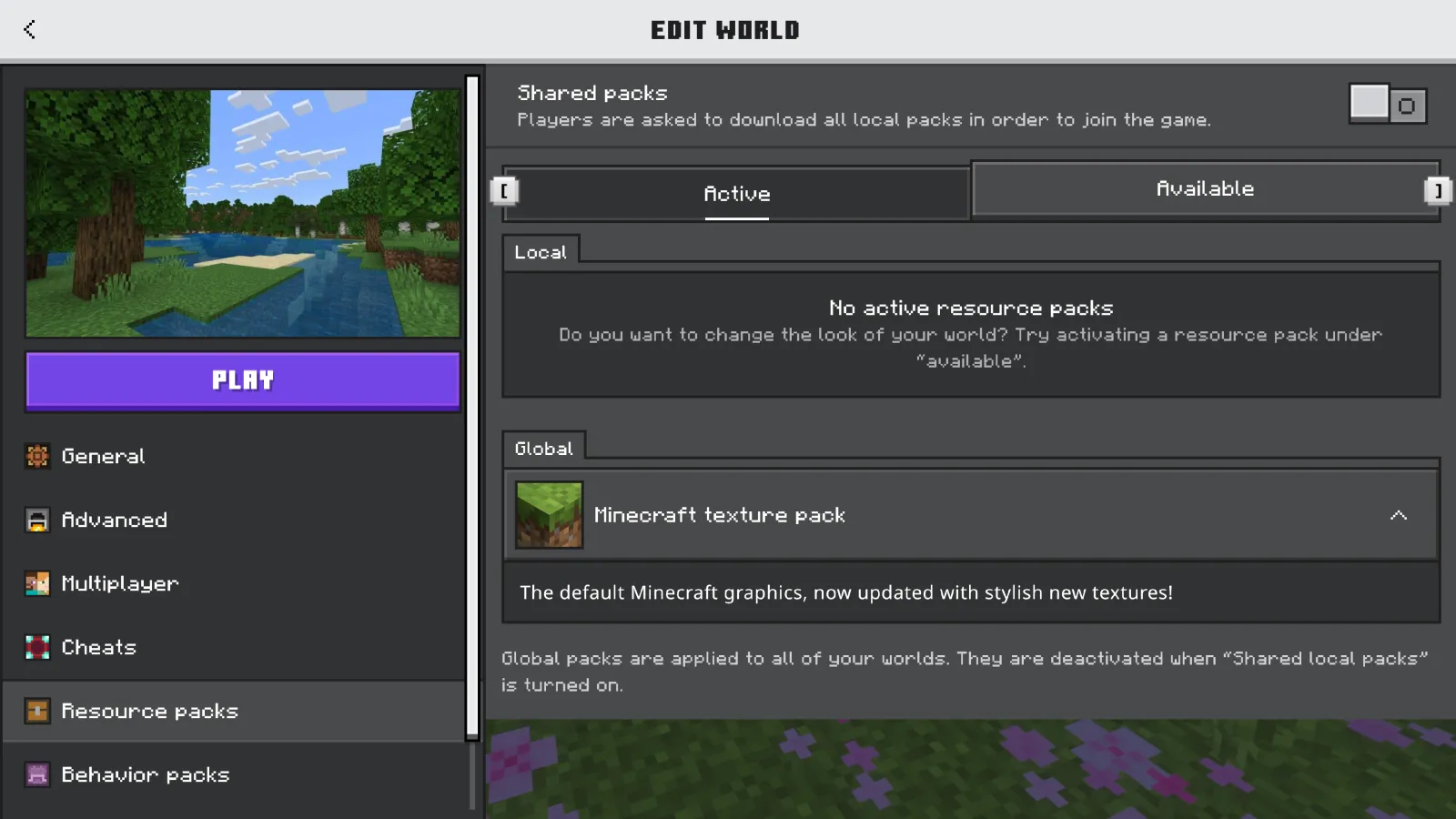
Bedrock Edition generally provides texture packs through Marketplace or supported resource-pack files. Open Marketplace, find the desired pack and review the edition, price and compatibility details. After installing, use the pack's settings to activate it globally or for a specific world, depending on the product. Some platforms restrict importing third-party files. If a tutorial shows a Windows-only file manager step, do not assume the same process works on a console. Follow the instructions provided for your exact device.
Check version and pack compatibility
A resource pack made for a different game version may display missing textures, incorrect item models or interface problems. In Java, Minecraft can warn that a pack targets another version; this warning should not be ignored blindly. Check the creator's update notes before applying the pack to a long-running world or server. When troubleshooting, disable other packs and test one at a time. This makes it easier to identify conflicts caused by overlapping textures or UI elements.
Understand resolution and performance
Many packs describe their textures as 16x, 32x, 64x or higher resolution. Higher resolution can improve detail but also increase memory usage and loading time, particularly on lower-end devices. A 16x pack is not automatically unattractive; careful pixel art can look excellent at the game's traditional scale. Start with a modest resolution and compare frame rate, memory use and visual clarity in the same world. Large shaders or graphical modifications are separate factors and should not be confused with a texture pack alone.
Resource pack order matters
In Java Edition, multiple selected packs can be stacked, with higher-priority packs overriding conflicting assets from lower-priority ones. This can be useful when combining a broad visual overhaul with a smaller interface or item pack. However, unexpected textures may appear when two packs edit the same files. If a block looks wrong, temporarily disable the smaller packs and test the base pack by itself. Re-enable the others one by one until you find the conflict. Keep a note of the order that works.
Server resource packs and consent
Multiplayer servers may offer a custom resource pack when you connect. This can provide themed items, fonts or sounds that make a minigame easier to understand. Read the prompt and trust the server before accepting downloads. A resource pack is not the same as a mod, but it still changes local game assets. If you administer a server, use a reliable download host and verify that the pack matches your client versions. The Minecraft.How directory can help players find communities, but pack requirements are set by each operator.
Fix missing textures and installation errors
If a pack does not appear, check whether you placed the actual ZIP in the correct folder or accidentally downloaded an archive containing another nested ZIP. If textures are pink and black or otherwise missing, confirm the pack version and disable conflicting packs. If the game becomes slow, try a lower-resolution option. On Bedrock, verify the Marketplace installation and activation settings. Avoid downloading executable 'texture pack installers' from unknown websites; most legitimate resource packs do not require them.
Frequently Asked Questions
Where do Java Edition resource packs go?
Open Options > Resource Packs > Open Pack Folder, then place the compatible pack file there.
Can Java texture packs work on Bedrock?
Not directly. The editions use different pack formats and installation workflows.
Do texture packs improve FPS?
Some lightweight packs may help on certain hardware, but higher-resolution packs can also reduce performance.
Why is my texture pack not showing?
Check file format, folder location, game version and whether the pack is enabled.
Lead writer at minecraft.how. Long-time Minecraft player running a small SMP server, testing every build, mod, and seed before writing about it.
Frequently Asked Questions
Where do Java Edition resource packs go?
Can Java texture packs work on Bedrock?
Do texture packs improve FPS?
Why is my texture pack not showing?
Have a Question or Tip about this Guide?Community Q&A
Ask a question or help other players below. Join the discussion and share your Minecraft tips!
Comments
No comments yet. Be the first to share your thoughts!