CobolCraft: Running a Minecraft Server in COBOL
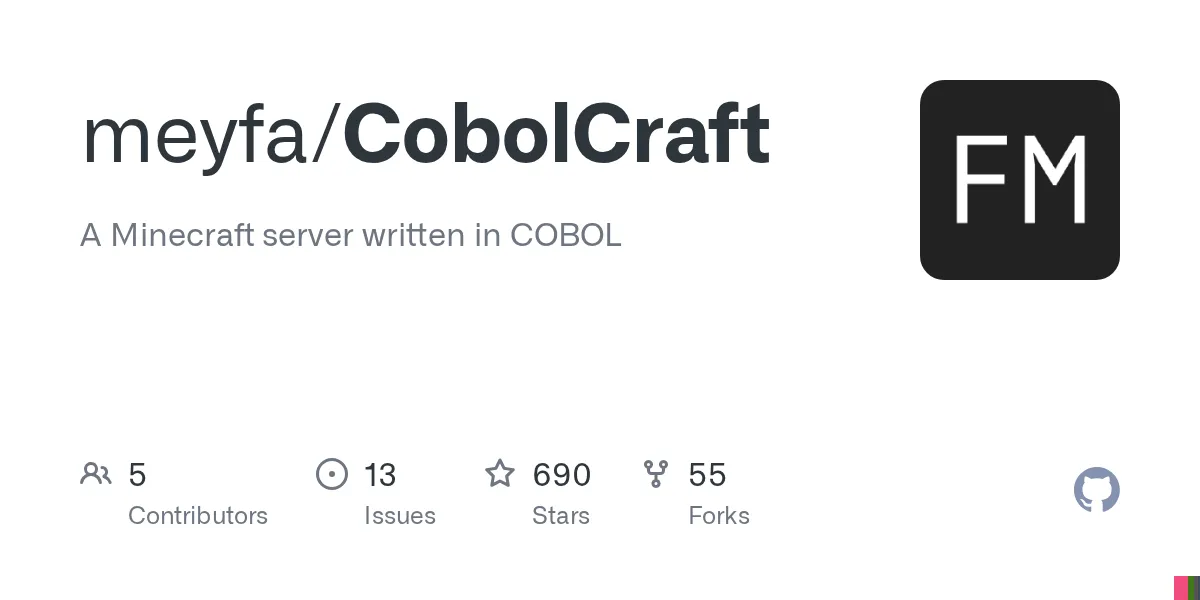
CobolCraft (meyfa/CobolCraft)
A Minecraft server written in COBOL
Ever wondered what it would take to build a Minecraft server from scratch in a 60-year-old programming language? CobolCraft does exactly that. It's a fully functional Minecraft server written in COBOL that supports Minecraft 1.21.4, and somehow, it actually works.
What's CobolCraft Anyway?
CobolCraft is what happens when someone decides to implement a Minecraft server not in Go, Rust, or Java, but in COBOL (Common Business Oriented Language). If that sounds absurd, it kind of is. But it's also genuinely impressive.
This isn't a joke project either. CobolCraft implements real Minecraft server features: infinite terrain generation, multiplayer support with configurable player limits, persistent world and player data, crafting (both 2x2 and 3x3), item entities, chat, commands, fall damage, and respawning. You can connect with a standard Minecraft client and play legitimately.
The project has 690 GitHub stars and is licensed under MIT, meaning you can fork it, study it, or contribute. The maintainer clearly put serious work into this, and the fact that it runs at all speaks to both their skill and COBOL's surprising capability for complex systems.
Why Would Anyone Do This?
This is the question everyone asks. The honest answer: because they could. But there's more to it.
COBOL is often dismissed as a dinosaur language, but it's still running critical banking and government systems. It's verbose, yes, and its syntax feels alien to modern developers, but it's also incredibly stable and battle-tested. CobolCraft is a proof of concept that COBOL can handle non-trivial software challenges, even in 2026. It's a middle finger to the "COBOL is dead" crowd.
For most players? This isn't a replacement for your go-to multiplayer server. It's a educational curiosity, a technical achievement, and a fascinating exploration of what's possible when you ignore conventional wisdom and just build something weird.
Getting CobolCraft Running
If you want to try it, you've got two paths: native Linux or Docker.
Linux Setup
CobolCraft targets Linux on x86_64 or arm64 architectures. You'll need:
- GnuCOBOL 3.1.2 or later (3.2+ is recommended for performance)
- make, gcc, g++, and zlib development headers
- curl (to download the official Minecraft server jar)
- Java 21 or later (to extract game data from the jar)
On Debian or Ubuntu, most of this is straightforward:
sudo apt-get install gnucobol make gcc g++ zlib1g-dev curl default-jre-headlessThen clone the repository and build it:
git clone https://github.com/meyfa/CobolCraft.git
cd CobolCraft
make --jobs=$(nproc)
make run
The build process downloads the official Minecraft server jar, extracts block and recipe data, and compiles everything. First run creates a `server.properties` file with defaults. The server listens on localhost:25565 by default, which means you can only connect from your own machine. To make it accessible from outside (on your network, via VPN, or from a rented server), you'll need to edit the properties or adjust your network setup.
Docker Route
Prefer containers? Pull the pre-built image:
docker pull meyfa/cobolcraft:latest

docker run --rm --interactive --tty \ --publish 25565:25565 \ --volume "$(pwd)/server.properties:/app/server.properties" \ --volume "$(pwd)/whitelist.json:/app/whitelist.json" \ --volume "$(pwd)/world:/app/world" \
 meyfa/cobolcraft
This is cleaner if you don't want to install GnuCOBOL and all its dependencies locally. The volumes let you persist configuration and world data between container runs.
Configuration and Features That Work
CobolCraft's `server.properties` file handles the basics. You can set the server port, world name, max players (up to 100), message of the day, and enable a whitelist if you want to restrict who joins.
On the gameplay side, here's what's solid: terrain generation and chunk loading actually work. You can mine blocks, place blocks, break blocks, and they all use Minecraft's real loot tables. Crafting works in both the 2x2 inventory grid and the 3x3 crafting table. You can chat, run commands, pick up items, store them in your inventory, and interact with certain blocks like doors and trapdoors.
Some blocks are fully implemented: torches, slabs, stairs, rotated logs and pillars, buttons, doors, trapdoors, beds, and signs. More complex blocks with multiple states or special interactions aren't there yet. Redstone? Nope. Pistons? Not really. Some orientation-dependent blocks partially work, but don't expect full parity with vanilla Minecraft.
Physics is extremely basic. Falling damage and void damage work, and you'll respawn properly. But collision detection is simplistic, and you won't experience the kind of smooth movement mechanics you get from Java Edition. It's enough to play, but you'll notice the difference.
If you want to build something interesting, you can. If you're expecting to run a survival server for 50 people mining Netherite, you'll be disappointed. But for a small group building with basic blocks and exploring a generated world? Absolutely feasible.
Real Talk: The Limitations
CobolCraft works, but it's not Spigot or Paper. Blocks with complex behavior require mountains of specialized COBOL code. Many interactive features are missing. Performance on massive builds hasn't been tested at scale. The project is clear about what it supports and what it doesn't, which is refreshing honesty.
Also worth noting: this is built with GnuCOBOL, which compiles to C. That means it's dependent on GnuCOBOL's maturity and the underlying C compiler's performance. Version 3.2+ is recommended because earlier versions had performance issues. If you're running on an underpowered machine or planning to host 100 concurrent players, your mileage may vary.
The whitelist is persistent (stored in JSON), which is nice. Configuration is straightforward. But if you find a bug in the server logic, you're reading COBOL to fix it. That's not ideal unless you actually know COBOL, which most modern developers don't.
When You Might Use This
Genuinely? Probably not for serious gameplay. It's a novelty, but a well-executed one.
Where it shines: education. If you're teaching systems programming, language design, or distributed systems, CobolCraft is a perfect case study. It shows what's possible with unusual tool choices and demonstrates that language age doesn't equal inability. It's also great for anyone learning COBOL who wants a real-world project to study.
It's also just fun to say you've run a Minecraft server in COBOL. That's a conversation starter at any tech meetup.
If you're building a Minecraft hub or creative world with a small group and want something unusual to host, it could work. Just manage expectations. Stick to basic building blocks, keep player counts low, and avoid trying to recreate complex redstone contraptions. And before you invest time, maybe read through the project's GitHub Issues to see what's currently broken or planned.
For everything else, there's Paper, Spigot, or a cloud hosting provider running vanilla Java Edition.
Getting More Out of Your Server
Once you've got a CobolCraft server running and you're exploring your generated world, you might want to enhance your Minecraft experience elsewhere. The Minecraft Skin Creator on Minecraft.How lets you design custom player skins before you jump in. And if you're curious about specific blocks you're mining or placing, the Minecraft Block Search tool is a quick way to look up properties and crafting recipes.
These aren't CobolCraft-specific, but they're useful tools for any Minecraft player.
Bottom line: CobolCraft is a genuinely impressive technical achievement that proves COBOL isn't just a relic. It's not going to replace your favorite multiplayer server, but it's worth understanding as a proof of concept. And if you're bored with conventional Minecraft hosting options, it's a wild experiment to try.

Lead writer at minecraft.how. Long-time Minecraft player running a small SMP server, testing every build, mod, and seed before writing about it.
Questions fréquentes
Can I actually play on a CobolCraft server like a normal Minecraft server?
What does COBOL have to do with Minecraft, and why would anyone build a server in it?
Do I need to learn COBOL to run or maintain a CobolCraft server?
What are the system requirements for running CobolCraft?
Is CobolCraft free and open source?
Have a Question or Tip about this Guide?Community Q&A
Ask a question or help other players below. Join the discussion and share your Minecraft tips!
Commentaires
Aucun commentaire pour le moment. Soyez le premier à partager votre avis !