Fetchr: The Minecraft Bingo Gamemode That's Actually Addictive
bingo (NeunEinser/bingo)
A custom item fetch gamemode for Minecraft
Tired of jumping into a vanilla world with no clear objective beyond "build stuff"? Fetchr drops you into a structured, competitive bingo game where you're racing against the clock (and probably your friends) to collect items on a 5x5 card. It's survival Minecraft with a purpose, and it genuinely changes how you approach the game.
What's Fetchr, Really?
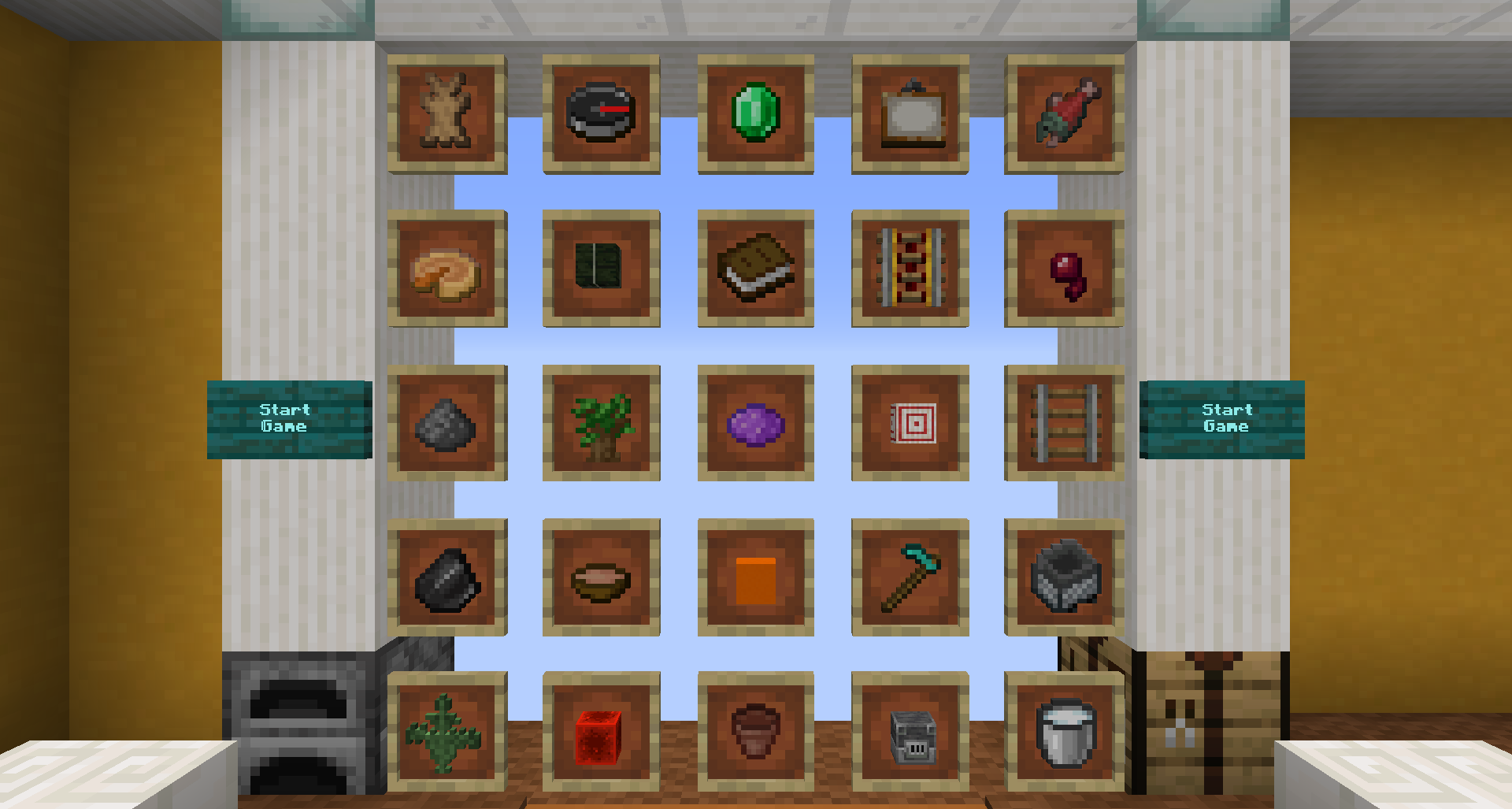
At its core, Fetchr is a datapack-based gamemode that overlays a bingo board onto vanilla survival gameplay. You spawn in a random location with an empty inventory and a card showing 25 items you need to collect. Get five in a row (horizontal, vertical, or diagonal) and you've hit a Bingo. Collect all 25 and you've gone "Blackout." Simple concept. Deceptively fun.
The project started as a creative way to give vanilla Minecraft a scorecard. Instead of playing indefinitely with no finish line, you're working toward concrete goals. And because the items are randomized with each new world, it never feels like you're replaying the same game twice.
The repository sits at NeunEinser/bingo on GitHub with 104 stars and is built entirely in mcfunction (Minecraft's native scripting language). That means it requires zero mods. This is pure datapack magic.
Game Modes: More Variety Than You'd Expect
Fetchr isn't just "collect items." The project includes several distinct game modes, each shifting your strategy entirely.
Bingo Mode is the straightforward version: first to five in a line wins. It's quick, competitive, and rewards smart item hunting over pure grinding.
Blackout Mode pushes you to collect all 25 items on the card. This is the long game. Want a real challenge? The items stay randomized, so a Blackout on this world won't look like a Blackout on the next one.
Then there's the weird stuff: 20 No Bingo mode flips the script entirely. Collect 20 items without accidentally triggering a Bingo. It sounds impossible (mathematically, it's the maximum before you're guaranteed a line), but it forces you to think three moves ahead. Get it wrong and you've locked yourself out.
Multi Bingo lets you score multiple Bingos at once by targeting intersecting lines. Get creative and you could unlock four different lines with a single item. That moment when it clicks is genuinely satisfying.
If you're playing with others, Lockout Mode means only one team can claim each item. Once you've locked in more items than any other team can possibly get, you've won. It's the competitive version, and it turns Fetchr from a speed run into a strategic game of poker.
Blind Mode hides the card until items are revealed. You'll need to memorize which items typically come from which biomes and resources.
Getting Fetchr Running: Installation Breakdown
Fetchr ships in two flavors: a complete world download and a datapack-only version. Pick based on how you want to play.
Singleplayer Setup is dead simple. Download the world file (Fetchr-5.2.2.zip from the latest release), extract it to your saves folder, load it up. You're done. The world is pre-configured and ready to go. Make sure you're running the compatible Minecraft version listed with the release.
For multiplayer servers, download the zip, extract it in your server directory alongside your server.jar, then check the included server.properties file. The key settings are already there; you just need to verify they're set correctly if you've an existing config. One important note: vanilla servers and Fabric with Lithium work fine. Paper and Spigot don't, despite what you might expect. The server's performance tuning breaks subtle aspects of how the datapack detects item changes.
If you want to use just the datapack version (say, on a world you've already started), grab the datapack zip, extract it to your world's datapacks folder, then run /reload. Fair warning: Blind Mode requires a clean world spawn since it needs to detect the initial setup phase.
After you set up multiplayer, don't forget to generate your whitelist if you want to restrict access. The Minecraft Whitelist Creator makes it painless to add players before the game starts.
Gameplay Strategy: What Works
Fetchr rewards planning as much as speed.
Early on, ignore rare items. You're not competing for diamonds or netherite when you've got six different blocks to find. Hit the low-hanging fruit first: wood, dirt, stone, whatever's on your card and immediately findable. This padding stacks your early progress.
Watch the board. If you're three items away from a horizontal Bingo and two away from a diagonal, chart a course that completes both simultaneously. One smart play beats five rushed moves.
In Lockout Mode with teammates, communicate which items you're going for. Nothing worse than two people grabbing the same item when you needed different ones. If you're playing with a group coordinating for a longer session, keep a written list.
The Nether is usually worth the trip early if you've got portal materials on your card. Once you're there, the Portal Calculator at Minecraft.How's Nether Portal Calculator helps you navigate between overworld coordinates and nether coordinates efficiently. Save yourself ten minutes of walking.
Blind Mode changes everything. You'll rely on muscle memory of item spawning. Slimes spawn in swamps. Blazes drop from Blazes in the Nether. If you don't know, dig into the category chests scattered around the map to figure out the item pools. It's detective work disguised as survival.
Common Gotchas and Pitfalls
Fetchr is stable, but there are a few things that catch new players.
Entity rendering lag used to freeze mobs when you lowered your render distance before the game started. Version 5.2.2 fixed this, so update if you're running 5.2.0 or 5.2.1. The fix is datapack-only; you don't need a new world.
The card detects items when they're in your inventory. Drop an item and pick it up later: it doesn't re-detect. So plan your inventory carefully in Blind Mode where you're hunting items you can't see.
Multiplayer desync sometimes happens if the server tick rate is irregular. Stick to vanilla or Fabric + Lithium. If you're getting weird behavior with stale entities or items not registering, check your server's TPS first.
The resource pack is optional but recommended. It includes the bingo card UI and makes the lobby much clearer. Without it, you'll still see the card, but the presentation gets rough.
Why Fetchr Stands Out
Datapack-based survival gamemodes aren't new, but Fetchr nails the execution. The randomized cards mean every playthrough feels different. So this multiple goal types mean you're not just grinding the same objective every time.
And here's the thing nobody mentions: it's genuinely good for group cohesion. Lockout Mode turns your friend group into a competitive team. You're laughing when someone snipes an item you needed, strategizing in voice chat, celebrating when you nail a four-line Multi Bingo. That's the magic. It's survival Minecraft with actual stakes.
The project is actively maintained, the MIT license means you can modify it for your server, and there are builds for recent versions. If you've been looking for a way to give vanilla Minecraft a competitive edge without adding fifty mods, this is it.
NeunEinser/bingo - MIT, ★104 Visit NeunEinser/bingo on GitHub ↗
Lead writer at minecraft.how. Long-time Minecraft player running a small SMP server, testing every build, mod, and seed before writing about it.