Guide des blocs de commande Minecraft 2026 : Commandes, usages et erreurs
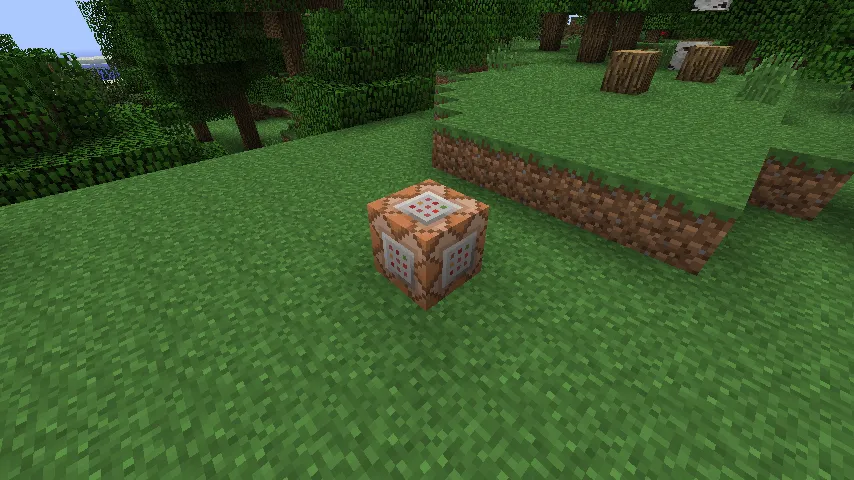
A minecraft command block is a redstone-powered block that runs typed commands automatically, so you can build custom mechanics, admin tools, minigames, and map events without mods. In 2026, it's still the fastest way to make vanilla worlds feel custom, if you learn syntax, permissions, and chain logic correctly.
Minecraft command block basics, and why people still use it
Command blocks are still everywhere because they solve real problems. Need to teleport players to a lobby? Easy. Want a dungeon door that opens only after three mobs die? Also easy. Need a quick anti-grief safety net on a private server? You can do that too, and you don't have to install plugin stacks just to get started.
I've tested command block setups on a small survival realm, a chaos creative server, and a local Java test world where I break things on purpose. Same pattern every time: beginners overcomplicate, then realize a few clean commands beat a giant redstone spaghetti wall.
And yes, command blocks can be abused. That's not news.
Three command block modes matter most:
- Impulse: runs once when triggered.
- Repeat: runs every game tick while powered (or always active).
- Chain: runs after a previous command block, useful for multi-step logic.
If you're building anything bigger than a toy command, chain blocks are your best friend. They keep automation readable. Well, readable-ish.
How to get a command block and enable it safely
You can't craft command blocks in survival, so you summon one with a command. On Java, it's usually:
/give @p command_block
Bedrock syntax differs in places, actually, that's not quite right as a universal answer because some Bedrock setups need permission tuning first. If commands fail, check your world or server operator status before rewriting everything.
For multiplayer servers, do this before you place anything fancy:
- Limit who gets OP permissions.
- Keep command blocks in a protected admin area.
- Name blocks with clear labels so future-you understands them.
- Test on a copy of the world first.
Future-you is a different person. Future-you'll absolutely forget why Block #47 teleports chickens into the sky.
One more thing people skip: run a permission audit after updates. Mojang's update cadence has shifted to smaller drops, and PCGamesN reported the 1.26.1 "Tiny Takeover" window around March 2026 based on that quarterly rhythm. New drop timing can mean subtle behavior shifts or command edge cases, so retest your important automations after patch day.
Minecraft command block syntax that causes 90% of errors
Most failures come down to targeting and conditions, not the command idea itself. You typed a smart command, but the selector hit no entities, or a chain block was conditional when it shouldn't be.
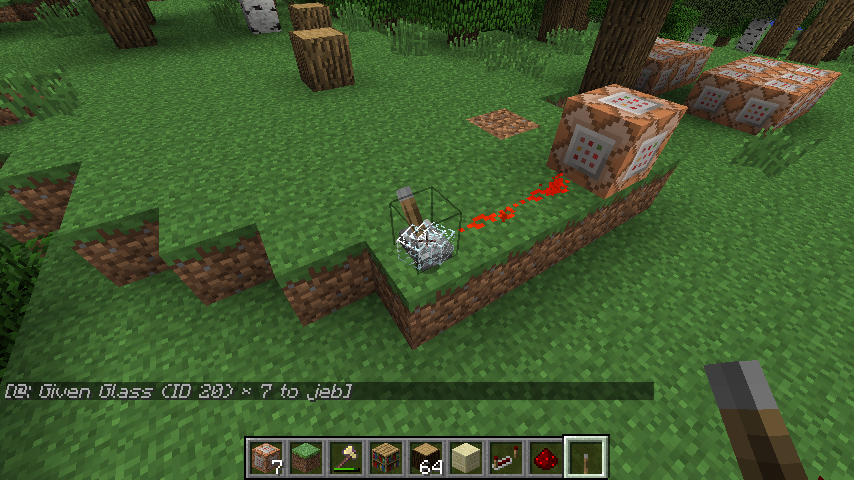
1) Learn target selectors first
Use selectors deliberately:
- @p: nearest player
- @a: all players
- @e: all entities (dangerous if broad)
- @s: the command executor
Then filter. Example:
/tp @a[distance=..10] 100 64 100
That grabs all players within 10 blocks and moves them. No filter means no precision, and no precision means accidental chaos.
2) Master execute, even if it feels annoying
/execute is the backbone of modern command logic. You can run a command as an entity, at a location, only if a condition passes, and then chain to the next check. It looks verbose because it is verbose, but it's powerful once it clicks.
A practical pattern:
/execute as @a at @s if block ~ ~-1 ~ gold_block run effect give @s speed 3 1 true
Translation: for each player, if they're standing on gold, apply Speed briefly. Repeat block runs it continuously. That's a simple pressure-zone mechanic with no redstone clock noise.
3) Watch command block settings, not just command text
I've seen perfect commands fail because the block was set to "Needs Redstone" when the system expected "Always Active." Chain blocks also have a conditional toggle. Conditional means "run only if previous command succeeded." Great when intentional, brutal when accidental.
Short checklist:
- Correct mode (Impulse, Repeat, Chain)
- Correct power state
- Conditional vs Unconditional set intentionally
- No hidden typo in coordinates or selector brackets
Small settings, big consequences.
Best command block builds in 2026 (that people use)
Let's skip gimmicks and focus on useful builds that hold up in real worlds.
Lobby and spawn systems
A command block spawn hub is still the cleanest way to manage multiplayer flow. Teleport arrivals, set adventure mode in safe zones, clear effects, and display rules with title commands. It's fast, and if you keep each function in separate chains, it's easy to maintain.
Want personality in your lobby? Tie welcome messages to player tags and rotate visuals. You can even theme NPC zones with skin showcases so the space doesn't look sterile. I like adding references to creator skins, for example: BlockingWheat46 Minecraft skin design, Blocksberg1 custom Minecraft skin, and YTblockman creator-style Minecraft skin as inspiration points for themed areas.
Mini-games and event triggers
Command blocks shine in mini-games where timing and conditions matter. Think parkour checkpoints, elimination counters, auto-reset arenas, and sudden-death rules after a timer expires. Repeat plus chain logic handles this without needing external plugins in small groups.
I tested a "last player moving" challenge on a private server where stepping off wool turned your name red and started a 10-second countdown. Stupidly simple, surprisingly tense, everyone blamed lag anyway.
Admin automation for survival servers
You can run periodic cleanup, detect banned items, or move non-whitelisted players to an info room. Be careful with blanket entity kill commands, though. One badly scoped selector and your decorative armor stands are gone.
For visual marker stations, I've seen admins use skin galleries as signposted zones. These pages are solid examples of themed profile art to borrow from: blocksmc Minecraft skin variant and blocksmc alternate Minecraft skin.
Yes, that's two blocksmc variants. No, your players won't complain about having options.
Java vs Bedrock command block differences in 2026
This still trips up experienced players because command syntax is similar, not identical. If you copy commands from a Java tutorial into Bedrock, some will work, some won't, and some will fail in ways that waste your entire evening.
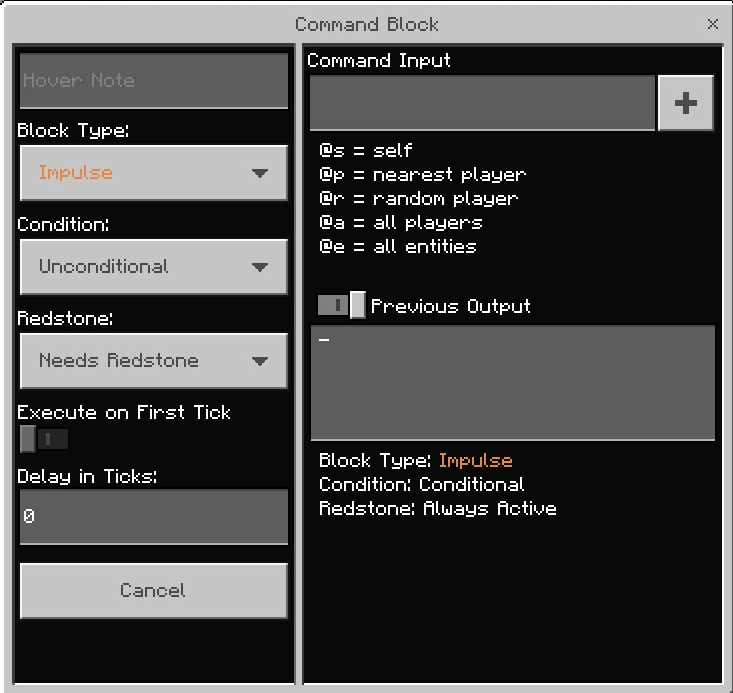
Core differences to keep in mind:
- Selector arguments and score handling can differ by edition.
- Certain commands or subcommands exist in one edition first.
- Timing behavior and command limits can feel different on low-end hardware.
Console players should watch platform updates too. Back in June 2024, The Loadout reported Mojang testing a native PS5 version. The bigger point for command block users is performance headroom, native optimization can improve reliability for ticking systems and crowded mini-game maps on console.
But don't assume "more power" fixes bad logic. A repeat block firing broad entity scans every tick is still expensive, even on better hardware. Optimize commands first, then enjoy performance gains.
Troubleshooting minecraft command block issues fast
Stuck command block setup? Do this in order, quickly:
- Run the command manually in chat to confirm syntax.
- Replace complex selectors with a simple target like @p.
- Check block mode and conditional toggle.
- Confirm coordinates, especially relative symbols (~).
- Test in a flat creative copy of the world.
If step 1 fails, don't touch redstone yet. If step 1 works but block fails, settings or execution context is wrong.
And keep a "known good" library of your own commands in a text file. I keep mine split by purpose, teleport, scoreboards, effects, admin tools. So that habit saves more time than any single trick.
Final practical take: command blocks are still the best vanilla automation tool for map makers and server owners in 2026. Start small, chain carefully, test after updates, and treat selectors like loaded crossbows. Powerful, useful, and pointed at your own foot if you're careless.

Lead writer at minecraft.how. Long-time Minecraft player running a small SMP server, testing every build, mod, and seed before writing about it.
Questions fréquentes
Les blocs de commande peuvent-ils exécuter des commandes quand personne n'est à proximité ?
Quelle est la manière la plus sûre d'utiliser des blocs de commande sur un serveur public ?
Les blocs de commande provoquent-ils des lags et comment les réduire ?
Les blocs de commande sont-ils meilleurs que les datapacks pour les mondes Java ?
Pourquoi une commande fonctionne-t-elle dans le chat mais échoue-t-elle dans un bloc de commande ?
Have a Question or Tip about this Guide?Community Q&A
Ask a question or help other players below. Join the discussion and share your Minecraft tips!
Commentaires
Aucun commentaire pour le moment. Soyez le premier à partager votre avis !