Cartes de Semences Minecraft - Guide Complet 2026
Une carte de semences vous montre la disposition exacte d'un monde Minecraft avant de le générer, révélant les montagnes, les océans, les villages et les biomes d'un coup d'œil. Elles sont essentielles pour la planification de la survie, trouver des structures spécifiques, ou simplement repérer cet emplacement de construction parfait. Que vous cherchiez un endroit pour une méga base ou que vous évitiez les manoirs de la forêt, les cartes de semences vous font économiser des heures d'errance.
Qu'est-ce qu'une Carte de Semences ?
Chaque monde Minecraft est généré à partir d'une chaîne de nombres appelée semence. Même semence, même monde - sur n'importe quel serveur, n'importe quelle plateforme, n'importe où. C'est pour cela que les cartes de semences existent. Ces outils visualisent la distribution des biomes, les emplacements des villages, les monuments océaniques, les forteresses et autres structures générées pour une semence donnée.
Pensez-y comme à Google Maps pour votre monde Minecraft. Vous entrez le numéro de semence, et voilà, vous obtenez une vue aérienne complète avant de spawner. C'est pratique si vous en avez assez de vous retrouver dans un biome de marais auquel vous ne vous attendiez pas.
Mais voilà le truc - les cartes de semences ont beaucoup changé au cours des dernières années. Les anciens outils comme Chunkbase faisaient le travail, mais c'est maladroit comparé à ce qui existe maintenant. Les explorateurs de semences modernes sont plus rapides, plus propres, et vraiment amusants à utiliser. Et puisque la génération des biomes de Minecraft a été entièrement revue avec les versions plus récentes, vous avez besoin d'outils qui comprennent vraiment la génération du monde actuel, pas des outils coincés en 1.17.
La technologie derrière les cartes de semences est aussi plutôt sympa. Minecraft utilise un générateur de nombres pseudo-aléatoires - donnez-lui la même semence et elle produit toujours le même résultat. Cela signifie que chaque placement de bloc, apparition de mob, génération d'arbre et emplacement de structure est mathématiquement déterminé par ce seul nombre. Ce n'est pas de la magie, c'est juste des maths. Les outils de cartes de semences inversent cette mathématique pour vous montrer à quoi ressemblera votre monde.
Trouver la Bonne Semence pour Votre Style de Jeu
Quel type de semence cherchez-vous vraiment ? Cette réponse compte bien plus que vous ne le penseriez.
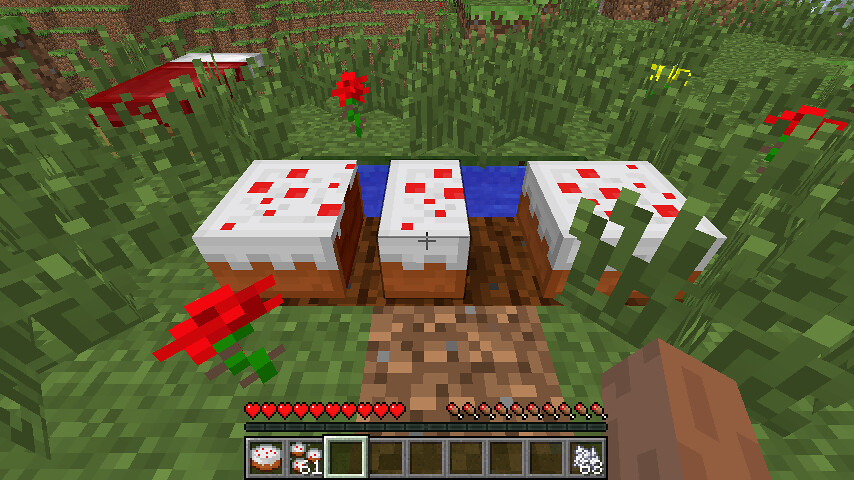
Si vous faites de la survie vanilla, vous voulez des villages près du spawn, une bonne couverture d'arbres, et idéalement une forteresse qui n'est pas enterrée sous une forêt de chênes sombres. Si vous construisez une méga base, vous recherchez un terrain plat près de l'eau, des mobs minimes à proximité, et une bonne esthétique. Les speedrunners ont besoin de groupes de biomes spécifiques, de forteresses du Nether proches de la forteresse, et d'alignements de chunks précis. Les serveurs PvP se soucient de la protection du spawn et des premiers systèmes de grottes. Les joueurs Skyblock ont besoin de types de blocs spécifiques dans le vide.
La semence que vous choisissez dicte essentiellement votre jeu entier en début de partie. Certains joueurs passent des heures à trouver la semence parfaite avant de commencer à jouer. D'autres se lancent simplement dans un monde aléatoire et font face à ce qui spawne. Les deux approches sont valides, honnêtement.
Les constructeurs communautaires ont été très créatifs avec leurs skins aussi. Avez-vous remarqué comment des joueurs comme Mapicc22018 et SkinSeed ont des skins à thème directement liés à l'exploration des semences ? Ce ne sont pas juste des looks sympas - c'est toute une identité autour de la cartographie et de la découverte des mondes. Consultez le profil de MapsiDailyalya si vous voulez voir comment certains joueurs construisent leur marque entière autour de la découverte et du partage de semences sympas. La communauté Minecraft s'est vraiment améliorée à ce sujet.
Les vrais pros utilisent les cartes de semences pour planifier avant de poser un seul bloc. Ils passeront une soirée à analyser les coordonnées, planifier les systèmes routiers, déterminer où leur stockage devrait aller. C'est honnêtement assez ingénieux quand on y pense - pourquoi construire une base de démarrage si vous savez qu'il y a un meilleur emplacement à 300 blocs de distance ? La planification économise une énorme quantité de temps.
Meilleurs Outils et Sites Web de Cartes de Semences
Chunkbase reste l'option la plus populaire, et pour une bonne raison. Il offre la visualisation des semences, les cartes de biomes, les localisateurs de structures, et même un localisateur de villages. Vous pouvez rechercher des structures spécifiques - comme « montrez-moi chaque monument océanique à moins de 5000 blocs ». L'interface n'est pas jolie, mais elle fonctionne de manière fiable. Vous obtenez ce dont vous avez besoin sans complications inutiles, et il est mis à jour chaque fois que Minecraft libère de nouvelles fonctionnalités.
Cubiomes est un autre bon choix, surtout si vous voulez un contrôle local. C'est un outil hors ligne. Cela signifie que vos données de semences restent sur votre machine et vous n'avez pas à faire confiance à un site web aléatoire avec l'emplacement de votre base secrète. Les performances sont rapides, et il supporte les éditions Java et Bedrock (bien que Java soit plus précis pour les biomes). La courbe d'apprentissage est légèrement plus raide que Chunkbase, mais une fois que vous l'avez compris, c'est incroyablement rapide.
Puis il y a Amidst, qui est plus ancien mais toujours aimé par certains vétérans. C'est léger, se charge rapidement, et fait exactement ce qu'il promet. Pas de publicités, pas de suivi, pas de complications. Il a une ambiance rétro que certains joueurs préfèrent vraiment. Certains jurent par-dessus par rapport aux outils plus récents, surtout s'ils l'utilisent depuis des années.
Mais voilà où ça devient intéressant - en fait, ce n'est pas tout à fait juste pour les outils modernes. Cubiomes-viewer sur GitHub est plus récent et plus rapide que le Cubiomes original. Il a une interface plus propre, de meilleurs contrôles de zoom, et affiche même le monde en 3D si vous le souhaitez. Cela vaut le coup de vérifier si les cartes aériennes de base semblent limitantes.
Minecraft-Tools.Appspot.com offre une option basée sur un navigateur si vous ne voulez rien télécharger. Terraforged a sa propre visualisation de semences pour les mondes modifiés. Minemap fonctionne spécifiquement pour la prédiction de structures. L'écosystème est honnêtement assez riche.
Le choix dépend vraiment de la préférence et du cas d'usage. Vous avez besoin de fonctionnalités hors ligne ? Cubiomes. Voulez les données de structure les plus complètes ? Chunkbase. Vous préférez léger et simple ? Amidst. Vous configurez un serveur et avez besoin de stabilité des semences à long terme ? Chunkbase, parce qu'il est mis à jour régulièrement. N'y pensez pas trop - ils font tous le travail, choisissez-en un et commencez à explorer.
Explorer les Nouveaux Biomes et Fonctionnalités en 2026
Minecraft livre des mises à jour assez régulièrement, et 2026 apporte déjà de nouvelles choses avec lesquelles jouer. Selon PCGamesN, Minecraft Live 2026 a confirmé des drops de contenu excitants cette année, incluant de nouveaux mobs et des fonctionnalités qui affecteront directement la valeur des cartes de semences. Quand de nouveaux biomes ou structures sont libérés, les anciennes cartes de semences deviennent rapidement obsolètes.
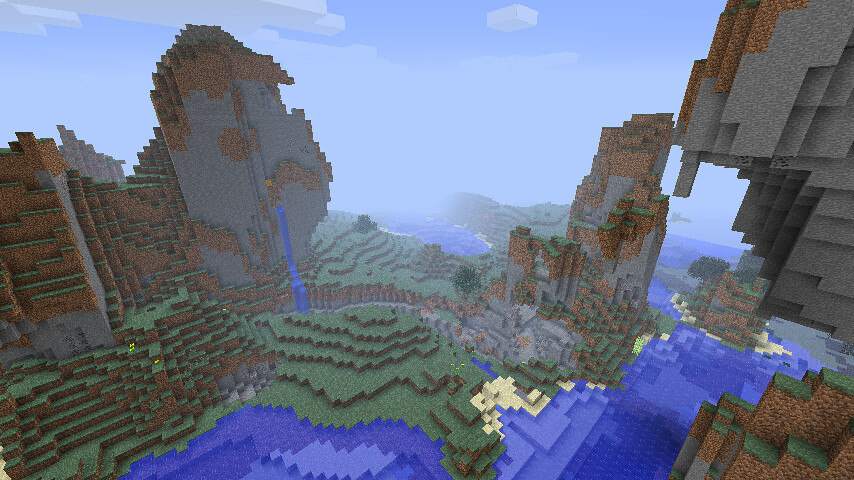
C'est pourquoi vous voulez des outils qui se mettent à jour avec le jeu. Une carte de semences de 2024 pourrait manquer des biomes entiers qui existent dans le Minecraft actuel. Ce n'est pas la faute de l'outil - le jeu a changé. Mais cela signifie que vous devez prêter attention à la compatibilité des versions.
Si vous cherchez des semences en 2026, gardez à l'esprit que les éditions Bedrock et Java ont une génération de biomes légèrement différente. Java est plus précis pour la prédiction de structures, mais les semences Bedrock sont de plus en plus populaires sur les plateformes de console. Aucun n'est « meilleur » - ils nécessitent juste des outils différents et des stratégies de chasse aux semences différentes.
PlayStation 5 reçoit finalement une version native de Minecraft cette année aussi, ce qui signifie plus de joueurs explorant des semences sur console que jamais auparavant. Si vous jouez sur PlayStation ou cherchez à recommander des semences à des amis sur console, vérifiez deux fois que vos données de semences fonctionnent pour l'édition Bedrock. La version native de PS5 devrait améliorer significativement les performances par rapport au port PS4 qu'ils utilisent depuis longtemps.
La partie la plus cool des cartes de semences en 2026 ? Vous pouvez maintenant enchaîner les semences ensemble si vous faites du gameplay technique. Certains joueurs ont découvert des moyens d'utiliser les données de semences pour prédire les emplacements des spawners, la distribution des débris anciens, et même les chemins des forteresses du Nether. C'est devenu de niche, mais si vous êtes dans ce domaine, c'est honnêtement fou la précision que les gens ont atteinte.
Conseils pour Trouver une Bonne Semence
La plupart des gens recherchent simplement « meilleures semences Minecraft 2026 » sur YouTube et copient ce qu'ils trouvent. Cela fonctionne, mais vous allez probablement finir avec le monde de quelqu'un d'autre au lieu d'un adapté à vos objectifs réels.
Utilisez les cartes de semences pour affiner ce que VOUS voulez.
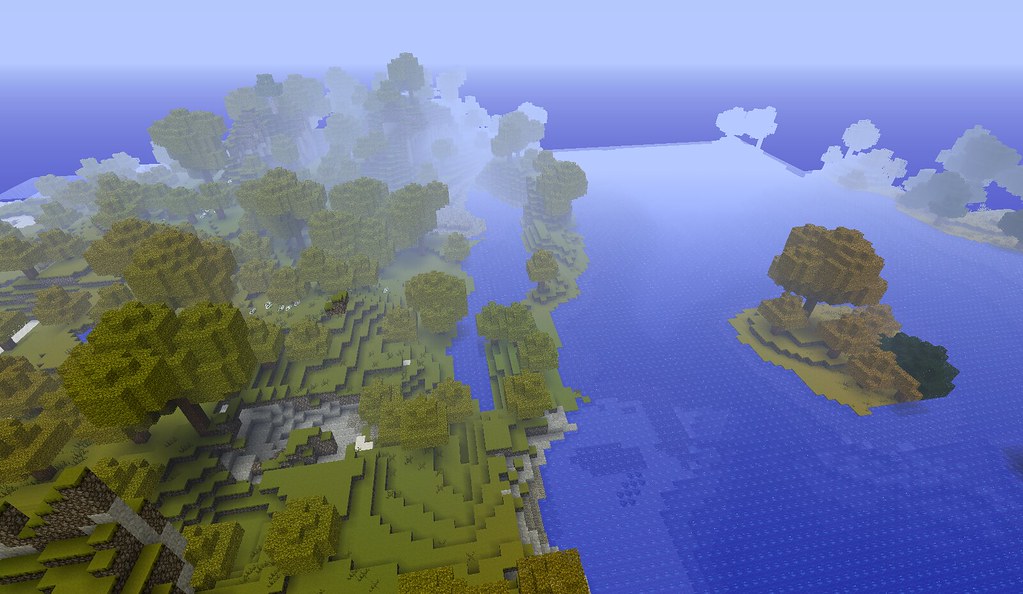
Ouvrez un explorateur de semences, entrez une semence aléatoire (ou récupérez-en une dans une base de données), et passez cinq minutes à regarder la carte. Posez-vous des questions : Le spawn est-il près d'un village ? Y a-t-il plusieurs biomes à moins de 500 blocs ? Y a-t-il une chaîne de montagnes à proximité ? Est-ce que la distribution des biomes océaniques a l'air intéressante ? Ces questions déterminent si une semence est réellement amusante à jouer ou juste cool en capture d'écran.
Considérez aussi le voyage entre les points de repère.
Une semence pourrait avoir un village au spawn et une forteresse à cinq blocs de distance, mais s'il n'y a rien d'intéressant entre les deux, votre jeu en début de partie va être ennuyeux. L'équilibre est clé. Vous voulez de la découverte et du défi mélangés avec de la commodité.
Les joueurs comme RostMaps et maple ont construit des communautés spécifiquement autour du partage et de la discussion des semences intéressantes. Si vous cherchez de l'inspiration, consultez ce que les vrais joueurs explorent plutôt que de simplement faire confiance aux recommandations d'algorithme. Les meilleures semences proviennent souvent de personnes qui ont passé du temps à jouer réellement dans les mondes qu'elles partagent.
Sauvegardez vos semences préférées dans une feuille de calcul. Sérieusement. « Cette semence avec l'île de champignons et le village » n'est pas une description utile quand vous avez quarante semences sauvegardées. Ajoutez les coordonnées, les structures notables, et ce que vous l'avez réellement utilisée pour. Vous futur appréciera quand vous voudrez revisiter ce monde du mois dernier. Incluez aussi le numéro de version - Minecraft 1.21 est différent de 1.20.
Certaines semences deviennent légendaires parce que les gens ont construit des choses incroyables dedans. Une semence qui semble médiocre sur une carte peut devenir incroyable entre les mains de quelqu'un de créatif. Ne rejetez pas les semences juste parce qu'elles ne sont pas théoriquement « parfaites » selon le placement de structures. Parfois, le plaisir est de tirer le meilleur parti de ce que vous avez.
La quête de la semence parfaite ne se termine jamais vraiment, et c'est un peu ça qui est amusant. Même après avoir trouvé un monde que vous aimez, vous continuerez probablement à explorer d'autres semences, vous demandant ce que vous auriez pu manquer. C'est ça, Minecraft.

Lead writer at minecraft.how. Long-time Minecraft player running a small SMP server, testing every build, mod, and seed before writing about it.
Questions fréquentes
Qu'est-ce qu'une semence Minecraft ?
À quoi sert une carte de semences ?
Quels outils permettent de lire les cartes de semences ?
Chunkbase fonctionne-t-il avec les versions récentes de Minecraft ?
Les cartes de semences fonctionnent-elles sur Bedrock et Java ?
Quelle semence choisir pour le speedrun ?
Have a Question or Tip about this Guide?Community Q&A
Ask a question or help other players below. Join the discussion and share your Minecraft tips!
Commentaires
Aucun commentaire pour le moment. Soyez le premier à partager votre avis !