Running Bedrock Server Networks with WaterdogPE
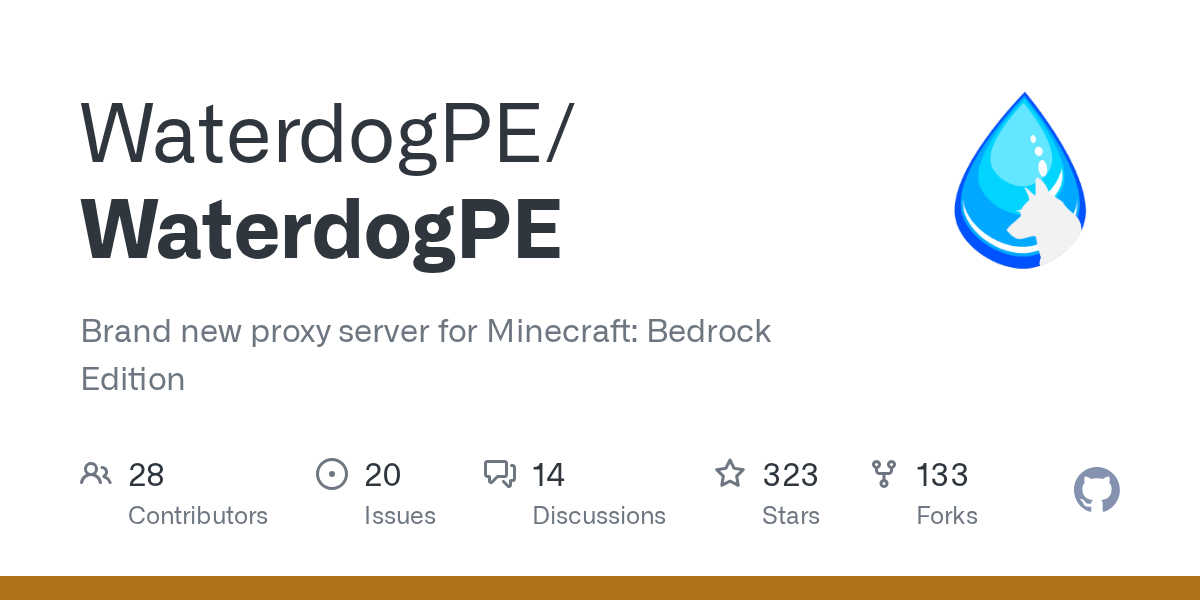
WaterdogPE/WaterdogPE
Brand new proxy server for Minecraft: Bedrock Edition
View on GitHub ↗If you're managing multiple Minecraft Bedrock servers, you know the pain of load balancing across them. Players get dropped between instances, you're manually routing traffic, and everything feels fragile. WaterdogPE solves this by acting as a reverse proxy that sits between your players and your actual game servers, distributing connections intelligently and handling the messy details you shouldn't have to worry about.
What WaterdogPE Does
WaterdogPE is a open-source proxy server built specifically for Minecraft Bedrock Edition. Instead of players connecting directly to your server, they connect to the proxy, which then forwards them to the right backend server. It's similar to how Bungeecord works for Java Edition, but designed from the ground up for Bedrock's protocol.
The key difference between Bedrock and Java is how the protocol works. Bedrock doesn't have the same proxy ecosystem that Java does, which meant Bedrock server operators were stuck either running a single server or dealing with janky third-party solutions. WaterdogPE fills that gap.
Built using Cloudbursts Protocol Library, it handles the actual protocol translation and server communication. You don't need to understand all that though - the important part is that it works reliably with major Bedrock server software.
Why You'd Use This
There are a few solid reasons to set up a proxy layer. Most obviously, you get redundancy. If one backend server goes down, the proxy can route players to another one. No sudden kicks, no lost progress if you've got proper failover configured.
Network management becomes cleaner too. Instead of telling your community 'connect to server123.yournetwork.com' then 'connect to server456.yournetwork.com' depending on which is full, everyone just connects to proxy.yournetwork.com and the system figures out the rest.
Load balancing is the third big win.
If you're running a creative server and a survival server (or multiple instances of the same game mode), you can distribute players across them. Players join a hub server through the proxy, then get routed to the appropriate server based on what they're doing. This works especially well for server networks where you want to offer different games or different vanilla/modded experiences.
There's also a development angle - if you're building server infrastructure for a community or even a commercial project, having a proxy layer makes future scaling way easier. You can add servers without changing your public endpoint.
Getting WaterdogPE Running
Installation isn't complicated, but it's more involved than just clicking a button. You'll need Java installed (since WaterdogPE runs on the JVM) and a basic understanding of your network.
Download the latest release from the GitHub releases page. The project provides a compiled JAR file you can run directly.
wget https://github.com/WaterdogPE/WaterdogPE/releases/download/latest/Waterdog.jar
java -jar Waterdog.jar
First run creates a config directory and default configuration files. The config.yml is where you'll spend most of your time - it's where you define which backend servers the proxy should forward to, what IP/port the proxy listens on, and various behavior settings.
A basic config looks something like this:
listeners:
 default:
 ip: 0.0.0.0
 port: 19132

downstream_servers:
 creative:
 address: creative-server.local
 port: 19133
 survival:
 address: survival-server.local
 port: 19134
Once you've configured your servers, the proxy needs to be accessible from the internet (assuming you want external players). Forward your ports, set up DNS, and test with a client. There's a Minecraft Votifier Tester available if you need to validate that your server is actually reachable and responding.
The project documentation covers more advanced setups - authentication, server groups, per-server permissions. For most setups though, the basic approach gets you where you need to be.
Key Features That Matter
Message forwarding lets servers send custom messages to players through the proxy. This is how you implement kick messages, transfer players between servers, or send alerts across your network from the backend.
Authentication handling is built in. Instead of each server validating logins separately, the proxy does it once and passes the auth token downstream. One less thing each backend needs to handle.
Player list forwarding shows the correct player count and names across your network. Without it, players see different player lists on each server, which breaks immersion and looks broken. With it, everyone sees the network-wide picture.
Packet filtering and routing is where things get powerful.
The proxy can intercept packets and make decisions about them. Some go directly to the backend, others can be modified or dropped based on rules you define. This is how you implement custom game mechanics or security features at the network level.
The project also supports plugins. If you need behavior beyond what the core provides, you can write plugins using the WaterdogPE API. There's already a plugin ecosystem growing around it - check out the official plugins page if you need something specific.
Configuration Gotchas and Troubleshooting
Software compatibility is the first one people hit. WaterdogPE officially supports major Bedrock server software - PocketMine-MP, Nukkit, and similar projects. If you're using something obscure or a custom fork, you might run into protocol issues. Always check the compatibility list before investing time in setup.
Firewall rules trip up a lot of people.
The proxy needs to listen on a port (default 19132) that's open to the internet, AND it needs to be able to reach your backend servers. If your backend servers are behind a firewall that blocks the proxy's internal connections, everything fails silently. Test this before you assume something else is wrong.
Config syntax errors silently fail. The proxy will start, but won't actually forward anything. Read the logs carefully if players can't connect.
Authentication is another common failure point. If your backend servers require online-mode authentication but your proxy isn't configured to handle it correctly, logins fail mysteriously. The documentation covers this, but it's easy to miss.
Resource packs deserve mention. If you're distributing resource packs to players, you need to decide whether the proxy or the individual servers handle that. Misconfiguring this causes players to get different packs on different servers, which breaks texture consistency.
Performance-wise, WaterdogPE is efficient, but if you're running it on the same hardware as your backend servers, resource contention becomes an issue. Honestly, consider running the proxy on separate hardware if you're at scale, especially if you're moving hundreds of players per minute between servers.
Alternatives Worth Knowing About
If WaterdogPE isn't quite right for your situation, there are options. Geyser is technically a proxy too, but it's designed specifically for cross-platform play - Java and Bedrock players on the same server. Different tool for a different problem.
For Java Edition, Bungeecord and Velocity are the established solutions with massive communities. They're not Bedrock-compatible, but if you ever consider mixed-platform networks, knowing they exist helps you plan.
There's also the option of just not using a proxy and sticking with a single large Bedrock server. For communities under a few hundred concurrent players, a well-tuned single instance might be simpler than proxy complexity. Only add infrastructure when you need it.
One More Thought
WaterdogPE represents the Bedrock ecosystem finally getting the infrastructure tooling it always needed. The Bedrock community is smaller than Java, but it's growing, and having proper network management tools changes what's possible.
If you're running Bedrock servers at any reasonable scale, giving it an hour to understand what it does is probably worth your time. The worst case is you don't need it yet - but knowing the option exists means you won't be stuck managing network complexity manually when you grow beyond a single server.
The setup process takes most people a few hours, debugging included. Not bad for unlocking a whole category of infrastructure capabilities.
WaterdogPE/WaterdogPE - GPL-2.0, ★323
Lead writer at minecraft.how. Long-time Minecraft player running a small SMP server, testing every build, mod, and seed before writing about it.