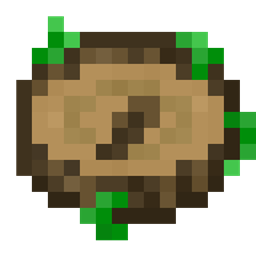
Track down specific biomes
Nature's Compass adds a specialized tracking tool to help you find distinct biomes across your world. Finding the right biome can take hours of random walking. But this tool points you directly toward the biome you choose.
How the compass operates
Right-click while holding the compass to bring up the search menu. This interface lists registered biomes and lets you select the one you want to find. You can also view information about specific biomes through the interface.
Once you set a target, the compass displays the found biome details right on your HUD. If the compass isn't actively tracking a biome, the needle points directly back to world spawn. When you need to clear your current target, shift-right-click to reset the compass.
Custom settings and modded worlds
The compass detects all registered biomes. That covers both vanilla environments and biomes added by other mods. Honestly, you can adjust behavior in the configuration file if you need custom limits. The config file lets you blacklist specific biomes or set the maximum search distance.
Compatibility and setup rules
This mod is built by Chaosyr and is categorized under Adventure, Equipment, and Utility & Quality of Life. It requires installation on both the client side and the server side.
Supported mod loaders:
- Neoforge
- Fabric
Supported Minecraft versions:
- 26.3
- 26.2
- 26.1.2
- 26.1.1
- 26.1
- 1.21.1
- 1.20.1
Modpack authors can freely include this project in their modpacks. The project is released under the Creative Commons Attribution Non Commercial Share Alike 4.0 International license. If you also need to search for structures, the developer offers Explorer's Compass.