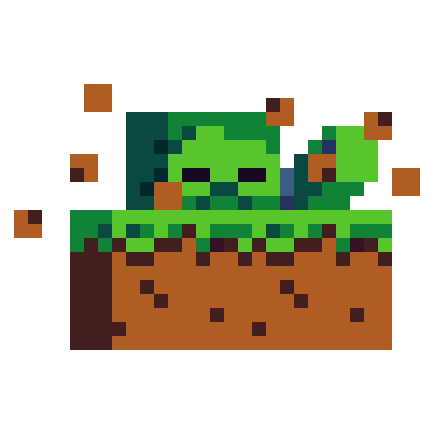
Spawn behavior
Vanilla Minecraft drops monsters into the world with no warning. They pop into existence on empty blocks. Spawn Animations changes that behavior. When hostile creatures appear, they dig out of the ground or poof into view.
The project keeps things quiet during the emergence. While an entity is hidden, its body stays invisible. Its worn armor and held tools stay invisible too. The mob also makes no sound during the process. Once the animation finishes, the creature behaves like normal.
Supported mobs
The effects apply to a specific list of creatures. Honestly, you'll see animations on standard undead mobs like Zombies, Husks, Drowned, Skeletons, Strays, and Bogged. It also covers Wither Skeletons, Giants, and Zombified Piglins.
Other hostile and neutral monsters get custom appearances as well. Creepers, Endermen, Spiders, and Cave Spiders trigger the effects. Slimes and Magma Cubes will also rise or appear with animations. Striders are included on the supported list too.
Running on servers and clients
This project runs entirely on the server side. Because it's server-driven, players connecting to a dedicated server don't need to install it on their own computers. You can also install it on a local client for singleplayer worlds. Modrinth lists support for Fabric, Neoforge, Quilt, and Datapack formats.
Setup and in-game controls
You've two main ways to install the project. You can drop the archive into your world's datapacks folder as a data pack. Alternatively, you can place it into your game's mods folder as a mod file.
When you install it as a mod, you can pair it with MidnightLib. MidnightLib provides a visual configuration interface and a global configuration file.
Controlling the system in game is straightforward. You can open the settings interface by running the /trigger tschipcraft.menu command. Anyone can also run /function #tschipcraft:menu if you've permission to use functions. These menu options let you adjust features, reset data, or remove the pack safely.
Standards and compatibility
The project adopts conventions from Smithed to maintain compatibility with other data packs. It also follows rules set by the essential MC Datapacks Discord Server. If you want to customize specific values or explore additional settings, the project maintainer hosts detailed documentation on their wiki.