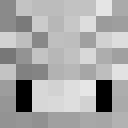
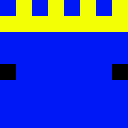
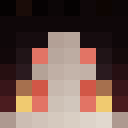
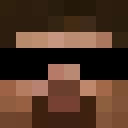
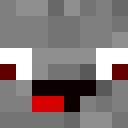
Chief XD - Gaming Character Skin
✓ Approuvé
The Chief XD skin brings a gaming-inspired character to your Minecraft world with a modern, casual aesthetic. This skin likely features a contemporary design with bold lettering or branding elements that reference the 'XD' emoticon, suggesting a fun and lighthearted personality. The 'Chief' designation implies a leadership or authority figure, possibly featuring casual streetwear or gaming culture elements like hoodies, caps, or branded clothing. Perfect for players who want to represent gaming culture or express their playful side in-game, this skin combines modern fashion with a relaxed vibe. The design likely incorporates clean lines and a youthful appearance, making it ideal for casual servers, minigames, or creative builds. Whether you're leading your squad or just hanging out with friends, this skin reflects a confident, gaming-savvy character.
36
Téléchargements
1.5K
Vues
0
J'aime
Catégories
GarçonsJeux vidéoModerneSweat à capuche
Informations sur le skin
Version Minecraft :java
Taille du fichier :1.4 KB
Genre :Inconnu
Téléchargé par :Admin User
Date de téléchargement :08/01/2024
skins.download_format
Partager ce skin
Scannez avec votre téléphone pour partager ce skin
Tags
MinecraftSkinsChief XD - Gaming Character SkinjavaneutralGarçonsJeux vidéoModerneSweat à capuche
Questions fréquentes
Pour télécharger le skin Minecraft Chief XD - Gaming Character Skin :
- Cliquez sur le bouton « Télécharger » pour obtenir ce skin Chief XD - Gaming Character Skin gratuit
- Le fichier du skin
.pngsera enregistré sur votre appareil - Compatible à la fois avec Java Edition et Bedrock Edition
- Voir ci-dessous pour les instructions d'installation complètes
Pour appliquer le skin Chief XD - Gaming Character Skin :
- Connectez-vous à votre compte Mojang ou Microsoft sur le site officiel de Minecraft.
- Rendez-vous dans la section « Skins » de votre profil.
- Téléversez le fichier
.pngtéléchargé. - Lancez Minecraft et votre personnage utilisera désormais le skin Chief XD - Gaming Character Skin.
Remarque : la procédure peut varier légèrement entre Minecraft Java Edition et Minecraft Bedrock Edition.
Oui, le skin Chief XD - Gaming Character Skin est compatible à la fois avec Minecraft Java Edition et Minecraft Bedrock Edition. Cependant, la méthode d'application du skin peut différer légèrement entre les deux versions. Suivez les instructions de cette page pour votre édition spécifique.
Absolument ! Vous pouvez modifier le skin Chief XD - Gaming Character Skin à l'aide d'un éditeur de skins Minecraft. Ouvrez simplement le fichier
.png téléchargé dans l'éditeur, apportez vos modifications et enregistrez le fichier. Téléversez ensuite le skin modifié sur votre profil Minecraft.Si le skin Chief XD - Gaming Character Skin ne fonctionne pas, essayez ceci :
- Vérifiez que vous avez téléchargé le bon format de fichier
.png. - Assurez-vous d'utiliser la bonne version de Minecraft Java Edition ou Bedrock Edition.
- Vérifiez que le fichier du skin n'est pas corrompu. Re-téléchargez le skin si nécessaire.
- Déconnectez-vous puis reconnectez-vous à votre compte Mojang ou Microsoft pour actualiser votre profil.
Create your own skin
Draw a pixel-perfect Minecraft skin in the browser with our free 3D skin editor.
→ Créateur de Skins