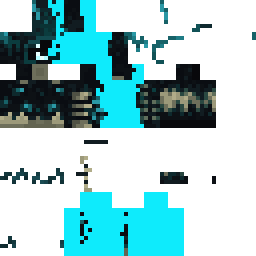
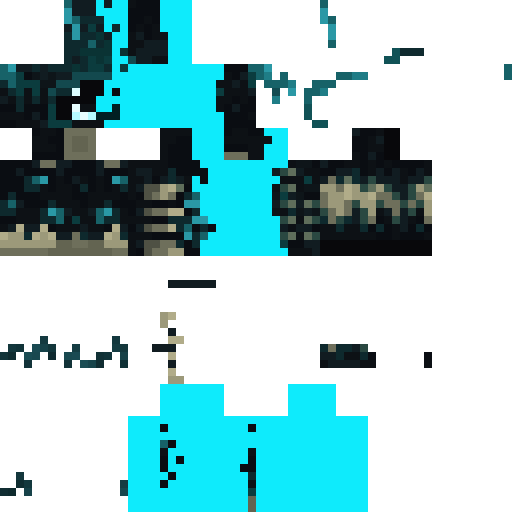
Skin showcase
Watch Page →Skin Minecraft Laiwy
✓ Approuvé
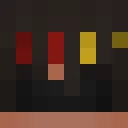
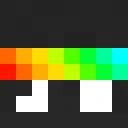
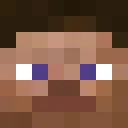
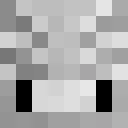
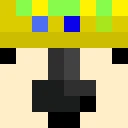
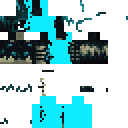
Cette skin vous donne un style direct qui fonctionne sur les servers et les mondes solo. Ce n'est pas voyant. Ce n'est pas encombré. C'est juste bien pour du building, du exploring, ou pour traîner dans le lobby. Le nom suggère quelque chose de décontracté, et le design suit cette ambiance. Téléchargez-la, appliquez-la depuis votre lanceur, et commencez à jouer sans vous torturer.
199
Téléchargements
4.0K
Vues
0
J'aime
Réactions
Connecte-toi pour réagir.
Informations sur le skin
Version Minecraft :Toutes
Taille du fichier :2.5 KB
Genre :Inconnu
Téléchargé par :Admin User
Minecraft profile
020306c3-717f-46f7-9236-b8378456886eModel
slim
Views / 30 days
60
Observed names
Dates show when minecraft.how first observed each name.
Laiwy—
Skin history
History grows as minecraft.how observes profile changes.

Head command
/give @p minecraft:player_head[profile={name:"Laiwy"}]PNG · 64×64
Partager ce skin
Scannez avec votre téléphone pour partager ce skin
Tags
MinecraftSkinsLaiwy
Questions fréquentes
Pour télécharger le skin Minecraft Laiwy :
- Cliquez sur le bouton « Télécharger » pour obtenir ce skin Laiwy gratuit
- Le fichier du skin
.pngsera enregistré sur votre appareil - Compatible à la fois avec Java Edition et Bedrock Edition
- Voir ci-dessous pour les instructions d'installation complètes
Pour appliquer le skin Laiwy :
- Connectez-vous à votre compte Mojang ou Microsoft sur le site officiel de Minecraft.
- Rendez-vous dans la section « Skins » de votre profil.
- Téléversez le fichier
.pngtéléchargé. - Lancez Minecraft et votre personnage utilisera désormais le skin Laiwy.
Remarque : la procédure peut varier légèrement entre Minecraft Java Edition et Minecraft Bedrock Edition.
Oui, le skin Laiwy est compatible à la fois avec Minecraft Java Edition et Minecraft Bedrock Edition. Cependant, la méthode d'application du skin peut différer légèrement entre les deux versions. Suivez les instructions de cette page pour votre édition spécifique.
Absolument ! Vous pouvez modifier le skin Laiwy à l'aide d'un éditeur de skins Minecraft. Ouvrez simplement le fichier
.png téléchargé dans l'éditeur, apportez vos modifications et enregistrez le fichier. Téléversez ensuite le skin modifié sur votre profil Minecraft.Si le skin Laiwy ne fonctionne pas, essayez ceci :
- Vérifiez que vous avez téléchargé le bon format de fichier
.png. - Assurez-vous d'utiliser la bonne version de Minecraft Java Edition ou Bedrock Edition.
- Vérifiez que le fichier du skin n'est pas corrompu. Re-téléchargez le skin si nécessaire.
- Déconnectez-vous puis reconnectez-vous à votre compte Mojang ou Microsoft pour actualiser votre profil.
Créez votre propre skin
Dessinez un skin Minecraft pixel perfect directement dans votre navigateur avec notre éditeur de skin 3D gratuit.
→ Créateur de Skins