Skin Minecraft Steakwad
✓ Approuvé
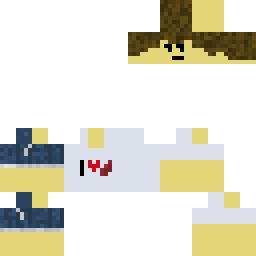
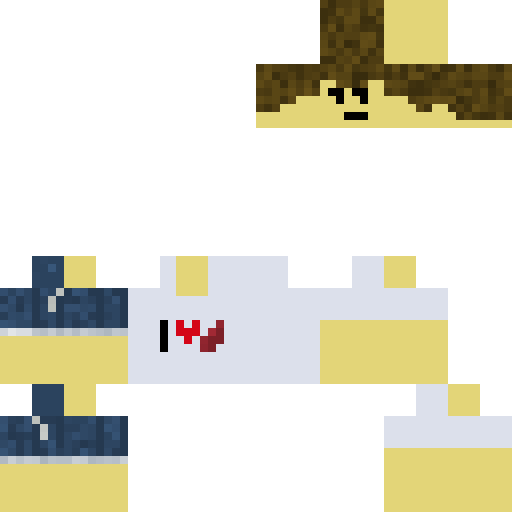
The Steakwad skin coats your avatar in a deep maroon base, layered with lighter pink streaks that look like raw meat. Dark grill-mark lines run across the torso and arms, giving the impression of a freshly cooked steak. The head features a subtle oil sheen that catches light, while the legs keep the same color pattern for a unified look. Use it when you want a funny, food-themed outfit in survival mode, during PvP battles, or in role-play servers where a tasty appearance adds flavor to your story. The texture is clear at close range and still recognizable from a distance, so you won't lose detail even in crowded fights. Pair it with a kitchen-themed build or a butcher shop to keep the theme consistent. It's a simple way to stand out without breaking immersion.
2
Téléchargements
178
Vues
0
J'aime
Réactions
Connecte-toi pour réagir.
Informations sur le skin
Version Minecraft :Toutes
Taille du fichier :Inconnu
Genre :Inconnu
Téléchargé par :BOT
Minecraft profile
eb6938ba-d4e2-4fd9-986f-495e08b9710fModel
classic
Views / 30 days
1
Observed names
Dates show when minecraft.how first observed each name.
Steakwad—
Skin history
History grows as minecraft.how observes profile changes.

Head command
/give @p minecraft:player_head[profile={name:"Steakwad"}]PNG · 64×64
Partager ce skin
Scannez avec votre téléphone pour partager ce skin
Tags
MinecraftSkinsSteakwad
Questions fréquentes
Pour télécharger le skin Minecraft Steakwad :
- Cliquez sur le bouton « Télécharger » pour obtenir ce skin Steakwad gratuit
- Le fichier du skin
.pngsera enregistré sur votre appareil - Compatible à la fois avec Java Edition et Bedrock Edition
- Voir ci-dessous pour les instructions d'installation complètes
Pour appliquer le skin Steakwad :
- Connectez-vous à votre compte Mojang ou Microsoft sur le site officiel de Minecraft.
- Rendez-vous dans la section « Skins » de votre profil.
- Téléversez le fichier
.pngtéléchargé. - Lancez Minecraft et votre personnage utilisera désormais le skin Steakwad.
Remarque : la procédure peut varier légèrement entre Minecraft Java Edition et Minecraft Bedrock Edition.
Oui, le skin Steakwad est compatible à la fois avec Minecraft Java Edition et Minecraft Bedrock Edition. Cependant, la méthode d'application du skin peut différer légèrement entre les deux versions. Suivez les instructions de cette page pour votre édition spécifique.
Absolument ! Vous pouvez modifier le skin Steakwad à l'aide d'un éditeur de skins Minecraft. Ouvrez simplement le fichier
.png téléchargé dans l'éditeur, apportez vos modifications et enregistrez le fichier. Téléversez ensuite le skin modifié sur votre profil Minecraft.Si le skin Steakwad ne fonctionne pas, essayez ceci :
- Vérifiez que vous avez téléchargé le bon format de fichier
.png. - Assurez-vous d'utiliser la bonne version de Minecraft Java Edition ou Bedrock Edition.
- Vérifiez que le fichier du skin n'est pas corrompu. Re-téléchargez le skin si nécessaire.
- Déconnectez-vous puis reconnectez-vous à votre compte Mojang ou Microsoft pour actualiser votre profil.
Créez votre propre skin
Dessinez un skin Minecraft pixel perfect directement dans votre navigateur avec notre éditeur de skin 3D gratuit.
→ Créateur de Skins