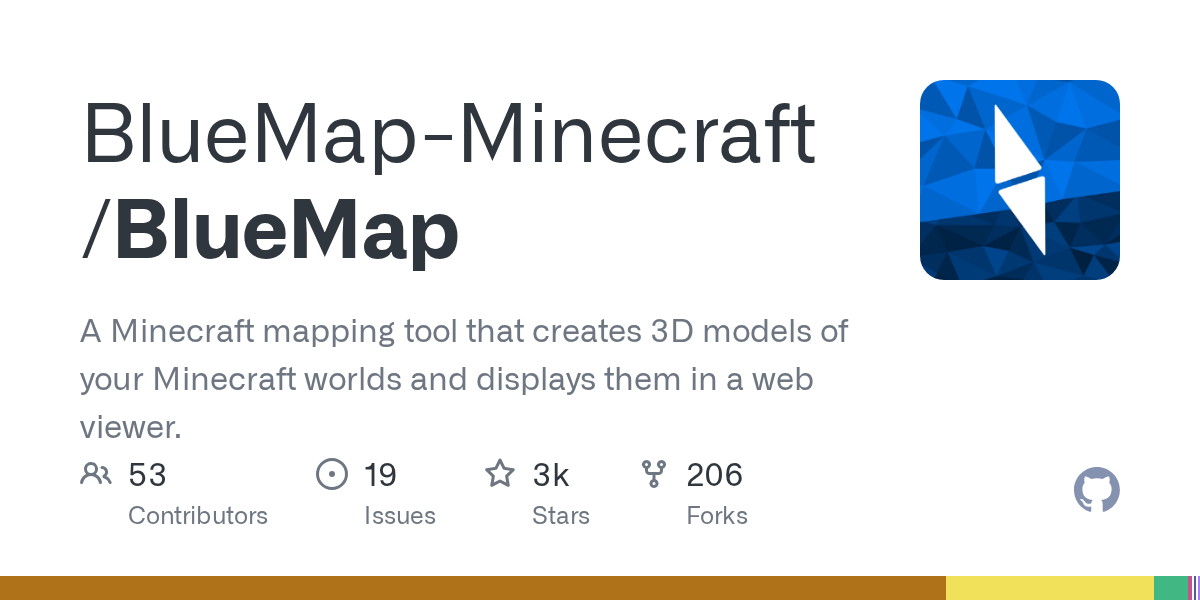
BlueMap: Turn Your Minecraft Worlds Into Interactive 3D Web Maps
"A Minecraft mapping tool that creates 3D models of your Minecraft worlds and displays them in a web viewer."
BlueMap-Minecraft/BlueMap · github.com
Ever built something massive in Minecraft and wished you could zoom out and see the whole thing at once, like you were floating hundreds of blocks in the sky? BlueMap does exactly that. It reads your world files and generates stunning 3D maps you can explore in your web browser, complete with smooth controls, zooming, and the ability to share a link with anyone who wants to see what you've built.
What This Project Does
BlueMap is a Java-based renderer that converts your Minecraft worlds into interactive 3D visualizations. It processes your world data and outputs a web-based viewer where you can pan, rotate, zoom, and explore as if you were flying through the world at any altitude. Think of it as Google Maps for your survival world.
The project comes in multiple flavors. You can run it as a Spigot/Paper plugin, a Sponge plugin, a Fabric or Forge mod, or standalone from the command line. If you're running a server, the plugin handles rendering asynchronously, so it won't choke your server thread while it's working (though it'll use CPU if your system has it available).
Once installed, BlueMap generates a set of static files that you host on any web server. Your friends don't need Minecraft installed to view the map - they just need a browser.
Why You'd Want This
There are a few solid reasons to generate a map of your world:
- Sharing your builds with people who don't play Minecraft - they can see your megabase or city without installing anything
- Showing off the scale and detail of what you've built - perspective from above is wild
- Planning your next construction project - seeing the full landscape helps you spot good locations
- Creating a permanent record of your world's state at a specific time
- Running a server where players expect a live, updating map (common on creative or survival communities)
And honestly, the first time you load a map of a world you've spent hundreds of hours building? It's weirdly satisfying. There's something about seeing all your work laid out like that.
Installation Walkthrough
The easiest path depends on your setup. I'll cover the command-line version since it works everywhere.
First, head to the GitHub releases page and grab the `bluemap-5.20-cli.jar` file (or whatever the latest version is). The v5.20 release supports Minecraft 1.13.2 through 26.1.2, so you're covered whether you're on an old world or the latest snapshot.
Create a folder for BlueMap and drop the JAR there:
mkdir bluemap && cd bluemap
# Download the JAR here
ls -la bluemap-5.20-cli.jar
Run it once to generate the config files:
java -jar bluemap-5.20-cli.jarThis creates a `bluemap` folder with configuration. You'll need to edit the config to point to your world. Open `bluemap/config.conf` and look for the `maps` section. You'll specify which worlds to render and where your world files are located.
For a local world stored in `.minecraft/saves/MyWorld`, the path would be something like `/home/username/.minecraft/saves/MyWorld`. For a server, it's wherever your server stores world data (usually `/path/to/server/world`).
Then run the render:
java -jar bluemap-5.20-cli.jar --renderthread 4The ` - renderthread 4` flag tells it to use 4 CPU threads. Adjust based on your hardware. Rendering can take a while on big worlds - I ran this on a 2k-block area and it took about 10 minutes on a mid-range machine.
Once done, open `web/index.html` in your browser. Your map is ready to explore.
If you're running a Paper server, the plugin installation is simpler: drop the `bluemap-5.20-paper.jar` into your `plugins/` folder, restart, and configure via the plugin's config file. The plugin will render in the background without blocking gameplay.
Features That Matter
Asynchronous rendering. On servers, this is huge. BlueMap doesn't pause your server thread while rendering. As long as your CPU isn't maxed out, players won't notice any lag. The plugin quietly processes chunks in the background.
Live updating. If you run it as a plugin, the map updates automatically as players build. You don't have to re-render the entire world every time someone places a block. Regions that change get re-rendered on the next scan cycle.
Multiple world support. You can render your main world, nether, and end all as separate layers on the same map. Switch between them with a click.
Web-based viewer. The output is a self-contained web app. You can host it on any HTTP server, or just open it locally. No database, no backend required. It's just static files.
Custom markers and regions. The API and plugin hooks let you add custom markers, highlight areas, and integrate with other server mods. Some servers use BlueMap to mark shops, bases, and claim borders.
Gotchas and Rough Edges
First rendering takes forever. Seriously. If you've a large world, budget hours, not minutes. Subsequent updates are much faster since only changed regions need re-rendering.
Disk space can add up quickly on detailed worlds. The web files can easily hit 1-2GB for a fully rendered megabase. Keep that in mind if you're hosting multiple worlds.
Actually, I should clarify: modern versions of BlueMap are way better about this than older releases. Compression and smart caching have improved things a lot. But big worlds still take real space.
Browser performance varies. On older devices, zooming in on a detailed area might stutter. The viewer is reasonably optimized, but rendering millions of blocks in a web browser has limits. Start with a smaller test area if you're unsure.
One thing that trips people up: if you're rendering a world from a different server, make sure the level file format is compatible. BlueMap recently fixed a bug where it couldn't load worlds with older format versions. Update to v5.20 or later if you're dealing with pre-1.20 worlds.
When You Might Look Elsewhere
Dynmap is the historical alternative - it's been around longer and has more third-party integrations. But Dynmap is slower, more resource-intensive, and hasn't aged as well. If you're starting fresh, BlueMap is the pick here.
Chunky is another option, but it's focused on renders you save as images, not interactive web maps. If you just want a pretty screenshot of your world, Chunky is simpler. If you want a shareable, explorable map, BlueMap wins.
If you want something more experimental, there's also Minecraft Server Map (MCMap), but it's less maintained and less feature-complete. BlueMap has more momentum.
Beyond the Basics
The project maintains an active Discord and a solid wiki. If you run into issues during setup, the community is usually helpful. The maintainers take contributions seriously - they're clear that PRs need to be documented and tested before merging, which keeps quality high.
Some servers use BlueMap as a core feature - they share the map publicly so anyone can scout locations before joining. Others keep it private for their community. A few even use it in creative servers where the map becomes part of the gameplay (highlighting interesting structures, showing server events, etc.).
Thinking about trying it with a skin you've got? You could render a world where everyone's using their favorite skin - like adderall_abuser, ironmouse, or testuser - and then share the map to show off the collaborative build. It's a good way to showcase a community's work.
The project's MIT license means you can self-host it, modify it, or embed it in your own tools. Some servers wrap it with custom UI or integrate it into their websites. If you're building something Minecraft-related, BlueMap is flexible enough to fit in.
Worth noting: the latest release (v5.20) targets Java 25 and supports Minecraft up through 26.1.2. If you're on an older setup, older releases support earlier versions, but staying current is recommended for bug fixes and performance improvements.

Lead writer at minecraft.how. Long-time Minecraft player running a small SMP server, testing every build, mod, and seed before writing about it.