
Minecraft Java Edition 26.4 Snapshot 6은 2026년 10월 27일 공개되어 겨울 업데이트 테스트를 이어갑니다. 주요 추가 요소는 눈 덮인 건축에 적합한 Snow Bricks와 물 위를 움직일 때 Frosted Ice를 생성할 수 있는 Cold Sulfur Cube입니다. 제작자용 기술 변경, 얼음 블록 조정, 41개 버그 수정도 포함됩니다. 실험 버전이므로 중요한 월드와 분리해 테스트하세요.
What changes in this snapshot?
Snow Bricks expand the options for winter builds, while the Cold Sulfur Cube adds a new interaction between Blue Ice, water and Frosted Ice. The update also includes technical changes for datapack and resource-pack creators, changes to ice blocks, and 41 bug fixes. Treat this as a test release rather than a stable update.
Snow Bricks recipe and variants
Place four Snow Blocks in a 2×2 square in the crafting table to make Snow Bricks. The family also includes slabs, stairs and walls, useful for roofs, steps, borders and detailed winter architecture. In Snapshot 6, the Stonecutter cannot craft Snow Brick Slabs, Stairs or Walls, so use the relevant crafting recipes. You also need a shovel for Snow Bricks to drop themselves when mined.
Cold Sulfur Cube and Frosted Ice
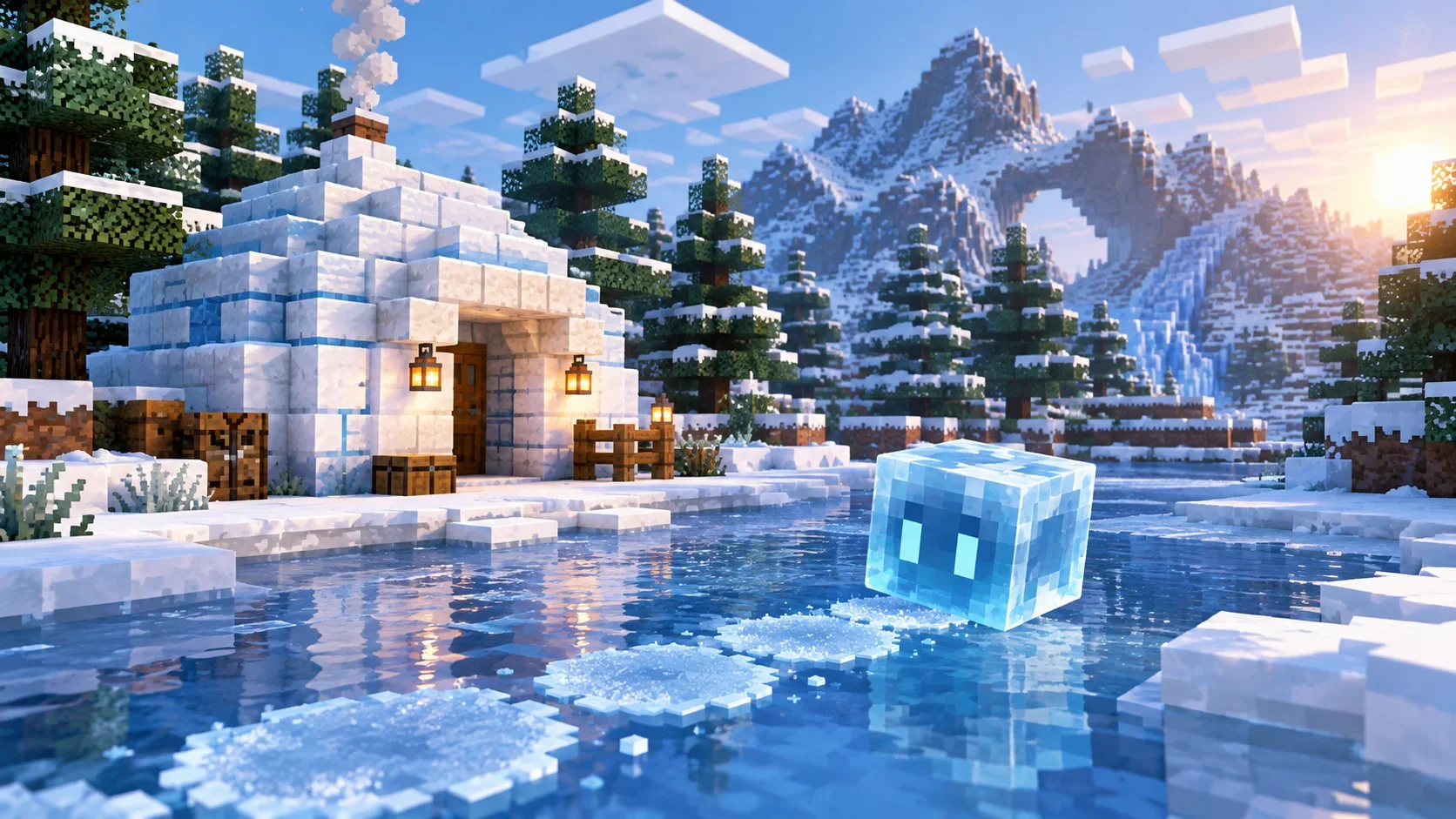
The Cold Sulfur Cube appears when a Sulfur Cube absorbs Blue Ice. It can float and create a disk of Frosted Ice beneath itself while moving over water. There must be air above the water, and the Sulfur Cube must begin moving while on the ground. If the effect does not appear, check these conditions and confirm the creature absorbed Blue Ice.
Other fixes and technical changes
- Packed Ice Brick variants require a pickaxe to drop as blocks.
- Brittle Ice no longer cracks when a Stray stands on it.
- Ice Crystals can play ambient sounds when Packed Ice is underneath.
- Mobs falling through lava may take slightly less fall damage in some situations.
Mojang lists 41 fixes, including certain crashes, block-breaking delays, underwater visual issues, ice-cave and jukebox problems, and unexpected differences in villager trades. The Java heap default now depends on system RAM, up to 25% of memory with a maximum of 4 GB. Data Pack version is 125.1 and Resource Pack version is 101.0. New creator features include location_based_effects, the domain_warp density function and corner_constraint for structure-pool elements, alongside new tags such as #swimmable, #swimming, #flying and #sulfur_cube_archetype/cold.
How to test safely
- Open Minecraft Launcher and go to Installations.
- Enable snapshots and create a separate test installation.
- Launch Snapshot 6 in a new or disposable world.
- Back up important worlds and never use your only copy.
Snapshots can corrupt worlds, and returning to a stable version may cause issues. Server owners and modpack creators should test compatibility before inviting players. Builders may appreciate Snow Bricks, while technical creators can explore the datapack changes; if your main Survival world matters, wait for the stable release.
Official source
Read the official Mojang notes for Minecraft 26.4 Snapshot 6 for the complete details.
Snow Bricks를 활용하는 건축 팁
Snow Bricks는 겨울 테마 건축에 어울리는 새로운 선택지입니다. 눈 덮인 마을의 집, 산속 기지, 성벽, 다리, 계단과 정원 길을 만들 때 일반 블록과 섞어 사용하면 색과 질감이 자연스럽게 이어집니다. 계단과 반 블록, 벽 변형을 사용하면 지붕의 가장자리와 입구를 세밀하게 꾸밀 수 있습니다. 다만 이번 스냅샷에서는 석재 절단기로 Snow Brick 변형을 만들 수 없으므로 작업대의 제작법을 사용해야 합니다. 블록 자체를 얻으려면 삽으로 채굴해야 한다는 점도 기억하세요.
Cold Sulfur Cube 테스트 조건
Cold Sulfur Cube의 얼음 생성 효과를 확인하려면 Sulfur Cube가 Blue Ice를 흡수했는지 먼저 확인하세요. 물 위에는 공기 블록이 있어야 하며, 큐브가 땅 위에서 움직이기 시작해야 Frosted Ice가 생성될 수 있습니다. 물속에서 시작하거나 위쪽 공간이 막혀 있으면 같은 결과가 나타나지 않을 수 있습니다. 작은 실험 공간을 만들고 물, 얼음, 시작 위치를 하나씩 바꾸면서 시험하면 어떤 조건이 영향을 주는지 더 쉽게 파악할 수 있습니다.
기술 변경과 제작자 확인 사항
이번 버전에서 Java 힙 메모리는 시스템 RAM에 따라 자동으로 설정되며, 최대 메모리의 25%와 4GB 한도 안에서 동작합니다. 데이터 팩 버전은 125.1, 리소스 팩 버전은 101.0입니다. 데이터 팩 제작자는 location_based_effects와 domain_warp 같은 새 기능을 확인하고, 구조 풀에 관련된 corner_constraint와 새 태그를 검토해야 합니다. 복잡한 월드 생성 함수는 성능에 영향을 줄 수 있으므로 많은 기능을 한 번에 적용하기보다 작은 테스트 월드에서 먼저 확인하는 것이 좋습니다.
서버 관리자와 모드 사용자를 위한 점검
Snapshot 6에는 충돌, 블록 파괴 지연, 수중 화면, 인벤토리 화면, 얼음 동굴 생성, 주크박스, 주민 거래 등과 관련된 41개 수정 사항이 포함됩니다. 서버 관리자는 새 버전에서 월드가 정상적으로 열리는지, 데이터 팩과 리소스 팩이 오류 없이 로드되는지, 자주 사용하는 기능이 그대로 작동하는지 확인하세요. 모드나 플러그인을 사용하는 경우 현재 스냅샷과의 호환성이 확인되지 않았다면 운영 서버에 바로 적용하지 마세요. 먼저 테스트 서버에서 검증하고, 문제가 생기면 버전과 재현 절차를 기록하세요.
안전하게 스냅샷 실행하기
Minecraft Launcher의 설치 구성에서 스냅샷을 활성화한 뒤 기존 설치와 별도의 테스트 구성을 만드세요. 새로운 테스트 월드에서 제작법, 채굴 도구, Cold Sulfur Cube의 얼음 효과, 블록 소리, 데이터 팩 로딩을 각각 확인합니다. 중요한 월드는 반드시 백업하고 테스트 버전의 데이터를 기존 월드와 분리하세요. 스냅샷은 월드 데이터를 손상시킬 수 있으며 안정 버전으로 돌아갈 때도 문제가 생길 수 있습니다. 새로운 기능을 미리 경험하고 싶다면 테스트 월드를 사용하고, 중요한 생존 월드를 안전하게 유지하려면 정식 버전을 기다리는 편이 좋습니다.
문제를 발견하면 단순히 오류가 발생했다고만 기록하지 말고 사용한 버전, 실행 순서, 월드 설정, 관련 데이터 팩과 모드, 예상 결과와 실제 결과를 함께 적어 두세요. 재현 가능한 설명은 문제의 원인을 찾고 피드백을 전달하는 데 도움이 됩니다. 전체 변경 사항은 Mojang 공식 Snapshot 6 안내에서 확인할 수 있습니다.