Skip to content
블로그로 돌아가기
Desktop showing Minecraft mod launcher with Forge and Fabric profiles open

Minecraft Mod Launcher in 2026: What to Use and Why

ice
ice
@ice
1,428 조회수
TL;DR:A minecraft mod launcher in 2026 should give you stable instances, easy updates, and clear rollback options. This guide compares top launchers, setup habits, and performance tradeoffs so your worlds stay playable.

The best minecraft mod launcher in 2026 is the one that matches your mod loader, your pack size, and your tolerance for troubleshooting. For most players, that means Prism Launcher first, then CurseForge for convenience, and Modrinth App for clean modern workflows.

Minecraft mod launcher options worth your time in 2026

If you've only used the vanilla launcher, the jump to a real minecraft mod launcher feels huge for about 20 minutes, then you wonder why you waited. Profiles, isolated instances, easy Java selection, memory caps per pack, one-click logs. Basic stuff, but it saves hours.

My current ranking after testing on a private SMP and a chaotic kitchen-sink pack on my local machine:

  • Prism Launcher: best overall if you care about control, stability, and clear instance management.
  • CurseForge App: easiest path for mainstream modpacks and new players.
  • Modrinth App: clean UI, strong update flow, good for Fabric-heavy setups.
  • ATLauncher: still useful for specific packs and simple installs.
  • GDLauncher (Carbon): promising and fast, but polish can vary by setup.

Prism gets my pick because it behaves like a tool, not an ad platform with a launcher attached. You can point it to your own Java runtimes, clone instances before risky updates, and keep Forge, NeoForge, and Fabric separated so one bad test doesn't nuke your survival world. I tested this with three profiles on the same machine, one Fabric 1.21.x build, one Forge legacy pack, one snapshot sandbox. No drama.

CurseForge is still the easiest answer if your friends share pack links and just want to play tonight. And that's valid. Convenience matters. But large packs can feel heavier there, and advanced tweaks are less obvious. If you like hand-tuning startup args, you'll feel boxed in.

Modrinth App is the quiet contender. Faster to browse, less cluttered, and updates are straightforward. If your mod stack lives in the Fabric ecosystem, it feels natural. If your stack is old Forge history held together by hope and two dependency mods from 2019, Prism usually handles that reality better.

One caveat before someone yells in comments: Bedrock players don't really use a minecraft mod launcher the same way Java does, actually, that's not quite right for Bedrock, because Bedrock uses add-ons, marketplace content, and platform-specific tooling. And this guide is mainly Java Edition.

How to choose a minecraft mod launcher without breaking your saves

Start with your mod loader, not the launcher brand. Forge/NeoForge pack? Fabric pack? Mixed friend group with random YouTube pack links? That decides more than people admit.

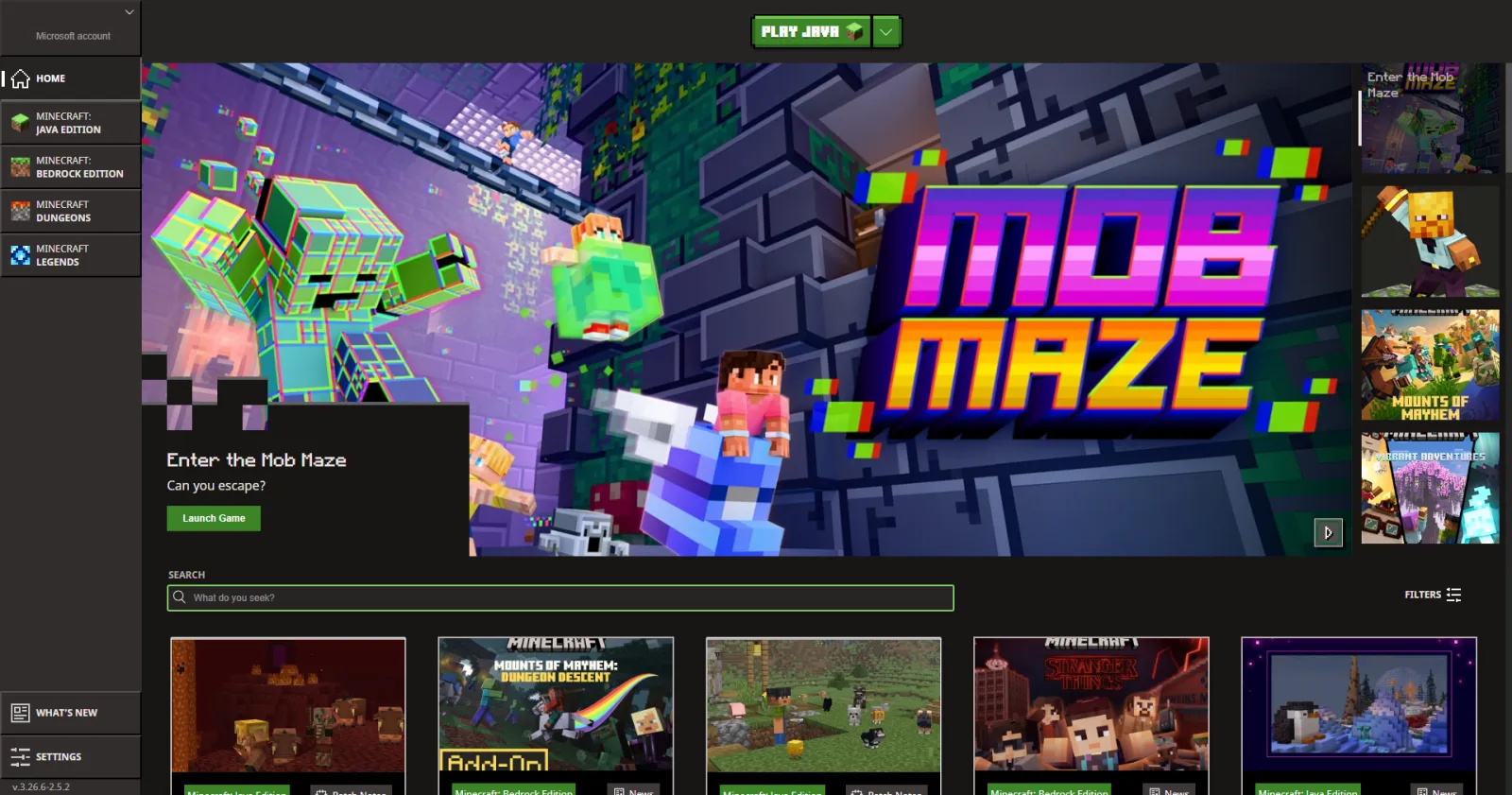
Dungeons Launcher 2.1.15570 in Minecraft

Then check your risk profile. Do you update constantly, or lock versions for months? If you're the person who updates everything at 1 a.m. before a big build session, you need snapshot-safe workflows and instance duplication. Prism and Modrinth App make this simple. If you mostly install one curated pack and leave it alone, CurseForge is usually enough.

Storage and RAM matter too. Big packs can pass 8 GB allocated fast, and your launcher should let you tune memory per instance without hunting through hidden menus. Also, keep worlds outside temporary folders. Sounds obvious. Still gets people every week.

Quick chooser:

  • Pick Prism if you want maximum control and multiple loaders.
  • Pick CurseForge if you want easiest pack discovery and minimal setup friction.
  • Pick Modrinth App if you prefer a modern interface and cleaner update flow.

And yes, you can use more than one launcher. I do.

Setup guide: clean install, stable updates, fewer headaches

Step 1: Install Java intentionally

Don't trust random bundled runtimes forever. Install a known-good Java version for your Minecraft target, then point your launcher to it. Keep one runtime for older packs and one for newer versions. This avoids the classic "worked yesterday, crashes today" spiral.

Launcher 2.1.5379 in Minecraft

Step 2: Build isolated instances

Create one instance per pack or server. Name them clearly: Survival-SMP-1.21, Create-Test, Vanilla-Backup. No giant everything-folder. If you mess up one profile, the others stay untouched.

Step 3: Add mods in batches

Install 5-10 mods at a time, launch, confirm logs are clean, then continue. Dropping 120 mods at once is fast until it isn't. Binary search troubleshooting is real, and your future self will thank you.

Step 4: Lock before updating

Clone your instance before changing Minecraft version, mod loader, or major API mods. Then test in the clone. If all good, promote it to your main profile. If not, roll back instantly.

Small tangent: this process sounds boring, and it's, but so is data recovery. Boring wins.

One more practical tip for multiplayer: align exact mod versions in a shared text file or Discord pinned post. "Same modpack" isn't enough if one person has a newer library dependency. That's how you get the famous mismatch error and five minutes of everybody blaming "the server" like it's a weather event.

Performance, compatibility, and 2026 platform reality

Launcher choice won't magically double FPS, but it does affect startup speed, update reliability, and crash recovery. Better instance isolation means fewer cross-pack conflicts. Better logs mean faster fixes.

Launcher 2.1.5387 in Minecraft

News context matters here. PCGamesN reported on March 4, 2026 that Mojang's drop cadence still looks quarterly, with the 1.26.1 'Tiny Takeover' window expected around March 2026. That pace means more frequent version bumps, and frequent bumps punish messy launcher setups. If your launcher can't clone, pin, and roll back quickly, you're volunteering for pain.

Console players get a different story. The Loadout reported in June 2024 that Mojang began testing a native PS5 version. Useful for platform performance, yes, but it doesn't change Java mod launcher workflows directly. I mention it because people mix these conversations constantly, and then wonder why a PS5 update didn't fix their Fabric dependency tree.

Security angle, brief and serious: download mods from known platforms, verify file hashes where available, and avoid sketchy re-upload sites. Launchers reduce friction, they don't remove trust decisions. If a mod page looks like a pop-up museum from 2008, close it.

Also, keep a world backup schedule. Daily if you're on active survival builds, weekly if casual. Launchers help, backups save worlds.

Style your profile while you mod: skins and identity picks

Modded sessions are more fun when your character style matches the chaos of your pack. If you're doing a gritty survival run, this Lockdown Life modern survival skin fits surprisingly well with tech and apocalypse packs.

Launcher 1.6.93 in Minecraft

For a classic mod-themed look, try this Mod Minecraft Skin design. I used it on a builder-focused server and people instantly assumed I knew redstone. I didn't, but confidence is half the circuit.

If you want something niche, I like the vibe on elmodag Minecraft Skin and Teemodolol Minecraft Skin. And if you want the name to match the role, the modder Minecraft Skin is the obvious pick.

Short version: launcher handles the plumbing, skin handles the personality.

Mistakes people make with minecraft mod launcher setups

Most crashes I see aren't "bad launchers." They're bad habits.

  1. Mixing loaders in one instance: Fabric mods inside Forge profile, then confusion.
  2. Updating everything at once: impossible to isolate breakage afterward.
  3. Ignoring logs: the error is usually written plainly, people just skip it.
  4. No backups: one corrupt world and you're negotiating with regret.
  5. Too little RAM or too much RAM: yes, over-allocating can hurt stability too.

So what's the best play right now? Pick one launcher for daily use, keep one backup option installed, and treat instances like projects, not junk drawers. You'll spend more time building and less time debugging classpath mysteries at midnight.

And if your friend says "just add this one mod," duplicate the instance first. Always.

Frequently Asked Questions

Do I need a separate launcher for Forge and Fabric?
Not always. Most modern launchers can manage both Forge (or NeoForge) and Fabric in separate instances. The key is separation, not separate apps. Keep each loader in its own profile with its own mod folder and version lock. If you mix loaders in one instance, dependency errors are almost guaranteed. One launcher, multiple clean instances is usually the best setup.
Which launcher is easiest for beginners in 2026?
CurseForge is generally the easiest starting point because pack discovery and installation are straightforward. You can install a known pack and launch quickly without deep config work. If you want more control later, migrate to Prism or keep both installed. Beginners should prioritize stable packs, clear version matching, and backups before advanced JVM tweaks.
Can a launcher improve FPS in modded Minecraft?
Indirectly, yes. A launcher won't act like an optimization mod by itself, but it helps you assign RAM correctly, isolate problem packs, and manage Java versions. Those factors reduce crashes and stutter caused by bad config. For real FPS gains, combine good launcher setup with performance mods, sensible render distance, and up-to-date graphics drivers.
How much RAM should I allocate to modded instances?
For light packs, 4 GB can work. Medium packs often need 6 to 8 GB, and very heavy packs may need 10 GB or more depending on shaders and world complexity. Don't allocate all your system memory, keep headroom for OS and background tasks. Too much allocation can also hurt garbage collection behavior and cause instability.
What's the safest way to update a modpack without breaking a world?
Clone the instance first, then update in the clone. Launch, test world loading, and verify core features before touching your main profile. Update in small batches if possible, especially libraries and API mods. Keep a timestamped world backup outside launcher directories. If multiplayer is involved, confirm every player and the server uses identical mod and loader versions.