Mineflayer: Building Minecraft Bots with JavaScript

"Create Minecraft bots with a powerful, stable, and high level JavaScript API."
PrismarineJS/mineflayer · github.com
If you've ever wanted to automate tasks in Minecraft - farming resources, building structures, running tests on servers, or just experimenting with game AI - you've probably hit a wall. You can't just script Minecraft natively. That's where Mineflayer comes in. It's a JavaScript library that lets you write bots that connect to actual Minecraft servers and interact with the game world like a real player would. No mods, no plugins. Just code.
What Mineflayer Does
Mineflayer is a Node.js library that creates a bridge between your code and a Minecraft server. Your bot connects just like a regular client, but instead of using a mouse and keyboard, it's controlled entirely through JavaScript. You tell it to walk, attack, craft, dig, place blocks, or chat, and it does exactly that.
The project sits at around 6,890 GitHub stars, which tells you it's got real traction. It supports Minecraft 1.8 all the way through 1.21.11, so it works with modern versions. The MIT license means you can use it freely for almost anything - personal projects, servers, educational stuff, even commercial work if you want.
And here's the thing: it's genuinely well-maintained. The maintainers have kept it in sync with Minecraft updates for over a decade. Not many projects do that.
Why You'd Use This
There are several real use cases here. Farmers use bots to automate grinding - let a bot fish or mine while you do something else. Server administrators test builds with bots before they go live. Educators teach programming concepts using Minecraft as the sandbox (way more fun than CLI exercises). Then there's the weirder stuff: people rebuild entire cities in Minecraft and use bots to help with construction, or they run AI experiments to see how far you can push autonomous behavior in the game.
You might think "but isn't that just multiplayer cheating?" Not really. Most servers are fine with bots as long as they're not griefing or stealing from other players. Single-player worlds? Go wild. Your own server? Absolutely.
One interesting angle people don't talk about much: testing. If you're running a Minecraft server with custom plugins, bots let you test behavior automatically. Did that new enchantment break something? Let a bot run through 100 crafting cycles and find out before your players do.
Getting Started: Installation and First Steps
You'll need Node.js 18 or newer. If you don't have it, grab it from nodejs.org. Then it's straightforward:
npm install mineflayerThat pulls down the library and its dependencies. Once you've got it, here's a barebones bot that connects to a server:
const mineflayer = require('mineflayer');

const bot = mineflayer.createBot({
 host: 'localhost',
 port: 25565,
 username: 'MyBot',
 version: '1.20.1'
});

bot.on('login', () => {
 console.log('Bot joined the server!');
});
Run that against a local server (or any server you've access to), and boom - your bot connects. From there, you can make it do actual stuff: walk around, respond to chat, dig blocks, whatever.
The project documentation is pretty good. There's a tutorial if you're new to Node.js, a full API reference, and a ton of examples on GitHub. They've even got Python support if JavaScript isn't your jam.
What Makes Mineflayer Powerful
It's not just connect-and-walk. The library gives you real knowledge of the world. You can query blocks around the bot, track entities (that's every mob, player, and item on screen), read their properties, and react accordingly. Want your bot to find the nearest iron ore and mine it? You can. Need it to detect when a specific player logs in? That works too.
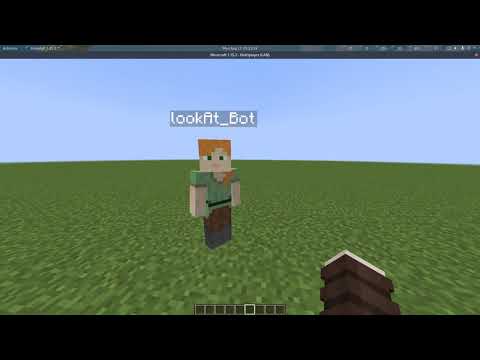
Inventory management is built in. Your bot knows what it's holding, where items are stored in nearby chests, and can move things around. Crafting, enchanting, smelting - all supported. The physics engine handles movement properly, so your bot won't get stuck on blocks or walk off cliffs like a moron (usually).
And here's where it gets fun: you can integrate real player skins. The Minecraft community is full of creative players with skins like adderall_abuser and ironmouse that show genuine personality and creativity. When your bot encounters real players or their data, it sees and interacts with that authentic community representation.
Chat support means bots can talk. They can respond to commands, send messages, or just observe conversations. Entity tracking lets you watch what every player and mob is doing. Block knowledge is fast - milliseconds to search a 2K-block area. For server automation, that's huge.
Common Gotchas and Tips
First gotcha: authentication. Your bot needs valid credentials. For online-mode servers, that means a real Minecraft account or a valid UUID. Offline-mode servers are more forgiving, but most public servers run online-mode. Plan accordingly.
Second: version mismatches will kill your bot. Minecraft 1.20.1 and 1.21.11 have different protocol specs. If you connect with the wrong version, you'll get cryptic errors. Always check what your target server runs and set the version in your config to match.
Third: performance. If you're querying the world constantly or tracking hundreds of entities, your bot can lag. The library handles it well, but sloppy code will slow things down. Batch block searches instead of doing them one-by-one. Limit entity tracking to what you actually need.
Fourth: some servers have plugins that detect bots. CraftBukkit, Spigot, and Paper have anticheat systems. Your bot might get kicked or banned if the server admin doesn't want them. Read the rules. Permission matters.
One thing that surprises people: bots don't need a display. They're headless - no OpenGL, no renderer. That's actually good. You can run a bot on a tiny VPS or your laptop and leave it running for hours without any resource drain. Well, compared to the actual Minecraft client anyway.
Examples of What's Possible
The examples folder on GitHub has dozens of real scripts. There's one that farms wood automatically. Another that builds structures from schematics. One that connects to Discord so players can control the bot via chat commands. Someone even built a bot that plays a simple game of tag.
You can see community members with unique creations everywhere - like testuser, joakim2tusen, and housecz_zero - all making interesting things within the Minecraft ecosystem. Bots unlock the ability to automate interactions with that creative community at scale.
Actually, want something wild? The project maintainers have experimented with large language models controlling bots. Giving an LLM access to a bot's sensors and commands is a legitimately interesting AI problem. Not something practical yet, but it works.
Should You Use This Over Alternatives?
There's Baritone, which is a pathfinding and automation mod for the vanilla client. It's powerful but requires the Fabric or Forge mod loader. If you want client-side automation in single-player or with friends, Baritone might be simpler.
There's also MCProtocolLib (Java-based) if you prefer Java over Node.js. It's lower-level though. That means more code for the same results. And there are various Rust libraries, but they're less documented and smaller communities.
Mineflayer wins because of maturity, documentation, and community. The JavaScript ecosystem is massive, so integrating bots with web services, Discord bots, or data pipelines is dead simple. And the learning curve is shallow if you already know JavaScript.
Visit PrismarineJS/mineflayer on GitHub ↗