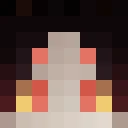
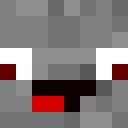
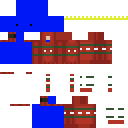
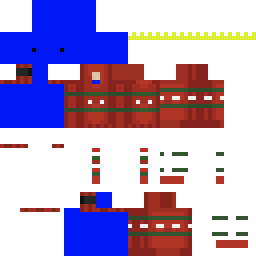
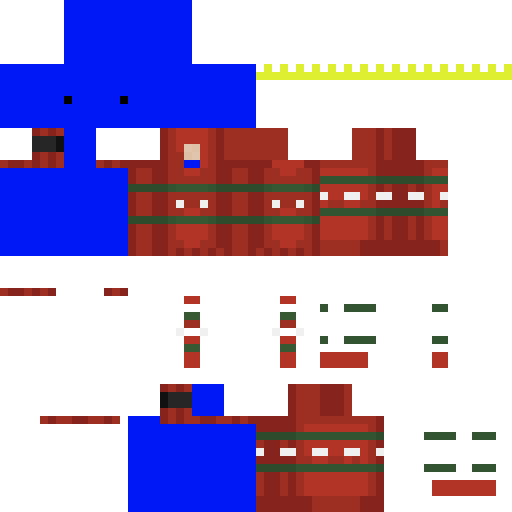
Skin showcase
Watch Page →Jettism 마인크래프트 스킨
✓ 승인됨
Jettism은 세련되고 현대적인 조종사 영감의 Minecraft skin으로, 고속 비행과 모험의 정신을 담아냅니다. 이 skin은 현대적인 조종사 또는 항공 애호가의 디자인을 특징으로 하며, 깔끔한 라인과 전문적인 외모를 지니고 있습니다. 이름은 제트 항공에 헌신한 캐릭터를 암시하며, 비행 재킷, 조종사 선글라스, 또는 현대적인 전술 장비를 착용하고 있을 가능성이 있습니다. 항공기, 속도, 그리고 현대 군사 미학을 사랑하는 플레이어에게 완벽한 이 skin은 기능성과 스타일을 결합합니다. 공항을 build하든, elytra로 비행하든, 또는 당신의 Minecraft world에서 전문 조종사처럼 보이고 싶든, Jettism은 눈에 띄는 예리한 항공 테마의 외모를 제공합니다. 이 디자인은 아마도 제트 조종사의 정밀성과 멋을 반영하는 항공 관련 색상과 세부 사항을 포함하고 있습니다.
167
다운로드
5.6K
조회수
0
좋아요
반응
반응하려면 로그인하세요.
카테고리
소년모던직업
Minecraft profile
7694e6a9-b44e-4afb-879a-3116d0643816Model
classic
Views / 30 days
62
Observed names
Dates show when minecraft.how first observed each name.
Jettism—
Skin history
History grows as minecraft.how observes profile changes.

Head command
/give @p minecraft:player_head[profile={name:"Jettism"}]PNG · 64×64
태그
마인크래프트스킨Jettismjavaneutral소년모던직업
자주 묻는 질문
Jettism 마인크래프트 스킨을 다운로드하려면:
- 「다운로드」 버튼을 클릭하여 이 무료 Jettism 스킨을 받으세요
- 스킨 파일
.png이 기기에 저장됩니다 - 자바 에디션과 베드락 에디션 모두에서 작동합니다
- 전체 설치 지침은 아래를 참조하세요
Jettism 스킨을 적용하려면:
- 공식 마인크래프트 웹사이트에서 Mojang 또는 Microsoft 계정으로 로그인하세요.
- 프로필의 「스킨」 섹션으로 이동하세요.
- 다운로드한
.png파일을 업로드하세요. - 마인크래프트를 실행하면 캐릭터가 Jettism 스킨을 사용합니다.
참고: 이 과정은 마인크래프트 자바 에디션과 마인크래프트 베드락 에디션에서 약간 다를 수 있습니다.
예, Jettism 스킨은 마인크래프트 자바 에디션과 마인크래프트 베드락 에디션 모두와 호환됩니다. 그러나 스킨 적용 방법은 두 버전 간에 약간 다를 수 있습니다. 해당 에디션에 대한 이 페이지의 지침을 따르세요.
물론입니다! 마인크래프트 스킨 편집기를 사용하여 Jettism 스킨을 편집할 수 있습니다. 다운로드한
.png 파일을 편집기에서 열고, 변경한 후 파일을 저장하세요. 그런 다음 편집한 스킨을 마인크래프트 프로필에 업로드하세요.Jettism 스킨이 작동하지 않으면 다음을 시도해 보세요:
- 올바른 파일 형식
.png을 다운로드했는지 확인하세요. - 마인크래프트의 올바른 버전(자바 에디션 또는 베드락 에디션)을 사용하는지 확인하세요.
- 스킨 파일이 손상되지 않았는지 확인하세요. 필요하면 스킨을 다시 다운로드하세요.
- Mojang 또는 Microsoft 계정에서 로그아웃한 후 다시 로그인하여 프로필을 새로 고치세요.