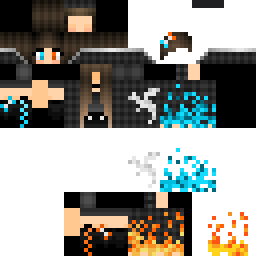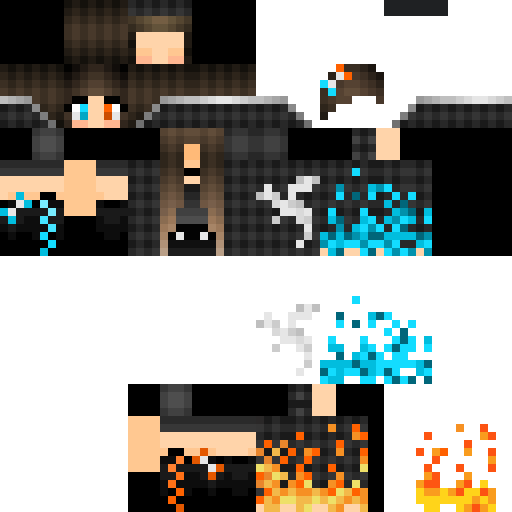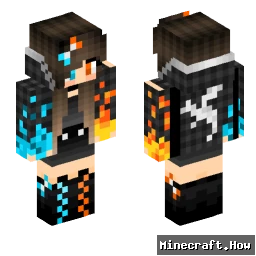
Einfachgustafhal 마인크래프트 스킨
✓ 승인됨
The Einfachgustafhal skin takes a stripped-back approach. No elaborate armor, no fantasy elements. Just a grounded male character with plain, everyday clothing. The name itself is German, loosely translating to 'simply Gustaf,' and the skin matches that energy. It's the kind of design that reads well at any render distance and doesn't clash with whatever biome or build you drop into.
You'll find it works well on survival servers where blending in matters more than showing off. It also holds up fine in roleplay or casual creative worlds, where an understated player model keeps attention on the builds rather than the character. The color palette stays in neutral territory, so it doesn't look out of place next to players running more elaborate skins either.
If you want a skin that just gets out of the way and lets you play, this one does that.
You'll find it works well on survival servers where blending in matters more than showing off. It also holds up fine in roleplay or casual creative worlds, where an understated player model keeps attention on the builds rather than the character. The color palette stays in neutral territory, so it doesn't look out of place next to players running more elaborate skins either.
If you want a skin that just gets out of the way and lets you play, this one does that.
0
다운로드
228
조회수
Minecraft profile
7af8bed7-c390-422a-b87e-879c384e4b33Model
classic
Views / 30 days
27
Observed names
Dates show when minecraft.how first observed each name.
Einfachgustafhal—
Skin history
History grows as minecraft.how observes profile changes.

Head command
/give @p minecraft:player_head[profile={name:"Einfachgustafhal"}]PNG · 64×64

태그
마인크래프트스킨Einfachgustafhal
자주 묻는 질문
Einfachgustafhal 마인크래프트 스킨을 다운로드하려면:
- 「다운로드」 버튼을 클릭하여 이 무료 Einfachgustafhal 스킨을 받으세요
- 스킨 파일
.png이 기기에 저장됩니다 - 자바 에디션과 베드락 에디션 모두에서 작동합니다
- 전체 설치 지침은 아래를 참조하세요
Einfachgustafhal 스킨을 적용하려면:
- 공식 마인크래프트 웹사이트에서 Mojang 또는 Microsoft 계정으로 로그인하세요.
- 프로필의 「스킨」 섹션으로 이동하세요.
- 다운로드한
.png파일을 업로드하세요. - 마인크래프트를 실행하면 캐릭터가 Einfachgustafhal 스킨을 사용합니다.
참고: 이 과정은 마인크래프트 자바 에디션과 마인크래프트 베드락 에디션에서 약간 다를 수 있습니다.
예, Einfachgustafhal 스킨은 마인크래프트 자바 에디션과 마인크래프트 베드락 에디션 모두와 호환됩니다. 그러나 스킨 적용 방법은 두 버전 간에 약간 다를 수 있습니다. 해당 에디션에 대한 이 페이지의 지침을 따르세요.
물론입니다! 마인크래프트 스킨 편집기를 사용하여 Einfachgustafhal 스킨을 편집할 수 있습니다. 다운로드한
.png 파일을 편집기에서 열고, 변경한 후 파일을 저장하세요. 그런 다음 편집한 스킨을 마인크래프트 프로필에 업로드하세요.Einfachgustafhal 스킨이 작동하지 않으면 다음을 시도해 보세요:
- 올바른 파일 형식
.png을 다운로드했는지 확인하세요. - 마인크래프트의 올바른 버전(자바 에디션 또는 베드락 에디션)을 사용하는지 확인하세요.
- 스킨 파일이 손상되지 않았는지 확인하세요. 필요하면 스킨을 다시 다운로드하세요.
- Mojang 또는 Microsoft 계정에서 로그아웃한 후 다시 로그인하여 프로필을 새로 고치세요.