Minecraft Command Generator Gids voor Java en Bedrock
Een Minecraft command generator is de snelste manier om geldige commando's te bouwen zonder elk argument, NBT-tag en selectorregel uit je hoofd te leren. In 2026 fungeren de beste generators als syntaxisassistenten: jij geeft opties op, zij genereren schone commando's, en je verifieert ze toch nog in-game voordat je ze in een live wereld of server gebruikt.
Wat doet een Minecraft command generator
Veel spelers denken dat een generator alleen maar een fraai tekstvak is. Dat klopt niet. Een goed gereedschap snapt commandostructuur, vult vereiste parameters in en voorkomt veelvoorkomende syntaxisfouten voordat je iets in chat of een commandoblok plakt.
Dat is nu nog belangrijk omdat commandosyntaxis blijft verschuiven met feature drops, snapshots en platform parity-updates. PCGamesN rapporteerde over de snellere druppelcyclus en de verwachte cadans rond 1.26.1, wat precies uitlegt waarom oude commandohandleidingen sneller verouderd raken dan je verwacht.
Kort gezegd: generators besparen tijd, minimaliseren typfouten en verminderen de kans om je redstone-setup om 2 uur 's nachts kapot te maken (wat merkwaardig genoeg het moment is waarop alle commandoprojecten plotseling urgent worden).
En ja, je moet de basis nog steeds leren. Als je blindelings op een generator vertrouwt, zal het eerste onverwachte geval je te pakken nemen.
Beste Minecraft command generator opties in 2026
Ik verdeel dit in drie categorieën omdat spelers commando's om heel verschillende redenen gebruiken: eenmalige creatieve taken, datapack-workflows en serverbeheer. Zelden slaagt één site erin alle drie goed te doen.
1) Snelle bouwers voor één commando tegelijk
Dit is ideaal wanneer je nu even snel een summon-, give-, effect- of title-commando nodig hebt. Goede snelle generators geven je:
- Versiekiezer (Java-release, snapshot, Bedrock waar relevant)
- Real-time syntaxisvalidatie terwijl je typt
- Leesbare uitvoerformatering zodat lange commando's debugbaar zijn
Als het gereedschap de echte commandotekst pas in de laatste stap laat zien, sla het over. Je moet precies zien wat gegenereerd wordt.
2) NBT-zware generators voor entiteiten en items
Dit is waar je echt veel tijd bespaart. Aangepaste itemlore, attributen of geneste entiteitsgegevens handmatig bouwen is mogelijk, maar het is ook hoe je per ongeluk een commando maakt dat langer is dan een klein boek.
Mijn voorkeur gaat altijd naar gereedschap dat geneste velden duidelijk toont en je standaardwaarden laat verwijderen. Extra velden veroorzaken opgeblazen commando's, en die zijn veel moeilijker om te debuggen.
3) Veilige workflows voor servers
Commando's op openbare servers uitvoeren is anders dan testen in een lokale creatieve wereld. Je wilt voorspelbare uitvoer en mogelijkheden om terug te gaan. Dat betekent generators gebruiken die je commando's met opmerkingen kunt kopiëren en een geschiedenis bijhoudt. Zonder tracking wordt moderatieautomatisering snel rommelig.
Ik heb deze aanpak op een privé-Paper-server en een survival SMP getest waar commandoblokken beperkt waren tot admins. Dezelfde les beide keren: een saaie, doorzichtige generator wint het van iets flashy.
Java versus Bedrock: waar command generators nog steeds mislopen
Ooit een "werkend" commando van een generator geplakt en niets zien gebeuren? Meestal is dat een Java-Bedrock mismatch.
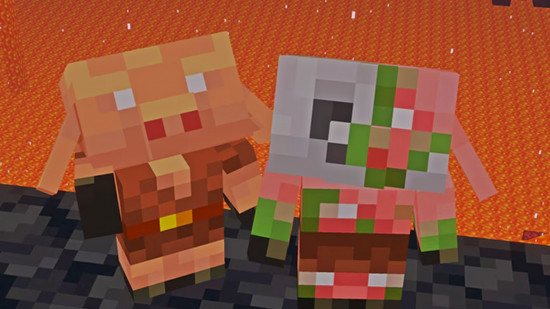
Selectoren, NBT-gedrag en commandobeschikbaarheid verschillen nog steeds. Sommige tools claimen cross-platform-ondersteuning, maar dat klopt niet helemaal voor geavanceerde dingen. Een generator kan een "compatibel" skelet geven, maar dan mislukt het op specifieke argumenten zodra je aangepaste gegevens toevoegt.
Houd deze checklist in de buurt:
- Stel eerst de juiste editie in, daarna de versie.
- Test eerst met het kortste geldige commando voordat je voorwaarden toevoegt.
- Controleer bij Bedrock elk argument tegen huidige docs of patchnotes.
- Voor Java snapshots, verwacht edge case-problemen en hertest na updates.
Platformveranderingen zijn niet hypothetisch. The Loadout behandelde Mojangs PS5 native-versie testen en rollout-richting, en die console-veranderingen beïnvloeden verwachtingen rond commandogedrag en compatibiliteit in de loop van de tijd.
Dus ja, generators helpen, maar edition-bewustzijn is belangrijker dan welk interface-ontwerp ook.
Mijn workflow: van idee tot betrouwbaar commando
Mensen vragen naar "de beste Minecraft command generator" alsof één tool alles oplost. Ik gebruik een workflow, geen enkele site. Dat is de echte productiviteitsstap.
Hier is mijn praktische volgorde:
- Beschrijf je bedoeling in duidelijk taal. Voorbeeld: "Tag alle spelers onder Y=40 en geef Nachtzicht gedurende 20 seconden."
- Genereer het basiscommando. Hou het eerst minimaal.
- Test in een testwereld. Nooit in productie starten. Nooit.
- Voeg één voorwaarde tegelijk toe. Als het breekt, weet je precies waar.
- Verplaats naar commandoblok of functiepbestand. Gebruik opmerkingen in functies voor toekomstige jij.
- Hertest na versieveranderingen. Vooral na grote drops.
Die "één voorwaarde tegelijk" regel klinkt traag, maar het is sneller dan een gigantische commandoblob van een generator debuggen. Ik leerde dat terwijl ik een aangepaste dungeon bouwde op een testkaart met gekoppelde commandoblokken. Eén typfout in doelselectoren kostte me een uur en meerdere dramatische zuchten.
En als je commandogerelateerde kaarten bouwt of gewoon je skin wilt matchen met je operator-energie, zijn er leuke opties op minecraft.how: commandblock370 skin, klassieke commandblock skin, CommandNinja skinontwerp, CommandZomb skin, en tankcommanderash skin. Niet verplicht voor syntaxisnauwkeurigheid, maar moraal is een legitiem technisch hulpmiddel.
Veelvoorkomende fouten die generators "kapot" doen lijken
De meeste generatorproblemen zijn omgeving-gerelateerd, geen gereedschapsproblemen.

- Java-syntaxis op Bedrock gebruiken
- Verouderde gamerules gebruiken die van naam zijn veranderd
- Commando's met verborgen opmaakkarakters plakken
- Commandomachtigingen op serverrollen vergeten
- Testen in beschermde spawn-regio's waar effecten zijn geblokkeerd
Nog één sluw probleem: commandolengte. Sommige systemen hebben moeite met zeer lange strings, vooral met diep geneste NBT. Splits logica in functiepbestandenen wanneer mogelijk.
Fragment om onthouden: eenvoudige commando's schalen beter.
Als je multiplayer-werelden beheert, behandel gegenereerde commando's als code. Beoordeel, test, stage, implementeer. Een generator is je IDE, niet je QA-team.
Hoe je de juiste Minecraft command generator voor jouw doel kiest
Als je doel leren is, gebruik dan een generator die ruwe syntaxis vroeg blootstelt en inline uitleg bevat. Als je doel snelheid is, prioriteer je templates en opgeslagen voorinstellingen. Als je doel serverbetrouwbaarheid is, kies je geschiedenis, versievergrendeling en exportopties.

Hier mijn eerlijke mening: tools die complexiteit achter gigantische "magic"-knoppen verbergen, zijn overgewaardeerd. Ze voelen snel totdat je op een dag één selector moet wijzigen en de hele uitvoer wordt onleesbaar.
Kies helderheid boven gemak. Altijd.
Nog één voorbehoud: geen enkele generator kan toekomstige compatibiliteit garanderen na Mojang-syntaxisupdates. Behoud je eigen commandolijst, voeg versieopmerkingen toe en hertest na grote drops. Saai proces, enorm voordeel.
Dat is de 2026 werkelijkheid. Gebruiken generators agressief, maar houd je commandokennis scherp zodat je dingen kunt oplossen als de mooie interface fout is.

Lead writer at minecraft.how. Long-time Minecraft player running a small SMP server, testing every build, mod, and seed before writing about it.
Have a Question or Tip about this Guide?Community Q&A
Ask a question or help other players below. Join the discussion and share your Minecraft tips!