Minecraft XP-Commando Handleiding: Syntaxis, Limieten, Beste
De minecraft xp-commando laat je ervaring en niveaus in één keer toevoegen, verwijderen of instellen, wat perfect is voor het testen van betoveringen, het uitvoeren van evenementen of het repareren van voortgangsproblemen op servers. In 2026 werkt het nog steeds het best als je punten en niveaus van elkaar scheidt en de syntaxis per editie dubbel controleert.
Minecraft XP-commando basisinformatie in 2026
Als je maar één ding onthoudt, onthoud dit: XP-punten en XP-niveaus zijn geen dezelfde munt. Één niveau dicht bij niveau 5 is goedkoop, één niveau dicht bij niveau 35 is duur. Dus als spelers zeggen 'geef me 30 XP', bedoelen ze meestal 30 niveaus, niet 30 ruwe punten.
Ik zie deze fout nog steeds wekelijks op communityservers. Admin typt snel een commando, speler krijgt bijna niks, chaos breekt uit in de chat, iemand geeft lag de schuld, en ineens zijn we allemaal amateureconomen voor de XP-markt.
Korte versie? Gebruik niveaus voor gameplaybeloningen, gebruik punten voor nauwkeurig testen.
En ja, commandotoestemmingen zijn nog steeds belangrijk. In survivaalwerelden met cheats uit, wordt hier niets uitgevoerd totdat je cheats inschakelt of operatorrechten gebruikt.
Exacte minecraft xp-commando syntaxis (Java versus Bedrock)
Editieverschillen zijn waar de meeste gidsen vaag worden. Hier is de praktische versie die je werkelijk kunt gebruiken.
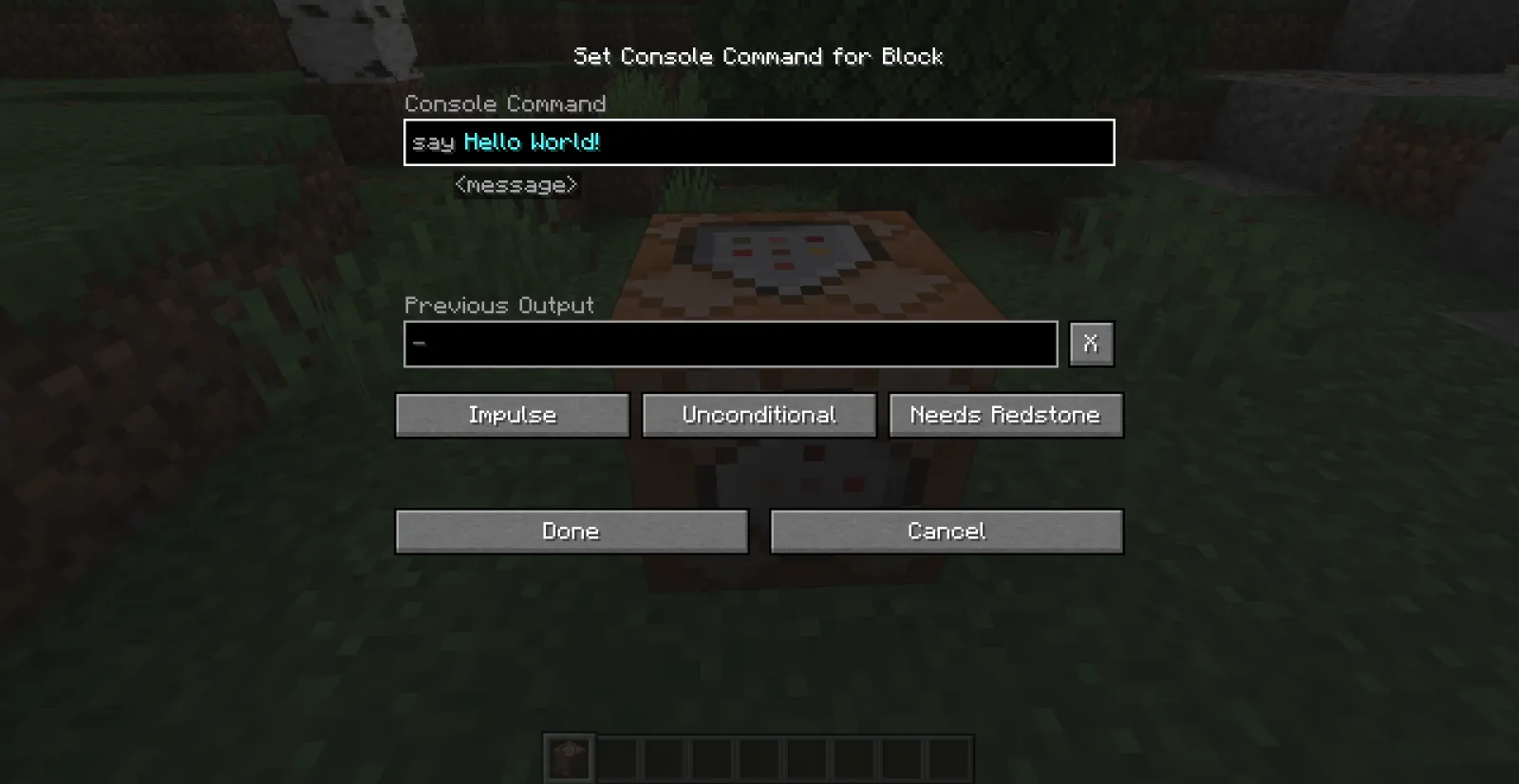
Java Edition-commando's
Java gebruikt de /experience-commandofamilie (met /xp als sneltoets op veel versies).
- XP-punten toevoegen: /experience add @s 500 points
- XP-niveaus toevoegen: /experience add @s 5 levels
- Exacte niveaus instellen: /experience set @s 30 levels
- Exacte punten instellen: /experience set @s 0 points
- Hoeveelheid opvragen: /experience query @s levels
Nodig om anderen te richten? Vervang @s door @p, @a, een gebruikersnaam of een selector met filters. Voorbeeld: /experience add @a[team=red] 3 levels.
Bedrock Edition-commando's
Bedrock gebruikt nog steeds meestal /xp-syntaxis. In huidige builds voer je meestal een hoeveelheid in plus optioneel speler doel, en niveaus zijn vaak gemarkeerd met L in commandogebruik. Als autocomplete een iets ander patroon op je apparaat toont, volg de prompte in het spel, want Bedrock-commandoaanwijzingen zijn nu behoorlijk betrouwbaar.
- Typische niveautoevoeging: /xp 5L @s
- Typische puntentoevoeging: /xp 500 @s
- Huidige waarde controleren: gebruik de commandosuggesting voor je build om niveaus of punten op te vragen
Kleine kanttekening, eigenlijk niet zo klein: Bedrock-syntaxis kan een beetje verschillen tussen platformbuilds en Realms-hulpmiddelen. Als een gekopieerd commando een fout veroorzaakt, typ /xp en laat autocomplete het exacte argumentvolgorde voor je versie invullen.
Die ene gewoonte bespaart belachelijk veel tijd.
Beste praktische toepassingen (die niet alleen 'geef me niveau 100' zijn)
Ik heb XP-workflows getest op privé SMP-werelden, een minigame-lobby en één zeer chaotische 'hardcore maar met tweede kansen' event-server. De meest nuttige setups zijn saai op papier en briljant in de praktijk.

1) Betoveringstestrack
Wanneer je aangepaste loot-tabellen of datapacks balanceert, wil je herhaalbare betoveringsresultaten. Stel spelers in op een vast niveau voor elke test-ronde:
- /experience set @p 30 levels
- /experience set @p 0 points
Dit verwijdert ruis van vorige uitvoeringen en maakt vergelijkingen eerlijk.
2) Event-beloningen voor PvP of parkour
Ruwe XP-punten zijn prima voor nauwkeurig afgestemde beloningen. Niveaus zijn beter voor 'groot moment'-uitbetalingen. Bijvoorbeeld, ik geef punten per checkpoint en niveaus voor podiumfinish. Spelers voelen zowel gestage voortgang als een echte winstpiek.
Heb je ooit iemand de eerste plaats gemist door half een blok en toch vertrokken zien glimlachen omdat ze genoeg XP voor betoveringen hadden gekregen? Dat is goed beloningsontwerp.
3) Nieuwe spelersvangnet op EU-servers
EU-avondverkeer is piek-chaos, en late deelnemers geven vaak op als ze te ver achter zijn. Een licht vangnetcommando helpt bij behoud zonder voortgang kapot te maken:
- Eerste login-pakket: voedsel, gereedschap en 5 niveaus
- Weekendbonus: alleen punten, dus het voelt behulpzaam maar niet gebroken
Houd het bescheiden. Als iedereen meteen naar maximale betoveringen springt, wordt je economie zondag een betoveringsboekinflatie.
4) Adminreparatie na bugs of terugdraaingen
Terugdraaingen gebeuren. Plugins mislukken. Iemand verliest XP van een crash. Met behulp van query- plus set-commando's kun je accounts schoon herstellen en registreren wat veranderde.
Doe dit met een schriftelijk beleid, niet op basis van gevoel.
Veelvoorkomende fouten, limieten en veiligheidscontroles
De meeste XP-commando-rampen zijn vermijdbaar.

Allereerst: meng 'punten' en 'niveaus' niet door elkaar. Tweede: geen @a-commando's van de console blazen zonder jezelf eerst te testen. Derde: log elke bulk-XP-actie als je een openbare server runt.
Mijn veilige workflow ziet er als volgt uit:
- Voer eerst uit op @s.
- Vraag resultaat op om exacte verandering te bevestigen.
- Voer uit op een gefilterde selector, zoals één team of één straal.
- Voer pas dan globale commando's uit.
Ook kunnen grote XP-waarden vreemde gameplayneveneffecten creëren, vooral met mods of aangepaste voortgangsplugins. Niet altijd crashes, maar zeker 'waarom slaat deze speler mijn hele questketen over' momenten.
En als je commandotutorials of rôleplay-inhoud maakt, speel op thema. Een heleboel spelers die commandoinhoud doorbladeren, houden ook van command-thema-skins, dus deze passen prima in gidshubs: commandblock370 Minecraft Skin, commandblock Minecraft Skin, CommandNinja Minecraft Skin, CommandZomb Minecraft Skin, en tankcommanderash Minecraft Skin.
Ja, cosmetica verbetert de syntaxis niet. Maar wel het moraal bij het debuggen van commandoketens om 1 uur 's ochtends.
Versie- en platformopmerkingen voor spelers in 2026
Commandogedrag is de laatste tijd behoorlijk stabiel gebleven, maar releasecadence is van belang voor documentatie. PCGamesN rapporteerde Mojangs huidge 'drop'-model als ruwweg driemaandelijks, met 1.26.1 besproken in het maart 2026-venster. Dat betekent dat commandovoorbeelden online snel kunnen verouderen als een minorpatch parseraanwijzingen of autocomplete-woordgebruik aanpast.

Één snelle zijstap. Als je over console en pc speelt, weet je al dat tekstinvoer half de slag is op controller. The Loadout rapporteerde Mojangs PS5-native rollout-werk terug in 2024, en sinds die tijd is de bruikbaarheid van console-commando's over het algemeen verbeterd, maar autocomplete blijft je beste vriend, vooral voor Bedrock-argumentvolgorde.
Dus wat zou je in de praktijk moeten doen?
- Test kritische commandoketens na elke drop-update.
- Sla bekende goede commandosnippets op in een serverdoc.
- Voor cross-platform gemeenschappen, houd aparte Java en Bedrock-voorbeelden.
- Gebruik commandoblokken voor herhaalbare beloningslogica, geen handmatige chatspam.
Één meer zelfcorrectie voordat iemand in Discord schreeuwt: als je Realm of serverlaag toestemmingen herschrijft, kan een geldig XP-commando mislukken zelfs als syntaxis correct is. Dat is niet het commando, dat is je toestemmingsstack.
Wanneer je setup schoon is, is het minecraft xp-commando nog steeds een van de meest nuttige admintools in het spel. Snel, nauwkeurig en gemakkelijk te automatiseren.

Lead writer at minecraft.how. Long-time Minecraft player running a small SMP server, testing every build, mod, and seed before writing about it.
Veelgestelde vragen
Wat is het verschil tussen XP-punten en XP-niveaus in Minecraft?
Hoe voeg ik XP-niveaus toe in Java Edition?
Hoe werkt het xp-commando in Bedrock Edition?
Hoe controleer ik hoeveel niveaus een speler heeft in Java Edition?
Werkt het xp-commando in een survivalwereld zonder cheats?
Wat is een veilige manier om XP-commando's op een server uit te voeren?
Have a Question or Tip about this Guide?Community Q&A
Ask a question or help other players below. Join the discussion and share your Minecraft tips!