Mcman: Gerencie Servidor Minecraft como Código em 2026
" Poderoso Gerenciador de Servidor Minecraft CLI. Instale facilmente jars (servidor, plugins & mods) e escreva arquivos de configuração. Suporte Docker e git incluído."
deniz-blue/mcman · github.com
Cansado de baixar plugins manualmente, procurar a versão correta do servidor e rezar para que sua lista de mods não quebre? Mcman trata seu servidor Minecraft como um repositório de código - tudo em um arquivo de configuração, downloads automáticos, compatível com git e surpreendentemente eficiente.
O Que Este Projeto Faz
Mcman é uma ferramenta de linha de comando escrita em Rust que cuida das partes tediosas de executar um servidor Minecraft. Em vez de procurar links, copiar e colar arquivos JAR e editar manualmente arquivos de configuração, você descreve o que quer em um único arquivo server.toml - sua versão de servidor, plugins, mods, configurações - e mcman cuida do resto. Ele baixa tudo, verifica a integridade dos arquivos e mantém tudo organizado.
A parte mágica? Você pode controlar a versão de toda essa configuração com git. Adicione um plugin, atualize seu TOML, faça commit, faça push. Seus colegas podem fazer pull das alterações e mcman vai buscar tudo que precisam. Sem mais confusão de "espera, qual versão de X estamos usando?"
(Na verdade, isso também funciona para gerenciar redes inteiras com um network.toml se você estiver executando vários servidores.)
Por Que Você Usaria Isso
Primeiro, há o caso óbvio: se você estiver executando uma rede de servidor personalizada, Mcman economiza quantidades ridículas de tempo. Já vi administradores de servidor gastarem horas gerenciando versões de plugins em 5+ servidores. Mcman reduz isso a alguns comandos. Atualize uma vez, implante em todos os lugares.
Mas há uma razão mais sutil. Se você estiver testando diferentes combinações de plugins ou experimentando novas configurações de modpack, Mcman permite que você faça branch, experimente e reverta facilmente - assim como no desenvolvimento de código. Seu branch principal fica estável enquanto você testa recursos em um branch de desenvolvimento antes de fazer merge.
Você também apreciará isso se já quis compartilhar uma configuração de servidor com um amigo ou colega. Envie o repositório para eles, eles executam mcman run, e têm sua configuração exata. Sem mais discussões tipo "espera, você usou CraftBukkit ou Spigot?"
Começando com a Instalação
Colocar mcman em funcionamento é direto. No Linux e macOS, basta pegar o binário mais recente das versões:
curl -L https://github.com/deniz-blue/mcman/releases/download/0.4.5/mcman -o mcman
chmod +x mcman./mcman --version
Os usuários do Windows podem pegar o .exe da página de versões ou usar Scoop se o tiver configurado:
scoop bucket add minecraft https://github.com/The-Simples/scoop-minecraft
scoop install mcman
Usuários do Linux no Arch podem instalar do AUR com yay -S mcman-bin ou paru -S mcman-bin. Depois de instalado, você inicializa um novo servidor:
mcman initIsso guia você na criação de seu server.toml - escolha sua versão Minecraft, tipo de servidor (Paper, Spigot, Purpur, etc.), e pronto. Então mcman run inicia seu servidor, e mcman dev é o interessante - ele observa mudanças e recarrega seu servidor sem reinicializações completas.
O Que Torna Isso Especial
Suporte real para arquivo de configuração. A maioria dos gerenciadores de servidor baixa o JAR e torce para você descobrir o resto. Mcman permite que você gerencie server.properties, arquivos YAML de plugins e configs personalizadas tudo em um só lugar, com substituição de variáveis. Alterar uma configuração em 10 arquivos? Você não está copiando e colando em cada um.
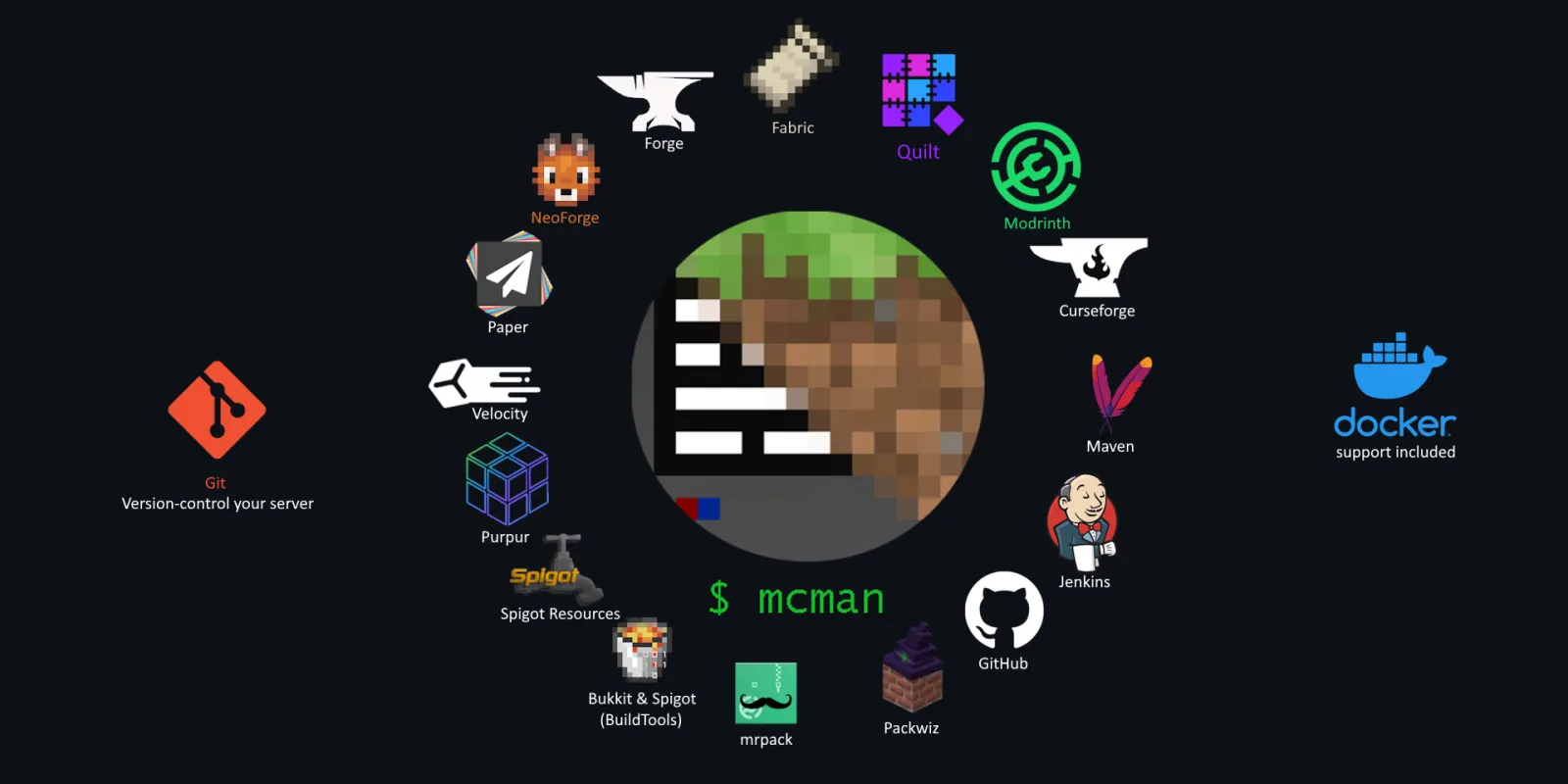
Funciona com quase todas as fontes. Modrinth, CurseForge, Hangar, Spigot, GitHub releases, Jenkins, repositórios Maven - se um plugin ou mod está lá, mcman pode puxar. Precisa de algo personalizado? Basta adicionar uma URL direta.
Pronto para Docker. Construindo uma configuração Minecraft containerizada? Mcman funciona bem com containers Docker. Gere um Dockerfile, use mcman dentro dele, envie.
Integração com Git que realmente funciona. Isso não é apenas "oh você pode controlar a versão de suas configs" - é bem pensado. Os mundos ficam como zips em worlds/, plugins são bloqueados em versões específicas no manifesto, tudo é reproduzível. E se você precisar ajustar suas configurações de servidor, nosso Gerador de Propriedades do Servidor torna esse processo mais rápido.
O projeto tem 304 estrelas no GitHub e é mantido ativamente. O desempenho de Rust significa que é realmente rápido, o que importa quando você está gerenciando vários servidores.
Coisas a Ficar Atento
Uma coisa que pega as pessoas: a reescrita acontecendo no branch v2 é substancial. Se você estiver implantando algo para uma comunidade, mantenha-se com a versão 0.4.5 estável. Verifique o Discord (vinculado no repositório) para atualizações sobre o progresso da v2 antes de se comprometer com ela.
As variáveis de configuração são poderosas, mas exigem que você as escreva corretamente.
Erros de digitação nem sempre falham alto - você apenas terá comportamento estranho em tempo de execução. Leia a documentação sobre sintaxe de variáveis antes de se frustrar. Além disso, se você estiver configurando servidores compartilhados, lembre-se de que a força do Mcman está na reproduzibilidade - mas isso significa que todos no time precisam entender a sintaxe TOML e o básico de git. Não é uma ferramenta GUI.
Uma ressalva a mais: recomendo usar isso para fluxo de trabalho de gerenciamento de servidor, não como uma solução de hospedagem completa. Mcman lida com os bits de configuração e implantação belamente, mas você ainda precisa de seu próprio hardware de servidor, hospedagem ou orquestração Docker personalizada. Para calcular como organizar adequadamente as coordenadas do seu mundo (especialmente se você estiver trabalhando entre dimensões), verifique nossa Calculadora de Portal do Nether.
Outras Ferramentas e Abordagens
Há outros caminhos se Mcman não se adequar às suas necessidades. O ecossistema de plugins do Paper resolve alguns desses problemas, mas é mais limitado em escopo - sem fluxo de trabalho git. Docker tem sua própria curva de aprendizado, mas funciona bem para equipes com foco em container. Plataformas de hospedagem lidam com implantação para você, embora você perca flexibilidade.
Mcman fica em um bom meio termo: poderoso o suficiente para operações sérias de servidor, simples o suficiente para que um administrador possa lidar com isso, e flexível o suficiente para escalar.
Qual É O Veredicto
Mcman não é chamativo. É uma ferramenta de linha de comando que torna a execução de servidores Minecraft entediante da melhor forma possível - você gasta seu tempo construindo mundos e administrando sua comunidade, não lutando com arquivos de configuração.
Se você está gerenciando servidores Minecraft e copiando arquivos manualmente, isso vale trinta minutos do seu tempo para avaliar.
O projeto está no GitHub, a documentação é sólida e o Discord está ativo se você ficar preso.

Lead writer at minecraft.how. Long-time Minecraft player running a small SMP server, testing every build, mod, and seed before writing about it.
Comentários
Nenhum comentário ainda. Seja o primeiro a compartilhar sua opinião!