Guia de Busca de Sementes Minecraft: Ferramentas e Estratégias 2026
Um buscador de sementes é uma ferramenta ou site que ajuda você a localizar mundos Minecraft com recursos, biomas ou estruturas específicas onde deseja construir. Em vez de gerar milhares de mundos aleatórios, você pode pesquisar exatamente o que procura - seja um spawn perfeito perto de montanhas, uma aldeia com boas ofertas de comércio ou uma configuração de bioma raro. Funcionam pesquisando em enormes bancos de dados de sementes ou gerando sementes sob demanda com base em seus critérios.
O que é um Buscador de Sementes Minecraft?
As sementes Minecraft são basicamente códigos de arquivo de salvamento - cada sequência de números (ou texto) gera um mundo totalmente único. A questão é que existem 18 quintilhões de sementes possíveis. Sim, esse número é real.
Então encontrar uma com, digamos, um bioma de mesa diretamente ao lado do seu ponto de spawn? Isso poderia levar uma eternidade manualmente. Os buscadores de sementes resolvem isso pesquisando em bancos de dados pré-computados ou executando geradores que podem identificar rapidamente sementes que correspondem aos seus critérios. A maioria das ferramentas permite filtrar por edição Java ou Bedrock, definir uma localização de ponto de spawn, especificar biomas e pesquisar estruturas como templos, aldeias ou mansões.
As ferramentas maiores (como Cubiomes ou Feenix) podem digitalizar milhões de sementes rapidamente, enquanto sites como Chunk Base permitem pesquisar sementes enviadas pelo usuário ou procurar opções pré-geradas. Nenhuma abordagem é "melhor" - depende do que você quer fazer.
Por Que Você Precisa de Uma
Olha, entendo. Alguns jogadores amam a experiência "verdadeiramente aleatória". Mas se você está construindo uma construção específica - uma mega base perto de uma aldeia, um hub Nether com acesso a fortaleza, um castelo do deserto ao lado de um templo - os buscadores de sementes economizam quantidades ridículas de tempo.
Se você está apenas começando e explorando, não se incomode. A magia de se deparar com um ravina legal ou combinação de bioma é parte da diversão. Mas uma vez que você tem uma visão concreta? Procure por ela.
A outra razão pela qual importam: documentação. Se você encontrar uma semente que alguém criou e compartilhou, você pode realmente mostrar a seus amigos o mundo exato. Nenhum "Juro que há uma caverna escondida em algum lugar por lá" - todos estão no mesmo lugar, vendo as mesmas estruturas.
Além disso, speedrunners e jogadores competitivos basicamente precisam deles. Encontrar uma aldeia com trocas decentes, uma fortaleza que seja acessível e uma fortaleza Nether perto do spawn não é sorte nenhuma - é usar as ferramentas certas.
Principais Ferramentas de Busca de Sementes para 2026
Várias ferramentas dominam a cena agora, e honestamente, a concorrência as mantém todas afiadas.
Bancos de Dados de Sementes Online
Chunk Base (chunkbase.com) ainda é o peso pesado. Você pode visualizar sua semente, ver onde cada bioma está, encontrar estruturas, verificar locais de minas. É gratuito e incrivelmente completo. A interface é um pouco avassaladora no início, mas depois que você clica, você entende.
Feenix é o outro grande jogador - mais técnico, mais rápido para pesquisa de sementes em larga escala. Se você está procurando uma semente com critérios hipersespecíficos (como uma aldeia em coordenadas exatas com certos padrões de bioma próximos), Feenix pode lidar com isso. É um pouco mais focado em linha de comando, o que desestimula jogadores casuais, mas é genuinamente poderoso.
Há também o Cubiomes Viewer, que é mais leve e se concentra em locais de estruturas. Não tão rico em recursos quanto Chunk Base, mas muito mais rápido de carregar e pesquisar se você quiser apenas encontrar aldeias ou fortalezas. Alguns jogadores preferem sua interface mais limpa (eu prefiro, honestamente).
Aplicativos Independentes
Se você quer pesquisar localmente sem depender de um site, Cubiomes é a coisa real - é uma ferramenta de linha de comando, mas jogadores sérios juram por ela. Há também MCUtils, que fornece um invólucro de GUI em torno de funcionalidade de pesquisa similar.
Essas ferramentas independentes são mais rápidas do que opções baseadas na web porque não precisam de solicitações de servidor e funcionam offline. Faça o download uma vez e você está pronto. A contrapartida? Elas são menos intuitivas para iniciantes.
Encontrando Sementes por Recursos
É aqui que fica divertido. A maioria dos buscadores de sementes permite que você reduza as pesquisas por critérios específicos.
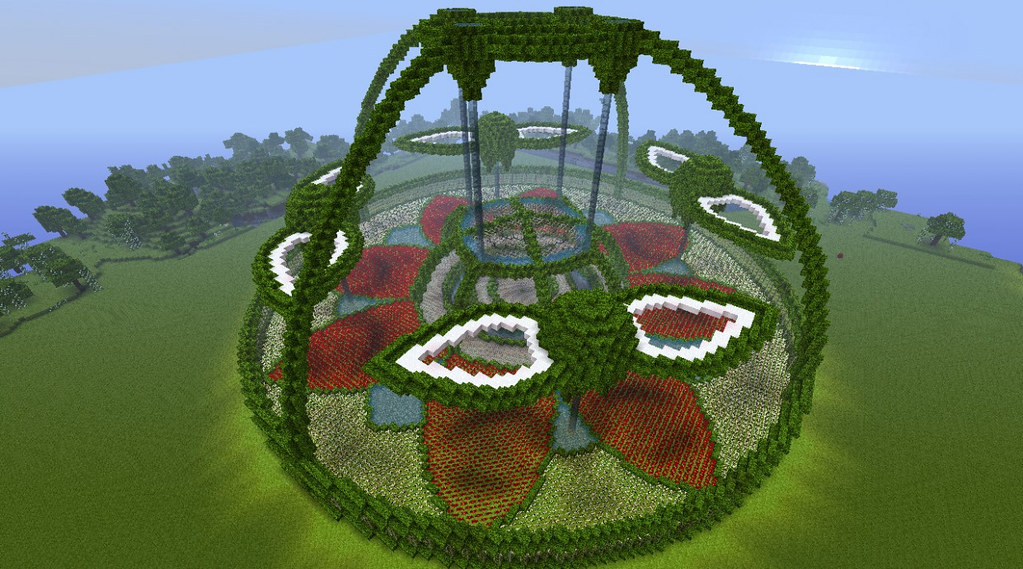
Quer uma semente com uma aldeia a menos de 500 blocos de spawn? Você pode fazer isso. Precisa de um templo do deserto e um bioma de selva no mesmo chunk? A maioria das ferramentas pode pesquisar por isso. Procurando por um local de spawn de fortaleza que seja próximo o suficiente para realmente alcançar? Totalmente possível.
A chave é entender quais recursos realmente importam para sua construção. Uma mega base não precisa de acesso rápido à aldeia - mas precisa de terreno plano ou montanhas dependendo do seu estilo. Uma configuração de farm speedrun se importa muito mais com a proximidade da fortaleza Nether do que com a estética da paisagem.
Alguns jogadores gostam de usar skins que representam seus objetivos de caça de sementes. Confira skins como Skin SkinSeed Minecraft para inspiração - captura essa busca pelo mundo perfeito. Se você está mais focado em encontrar servidores com sementes específicas, Skin ServerFinder Minecraft é uma referência divertida. Ou talvez Skin seeds123 Minecraft fale com você se você é tudo sobre os números.
Na verdade, devo mencionar que alguns bancos de dados de sementes ficam desatualizados. As atualizações do Minecraft podem alterar a geração de biomas, colocação de estruturas, até mesmo sistemas de cavernas. Se você está procurando uma semente de 2024, verifique se o banco de dados da ferramenta foi atualizado para a versão atual. Nada pior do que encontrar sua semente "perfeita" apenas para perceber que foi projetada para um patch de dois anos atrás.
Favoritos da Comunidade e Joias Ocultas
Comunidades do Reddit como r/minecraftseeds são basicamente recomendações infinitas de sementes. Alguém está sempre compartilhando uma combinação de coordenadas mais recursos que soa impossível mas que realmente existe. O subreddit se tornou um recurso real - classifique pelos principais posts e você encontrará sementes legitimamente incríveis.
Servidores Discord dedicados ao compartilhamento de sementes são outra fonte sólida. Comunidades menores tendem a se concentrar em tipos de construção específicos (medieval, ficção científica, sobrevivência) e compartilham sementes otimizadas para esses estilos.
Alguns streamers construíram seguidores inteiros em torno de vitrines de sementes. Eles encontram sementes loucas e guiam os espectadores pelo mundo, apontando o potencial de construção. É menos "aqui está uma ferramenta" e mais "aqui está inspiração" - mas funciona. As skins Skin Seedcracker Minecraft e Skin the_dreamfinder Minecraft capturam essa vibração de alguém obcecado em encontrar e explorar sementes perfeitas.
Dicas Práticas para Pesquisa de Sementes
Pesquisar às cegas é ineficiente. Comece com seus pré-requisitos. Montanhas? Oceano? Estrutura de aldeia específica? Localização de fortaleza? Escreva isso. Então use filtros para estreitar pesquisas em vez de pesquisar tudo de uma vez.
Além disso, teste sementes no modo criativo primeiro. Encontre a semente que corresponde aos seus critérios, carregue-a no modo criativo, explore por trinta minutos. O terreno realmente funciona para sua construção? A aldeia é realmente útil ou fica em um pântano? Melhor saber antes de investir quarenta horas em um mundo de sobrevivência apenas para perceber que a composição do bioma não combina com sua estética.
E aqui está a coisa sobre compartilhamento de sementes - se você encontrar uma joia absoluta, a comunidade quer saber. Poste em algum lugar. Você provavelmente terá ideias sobre o que construir lá que não havia considerado.
Uma ressalva a mais: Bedrock e Java têm geração de sementes diferentes. Uma semente que funciona perfeitamente no Java pode ser completamente diferente no Bedrock. Sempre verifique duas vezes qual versão você está jogando antes de pesquisar, ou melhor ainda, use ferramentas separadas para cada uma. O ecossistema de buscador de sementes Java é muito mais maduro, honestamente. As opções do Bedrock existem mas são menos completas.
Olhando para o Futuro em 2026
Minecraft Live 2026 está chegando em breve - 21 de março - e esses eventos normalmente anunciam novos biomas ou tipos de estrutura. Quando isso acontecer, não espere que os buscadores de sementes tenham tudo indexado imediatamente. Mas geralmente leva algumas semanas para as principais ferramentas atualizarem seus bancos de dados. Portanto, se você precisa de uma semente com um recurso recém-anunciado, talvez tenha que esperar um pouco ou tentar as ferramentas menores e mais ágeis que atualizam mais rápido.
A tecnologia por trás dos buscadores de sementes continua melhorando também. O aprendizado de máquina está começando a desempenhar um papel na previsão de quais sementes podem ter terreno "esteticamente agradável" mesmo que não correspondam a critérios específicos. É cedo, mas a próxima geração de ferramentas pode realmente entender o que torna um bom local de construção além de apenas marcar caixas.
Por enquanto, Chunk Base e Cubiomes continuam sendo suas apostas mais seguras. Eles são comprovados, confiáveis e mantidos ativamente. Use-os, compartilhe o que encontrar e aproveite para construir em mundos realmente projetados para o que você quer criar em vez de esperar que o RNG o abençoe com o spawn perfeito.

Lead writer at minecraft.how. Long-time Minecraft player running a small SMP server, testing every build, mod, and seed before writing about it.
Perguntas Frequentes
Qual é a diferença entre uma semente Java e Bedrock?
Posso usar a mesma semente no multijogador e single-player?
Com que frequência os bancos de dados do buscador de sementes são atualizados?
E se eu quiser uma semente que funcione em várias versões do Minecraft?
Existem buscadores de sementes especificamente para recursos do Minecraft 1.20?
Have a Question or Tip about this Guide?Community Q&A
Ask a question or help other players below. Join the discussion and share your Minecraft tips!
Comentários
Nenhum comentário ainda. Seja o primeiro a compartilhar sua opinião!