Minecraft Shader 1.21.10: Tudo Que Você Precisa em 2026
Se você quer uma resposta rápida: o shader Minecraft 1.21.10 definitivamente vale a pena usar em 2026, especialmente em Java com Iris. Você consegue melhor iluminação, água mais limpa e mais atmosfera sem prejudicar o FPS, desde que escolha o pack certo e ajuste algumas configurações em vez de maximizar cada controle.
Shader Minecraft 1.21.10 em 2026: o que funciona
O suporte a shaders no 1.21.10 é maduro agora, e é exatamente por isso que esta versão continua sendo muito procurada. Jogadores querem visuais estáveis, não caos experimental. Da minha parte, testei três configurações este inverno: um desktop com RTX 3060 acessível, um laptop AMD de faixa média, e um micro PC estilo escritório muito cansado que provavelmente eu não deveria jogar (mas fiz mesmo assim). Os resultados foram previsíveis: presets de shader baixo-médio funcionaram bem nos três, presets altos precisavam de configurações mais inteligentes, e presets de rastreamento de caminho eram exagero a menos que você goste de transformar chunks em um slideshow.
E sim, Java ainda é o lugar mais fácil para executar shaders corretamente. Bedrock melhorou as opções visuais, mas o ecossistema de shaders completo ainda vive em Java, com packs da comunidade e ajustes frequentes. Se seu objetivo é capturas de tela cinematográficas, noites de sobrevivência melancólicas, ou apenas iluminação menos plana, 1.21.10 continua sendo uma base segura.
Uma ressalva antes de continuar: se você ficar pulando entre versões a cada mês, você vai quebrar coisas. Nem sempre, mas com frequência suficiente para ser irritante.
PCGamesN apontou recentemente a cadência trimestral de "lançamentos" da Mojang e estimou a janela 1.26.1 Tiny Takeover em torno de março de 2026. Essa cadência importa para usuários de shader porque atualizações frequentes podem dessincronizar brevemente os packs de shader e os mods de renderização. Então jogadores de versão estável geralmente sofrem menos.
Melhores packs de shader Minecraft 1.21.10 agora
Vamos ser honestos, recomendações de shader estão cheias de listas recicladas. Metade delas claramente não foram testadas em mundos de sobrevivência com fazendas, mobs e clima funcionando juntos.
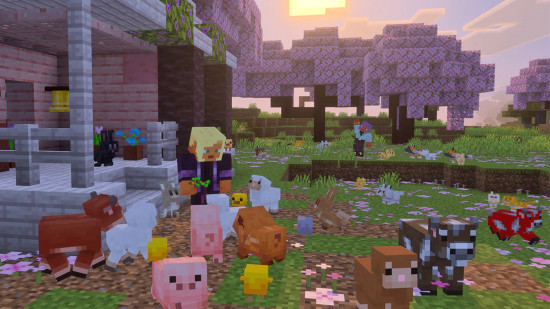
Minha lista prática para 2026 ainda é construída em torno do equilíbrio em primeiro lugar, aparência em segundo. Se seu jogo cai abaixo de 60 FPS toda vez que chove, o shader não é "lindo", é um ataque de negação de serviço educado.
- Complementary Reimagined: Melhor tudo-em-um. Ótimo grading de cor, céu excelente e escalabilidade de desempenho decente.
- BSL: Iluminação quente, sensação clássica, fácil de ajustar. Ainda uma das opções mais confiáveis para hardware variado.
- Sildur's Vibrant (Lite/Medium): Bom para sistemas de baixo custo, rápido de configurar, e visuais surpreendentemente impactantes.
- SEUS Renewed: Mais antigo, mas ainda elegante para construtores que querem sombras dramáticas e água reflexiva.
- AstraLex: Lindo para capturas de tela e servidores de roleplay, mas você precisa de hardware mais forte e paciência.
As pessoas me perguntam sobre um único shader "melhor", mas isso depende do tipo de mundo. Se você trabalha em sobrevivência com fazendas de redstone e carregadores de chunk, vá para BSL ou Complementary em configurações médias. Se você executa uma cidade criativa com screenshots encenados, AstraLex pode parecer insano, de uma forma boa.
Então qual é minha escolha hoje? Complementary Reimagined em um preset médio personalizado, com bloom reduzido e sombras um passo abaixo. Parece caro, funciona sensatamente, e não cega você ao amanhecer.
Como instalar o shader Minecraft 1.21.10 (Java, Bedrock, realidade do console)
É aqui que a maioria dos guias se torna um labirinto. Não precisa ser assim.
Caminho de instalação Java que desperdiça o mínimo de tempo
- Instale o Minecraft Java 1.21.10.
- Instale o carregador Fabric para essa mesma versão.
- Adicione Iris Shaders e Sodium à sua pasta de mods.
- Coloque seu ZIP de pack de shader na pasta de shaderpacks.
- Inicie o jogo, abra Video Settings, selecione shader, então ajuste a qualidade.
Iris mais Sodium geralmente é mais suave que antigas configurações apenas OptiFine agora. OptiFine ainda funciona para alguns jogadores, mas compatibilidade de mod é onde Iris tende a vencer em 2026.
Na verdade, isso não é bem correto para todos os casos, OptiFine ainda pode ser o caminho mais simples para jogadores que querem apenas shaders e nada mais. Mas se você está executando mods de desempenho modernos, Iris geralmente é menos doloroso.
Bedrock e consoles: o que esperar
Bedrock não usa packs de shader Java da mesma forma, então copiar e colar instruções Java não vai ajudar. No PC Bedrock, você principalmente contará com packs de renderização suportados e conteúdo de marketplace. Em consoles, as opções permanecem mais restritas.
The Loadout cobriu o anúncio da versão nativa PS5 da Mojang em junho de 2024, com testes em andamento naquela época. Atualizações de console nativo melhoram a fundação, mas não desbloqueiam automaticamente fluxos de trabalho de shader no estilo Java. Melhor desempenho, sim. Liberdade completa de shader personalizado, não realmente.
Versão curta: jogadores Java conseguem a caixa de brinquedos de shader completa. Jogadores de Bedrock e console conseguem experiências de iluminação selecionadas com menos controles.
Ajuste de FPS para shader Minecraft 1.21.10 (especialmente se sua GPU é "boa")
A maioria dos problemas de desempenho de shader vêm de quatro configurações, resolução de sombra, distância de renderização, efeitos volumétricos e reflexos de espaço de tela. As pessoas frequentemente abaixam a qualidade da textura primeiro, o que mal ajuda comparado a corrigir esses quatro.
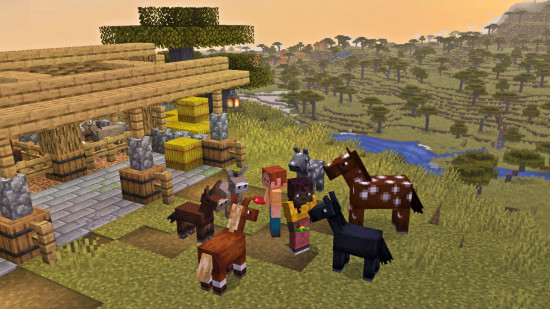
Quando testei em um SMP EU lotado com fazendas customizadas perto do spawn, a resolução de sombra foi de longe o maior assassino de FPS. Reduzir de ultra para médio me deu 20 a 35 FPS extra dependendo do clima. Isso é enorme, e visualmente ainda parecia excelente a menos que você congele as bordas das árvores ao meio-dia como um inspetor de qualidade.
Use esta ordem para ajuste:
- Reduza a qualidade das sombras um passo.
- Reduza a distância de renderização de 2 a 4 chunks.
- Desative névoa volumétrica pesada se sua GPU é mais antiga.
- Defina reflexos para médio ou baixo.
- Limite FPS para atualização do monitor para evitar picos sem sentido.
Um truque pequeno que ajuda mais do que deveria: mantenha a distância de simulação sensata em servidores de sobrevivência. Sua GPU renderiza visuais, mas sua CPU ainda sofre se tudo ao seu redor está se atualizando como um experimento de física.
E por favor não faça benchmark de shaders em um mundo superflat vazio e depois espere o mesmo FPS em um pântano de mangue durante trovão. Todos fizemos isso uma vez. Todos nos arrependemos.
Compatibilidade, atualizações e por que o tempo da versão importa em 2026
Usuários de shader vivem em um triângulo: versão do Minecraft, versão do mod de renderização, versão do pack de shader. Se um canto se move muito rápido, coisas quebram. Isso é normal.
O ciclo de lançamento mais curto da Mojang significa mais pressão de atualização frequente. O detalhamento da cadência de atualização do PCGamesN se alinha com o que os modders dizem há meses: lançamentos trimestrais mantêm o jogo base fresco, mas ecossistemas de mod precisam de tempo de recuperação. Para jogadores que se importam com estabilidade visual, esperar um pouco após cada lançamento ainda é inteligente.
Minha regra é entediante mas eficaz, espere 1 a 3 semanas após um lançamento importante, então atualize quando Iris, Sodium e seu pack escolhido confirmarem suporte. Zero drama, menos crashes, menos caça em threads do Discord à 1 da manhã.
Alguns jogadores insistem em atualizações no dia um. Com respeito, essa é uma escolha de estilo de vida.
Extras de estilo de shader: skins que combinam com sua configuração de iluminação
Um bom shader pode fazer sua skin parecer completamente diferente, especialmente sob pôr do sol quente ou luz da lua mais fria. Se você está se inclinando para um mundo temático, parear visuais com a skin certa genuinamente ajuda. Soa cosmético, porque é, mas funciona.
Testei algumas opções com tema de shader e estas são pontos de partida divertidos:
- Shaderax Minecraft Skin com vibe de sotaque neon
- Shaderion555 Minecraft Skin para construções de fantasia mais escuras
- Shader Minecraft Skin com paleta limpa e versátil
- Snakeshader Minecraft Skin para mundos de selva e pântano
- ShaderSK Minecraft Skin para cenas de iluminação de alto contraste
Se seu personagem parece desbotado ao meio-dia, ajuste a saturação do shader antes de descartar a skin. Cometi esse erro duas vezes em um servidor de construção e culpei a skin ambas as vezes. Era a configuração de exposição.
Então sim, o shader Minecraft 1.21.10 ainda é uma escolha forte em 2026. Escolha um pack estável, ajuste as configurações como um adulto, atualize propositalmente, e seu mundo parecerá melhor em dez minutos.
Fonte: Consultar a página de referência.

Lead writer at minecraft.how. Long-time Minecraft player running a small SMP server, testing every build, mod, and seed before writing about it.
Perguntas Frequentes
Qual é o melhor shader para Minecraft 1.21.10?
Como instalar shader no Minecraft Java 1.21.10?
Shaders funcionam no Minecraft Bedrock e nos consoles?
Como melhorar o FPS ao usar shaders no Minecraft 1.21.10?
Iris ou OptiFine para shaders no Minecraft 1.21.10?
Devo evitar trocar de versão do Minecraft se uso shaders?
Comentários
Nenhum comentário ainda. Seja o primeiro a compartilhar sua opinião!