Comando XP Minecraft: Sintaxe, Limites e Uso
O comando XP do Minecraft permite adicionar, remover ou definir pontos de experiência e níveis instantaneamente, o que é perfeito para testar encantamentos, executar eventos ou corrigir bugs de progressão em servidores. Em 2026, ainda funciona melhor quando você separa pontos de níveis e verifica a sintaxe por edição.
Noções básicas do comando XP do Minecraft em 2026
Se você só lembrar de uma coisa, lembre-se disto: pontos de XP e níveis de XP não são a mesma moeda. Um nível perto do nível 5 é barato, um nível perto do nível 35 é caro. Então quando jogadores dizem, "me dê 30 XP," eles geralmente significam 30 níveis, não 30 pontos brutos.
Ainda vejo esse erro semanalmente em servidores comunitários. Um admin digita um comando rápido, o jogador recebe quase nada, o caos começa no chat, alguém culpa o lag, e de repente estamos todos economistas amadores para o mercado de XP.
Versão curta? Use níveis para recompensas de gameplay, use pontos para testes de precisão.
E sim, permissões de comando ainda importam. Em mundos de sobrevivência com trapaças desativadas, nada disso funciona até que você ative as trapaças ou use direitos de operador.
Sintaxe exata do comando XP do Minecraft (Java vs Bedrock)
Diferenças de edição são onde a maioria dos guias fica vaga. Aqui está a versão prática que você realmente pode usar.
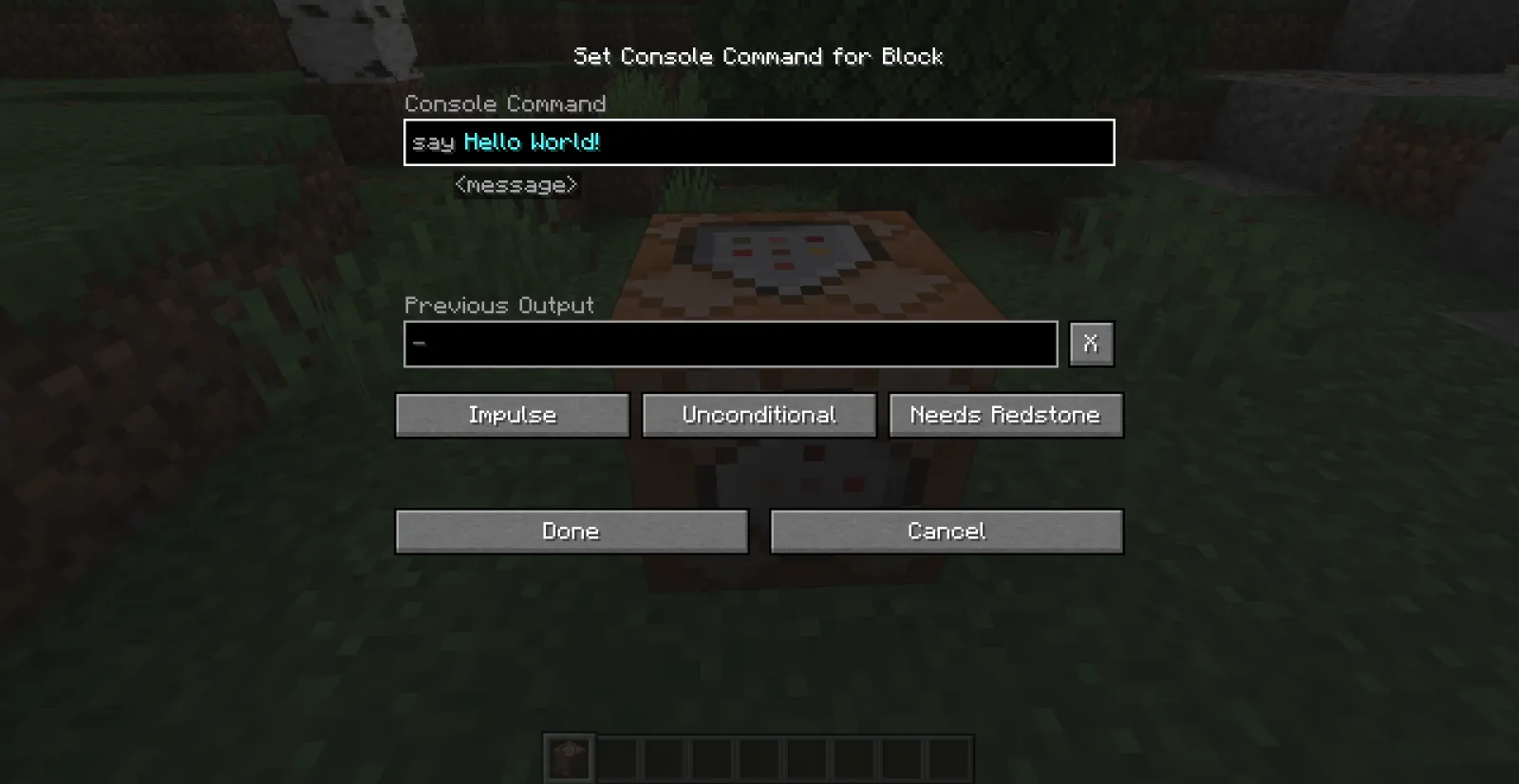
Comandos da Edição Java
Java usa a família de comandos /experience (com /xp como alias abreviado em muitas versões).
- Adicionar pontos de XP: /experience add @s 500 points
- Adicionar níveis de XP: /experience add @s 5 levels
- Definir níveis exatos: /experience set @s 30 levels
- Definir pontos exatos: /experience set @s 0 points
- Consultar quantidade: /experience query @s levels
Precisa visar outros? Troque @s por @p, @a, um nome de usuário ou um seletor com filtros. Exemplo: /experience add @a[team=red] 3 levels.
Comandos da Edição Bedrock
Bedrock ainda usa comumente a sintaxe /xp. Em compilações atuais, você geralmente digita uma quantidade mais um alvo de jogador opcional, e níveis são frequentemente marcados com L no uso de comando. Se o preenchimento automático mostrar um padrão ligeiramente diferente no seu dispositivo, siga o prompt no jogo porque as dicas de comando do Bedrock são agora bem confiáveis.
- Adição típica de nível: /xp 5L @s
- Adição típica de ponto: /xp 500 @s
- Verificar valor atual: use as sugestões de comando para sua compilação para consultar níveis ou pontos
Pequena ressalva, na verdade, não tão pequena: a sintaxe do Bedrock pode diferir um pouco entre compilações de plataforma e ferramentas do Realms. Se um comando copiado gerar um erro, digite /xp e deixe o preenchimento automático preencher a ordem de argumentos exata para sua versão.
Esse único hábito economiza uma quantidade ridícula de tempo.
Melhores usos do mundo real (que não são apenas "me dê nível 100")
Testei fluxos de XP em mundos privados de SMP, um saguão de minigame e um servidor de evento muito caótico "hardcore mas com segundas chances". As configurações mais úteis são entediantes no papel e brilhantes na prática.

1) Bancada de teste de encantamento
Quando você está equilibrando tabelas de saque customizadas ou pacotes de dados, você quer resultados de encantamento reproduzíveis. Defina jogadores para um nível fixo antes de cada rodada de teste:
- /experience set @p 30 levels
- /experience set @p 0 points
Isso remove ruído de execuções anteriores e torna as comparações justas.
2) Recompensas de evento para PvP ou parkour
Pontos de XP brutos são ótimos para recompensas ajustadas. Níveis são melhores para pagamentos de "grande momento". Por exemplo, eu concedo pontos por checkpoint e níveis por terminar no pódio. Os jogadores sentem tanto o progresso constante quanto um aumento de vitória adequado.
Já viu alguém perder o primeiro lugar por meio bloco e ainda sair sorrindo porque ganhou XP suficiente para encantamentos? Esse é um bom design de recompensa.
3) Catch-up de novos jogadores em servidores EU
O tráfego da noite europeia é o caos máximo, e aqueles que entram tarde frequentemente desistem se estiverem muito atrás. Um comando de catch-up leve ajuda na retenção sem quebrar a progressão:
- Pacote de primeiro login: comida, ferramentas e 5 níveis
- Bônus de fim de semana: apenas pontos, para que pareça útil mas não quebrado
Mantenha-o modesto. Se todos pularem direto para encantamentos máximos, sua economia vira inflação de livro encantado até domingo.
4) Reparo do admin após bugs ou reversões
Reversões acontecem. Plugins funcionam mal. Alguém perde XP de um crash. Usar comandos de consulta mais definir permite restaurar contas de forma limpa e registrar o que mudou.
Faça isso com uma política escrita, não com vibes.
Erros comuns, limites e verificações de segurança
A maioria dos desastres de comando XP são evitáveis.

Primeiro: não confunda "pontos" e "níveis" em sua cabeça. Segundo: não lance comandos @a do console sem testar em si mesmo. Terceiro: registre cada ação de XP em massa se estiver executando um servidor público.
Meu fluxo de trabalho seguro se parece com isto:
- Execute em @s primeiro.
- Consulte resultado para confirmar mudança exata.
- Execute em um seletor filtrado, como um time ou um raio.
- Apenas então execute comandos globais.
Além disso, valores de XP enormes podem criar efeitos de gameplay estranhos, especialmente com mods ou plugins de progressão customizados. Nem sempre crashes, mas definitivamente momentos "por que este jogador está instantaneamente pulando minha cadeia de missão".
E se você estiver criando tutoriais de comando ou conteúdo de roleplay, abrace o tema. Muitos jogadores que navegam por conteúdo de comando também gostam de skins temáticas de comando, então estas se encaixam bem em hubs de guias: commandblock370 Minecraft Skin, commandblock Minecraft Skin, CommandNinja Minecraft Skin, CommandZomb Minecraft Skin, e tankcommanderash Minecraft Skin.
Sim, cosméticos não melhoram a sintaxe. Mas eles melhoram o moral durante a depuração de cadeias de comando à 1 da manhã.
Notas de versão e plataforma para jogadores de 2026
O comportamento do comando permaneceu bastante estável ultimamente, mas a cadência de lançamento importa para a documentação. A PCGamesN relatou o modelo "drop" atual da Mojang como aproximadamente trimestral, com 1.26.1 discutido na janela de março de 2026. Isso significa que exemplos de comando online podem envelhecer rapidamente se um patch menor ajustar dicas do analisador ou redação de preenchimento automático.

Uma rápida tangente. Se você joga entre console e PC, já sabe que entrada de texto é metade da batalha em controlador. A Loadout relatou o trabalho de rollout nativo do PS5 da Mojang lá em 2024, e desde então a usabilidade de comando do console melhorou em geral, mas o preenchimento automático permanece seu melhor amigo, especialmente para ordem de argumento do Bedrock.
Então o que você deve fazer na prática?
- Teste cadeias de comando críticas após cada atualização drop.
- Armazene snippets de comando comprovadamente bons em um documento de servidor.
- Para comunidades cross-platform, mantenha exemplos separados de Java e Bedrock.
- Use blocos de comando para lógica de recompensa repetível, não spam de chat manual.
Uma correção mais antes de alguém gritar no Discord: se sua camada de Realm ou servidor reescrever permissões, um comando XP válido pode falhar mesmo quando a sintaxe está correta. Isso não é o comando, isso é sua pilha de permissão.
Quando sua configuração está limpa, o comando XP do Minecraft ainda é uma das ferramentas de admin mais úteis do jogo. Rápido, preciso e fácil de automatizar.

Lead writer at minecraft.how. Long-time Minecraft player running a small SMP server, testing every build, mod, and seed before writing about it.
Perguntas Frequentes
Qual a diferença entre pontos de XP e níveis de XP no Minecraft?
Qual é a sintaxe do comando XP na Java Edition?
Como usar o comando XP no Bedrock Edition?
Por que o comando XP não funciona no meu mundo de sobrevivência?
Como executar comandos XP com segurança em um servidor?
Para que serve o comando XP em eventos de servidor?
Have a Question or Tip about this Guide?Community Q&A
Ask a question or help other players below. Join the discussion and share your Minecraft tips!
Comentários
Nenhum comentário ainda. Seja o primeiro a compartilhar sua opinião!