Como nmsr-rs Renderiza Skins do Minecraft com Perspectiva Re
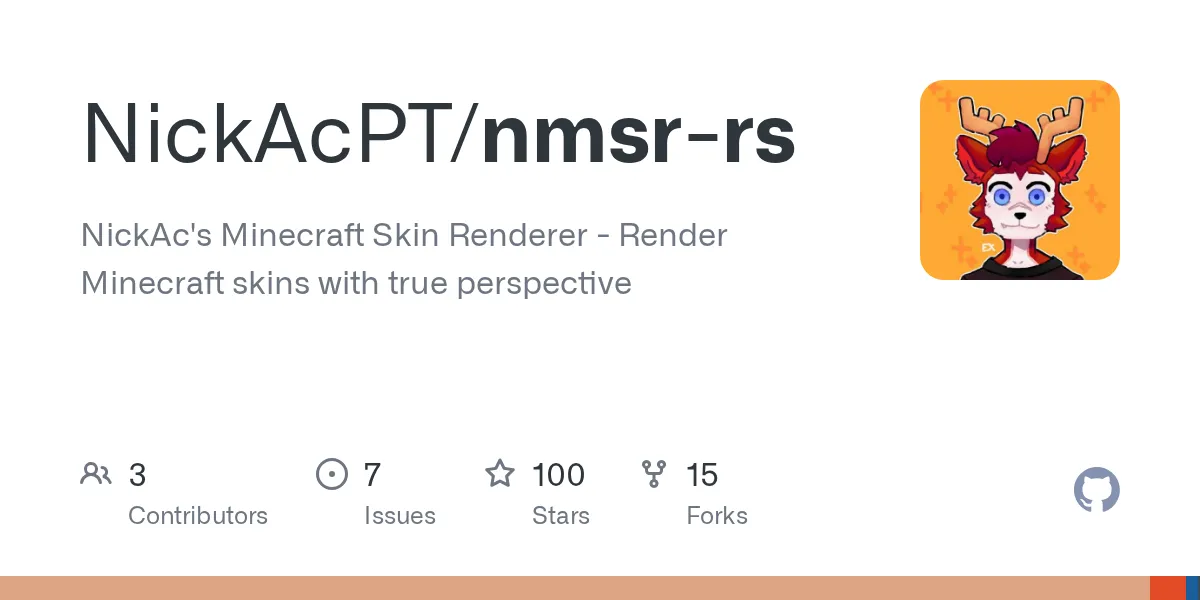
nmsr-rs (NickAcPT/nmsr-rs)
Renderizador de Skins Minecraft da NickAc - Renderize skins Minecraft com perspectiva real
Já precisou renderizar a skin de um jogador Minecraft com perspectiva 3D real em vez de uma textura plana? É exatamente isso que nmsr-rs faz. Desenvolvido em Rust por NickAcPT, é um serviço de renderização de skins que converte as skins dos jogadores Minecraft em imagens de alta qualidade de ângulos específicos com profundidade e iluminação adequadas.
O que Este Projeto Faz
nmsr-rs é um mecanismo de renderização que pega a skin de um jogador Minecraft e a converte em uma imagem. Diferentemente dos visualizadores de skins 2D básicos que apenas esticam uma textura plana, este realmente constrói um modelo 3D do seu personagem (incluindo armaduras, capas e camadas de equipamento) e o rotaciona para qualquer ângulo que você solicitar.
Existem duas opções. Use a versão hospedada gratuita em nmsr.nickac.dev com base no melhor esforço, ou implante o serviço completo usando Docker ou compilando do código-fonte. Ambas as rotas oferecem uma API REST que aceita parâmetros como modo de renderização, nível de zoom e opções de sobreposição, depois retorna um PNG.
Construído com desempenho em mente, é rápido. Sem processos Java, sem bibliotecas gráficas pesadas que levam uma eternidade para inicializar. Apenas código Rust compilado eficiente que manipula centenas de requisições simultâneas sem piscar.
Por Que Você Usaria Isso
Se você está construindo algo relacionado a Minecraft e precisa de avatares de jogadores, provavelmente notou que a maioria das alternativas é lenta, imprecisa ou ambas.
Executando um site de listagem de servidores? Você precisa mostrar a cabeça ou o corpo inteiro do operador de cada servidor quando eles enviam sua listagem. Um visualizador de skins básico quebra se o jogador tem uma capa ou armadura personalizada. nmsr-rs lida com ambos sem configuração extra.
Construindo um placar, rastreador de estatísticas ou bot comunitário? Você quer renderização de avatares rápida e consistente para cada jogador sem sobrecarregar sua infraestrutura. Honestamente, isso faz exatamente isso.
Talvez você esteja escrevendo um launcher personalizado. Você quer renderizações de jogadores bonitas sob demanda sem se preocupar com desempenho. A estrutura da API torna isso direto.
Começando (Dois Caminhos)
O repositório torna a configuração genuinamente simples. Escolha Docker ou Rust puro.
Abordagem Docker:
git clone https://github.com/NickAcPT/nmsr-rs.git
cd nmsr-rs
cp example.config.toml config.toml
docker build -t nmsr.
docker run -p 8080:8080 nmsr
Depois disso, você tem uma API local em http://localhost:8080. Sem outras dependências, sem conflitos de versão à espreita no seu sistema.
Abordagem Cargo se você preferir compilar diretamente:
git clone https://github.com/NickAcPT/nmsr-rs.git
cd nmsr-rs
cargo run --release --bin nmsr-aas
Mesmo resultado em localhost:8080. Ambos levam alguns minutos, a menos que sua internet esteja tendo dificuldades com downloads do Rust.
O config.toml é onde você ajustaria números de porta, configurações de cache ou limites de recursos se estiver planejando escalar isso. Para testes locais, os padrões funcionam bem.
Os Modos de Renderização e Quando Usar Cada Um
nmsr-rs não renderiza apenas de uma maneira. Suporta múltiplos ângulos de visualização e composições, cada um útil para diferentes contextos.
FullBody mostra a visualização isométrica clássica de 45 graus - seu jogador de aproximadamente altura do joelho, rotacionado para que você veja frente e lateral. Perfeito para listagens de servidores ou cartões de jogador. FullBodyIso usa matemática de perspectiva diferente mas alcança uma aparência similar.
BodyBust corta mais aperto, mostrando tronco e cabeça. Bom para fotos de perfil do Discord ou janelas do launcher onde o espaço é limitado. HeadIso e Head lhe dão apenas a cabeça do jogador, com a versão iso parecendo melhor para banners.
Face renderiza apenas o rosto frontal - raramente útil a menos que você esteja fazendo algo específico. Você também pode inverter qualquer renderização para mostrar as costas em vez da frente, útil se quiser exibir detalhes de armadura de ambos os lados.
Dicas para Evitar Problemas
Uma armadilha pega as pessoas: o parts.zip do lançamento mais recente. O renderizador precisa dessas partes do modelo 3D no disco. Pule essa etapa e você recebe erros ou renderizações em branco. Pegue parts.zip na página de lançamentos do GitHub e extraia-o corretamente no diretório de instalação.
Para implantação própria em produção, implemente cache. A API re-renderiza a mesma skin toda vez, a menos que você armazene em cache a saída. Um cache Redis simples com chave em (player-uuid, render-mode, parameters) evita trabalho redundante e economiza CPU.
O desempenho é sólido. Uma instância manipula centenas de requisições simultâneas facilmente. Se você está esperando milhares de renderizações diárias, execute múltiplas instâncias atrás de um balanceador de carga.
Se você estiver construindo infraestrutura em torno disso, você também pode querer configurar DNS adequado para seu servidor Minecraft. Confira nossa ferramenta Minecraft DNS gratuita se você estiver gerenciando operações de servidor.
Armaduras, Capas e Personalização
O que separa isso do skinview3d (um visualizador baseado em JavaScript que roda em navegadores) é a renderização do lado do servidor. O suporte a armaduras é integrado. Aparas de armadura Minecraft 1.20+ funcionam. Capas do serviço oficial ou personalizadas funcionam. As orelhas personalizadas do mod Ears também funcionam.
Parâmetros de renderização são passados via strings de consulta de URL. Especifique nível de zoom, ângulos de rotação, se deve mostrar a segunda camada e quais acessórios incluir. Exemplos:
- ?model=FullBody&zoom=1.5 para uma visualização isométrica ampliada
- ?model=Head&scale=2 para uma renderização de cabeça grande
- Combine parâmetros para visualizações personalizadas sem recompilar
A versão hospedada em nmsr.nickac.dev permite que você experimente. Coloque um UUID de jogador e percorra os modos para ver como cada um se parece.
Comparação Rápida com Alternativas
Você provavelmente ouviu falar do skinview3d. É baseado em JavaScript e roda em navegadores, ótimo para exploração 3D interativa. Mas é renderização do lado do cliente. Máquinas mais lentas ou dispositivos móveis podem ter dificuldades. nmsr-rs pré-computa PNGs em um servidor e envia imagens estáticas, para que carreguem instantaneamente em qualquer lugar.
Os antigos serviços Minotar e Crafatar existem, mas são descontinuados ou exigem muita manutenção. nmsr-rs é desenvolvido ativamente e especificamente construído para ser auto-hospedável sem configuração complexa.
Compensação: nmsr-rs oferece velocidade do lado do servidor e simplicidade da API. Skinview3d oferece interatividade em tempo real. Escolha com base no que seu caso de uso realmente precisa.
E se você estiver executando um servidor Minecraft e precisar garantir que sua infraestrutura seja sólida, nossa ferramenta de busca de blocos pode ajudar a verificar seu ambiente rapidamente.

Lead writer at minecraft.how. Long-time Minecraft player running a small SMP server, testing every build, mod, and seed before writing about it.
Have a Question or Tip about this Guide?Community Q&A
Ask a question or help other players below. Join the discussion and share your Minecraft tips!
Comentários
Nenhum comentário ainda. Seja o primeiro a compartilhar sua opinião!