Desenvolvendo Plugins de Servidor Minecraft com Spigradle
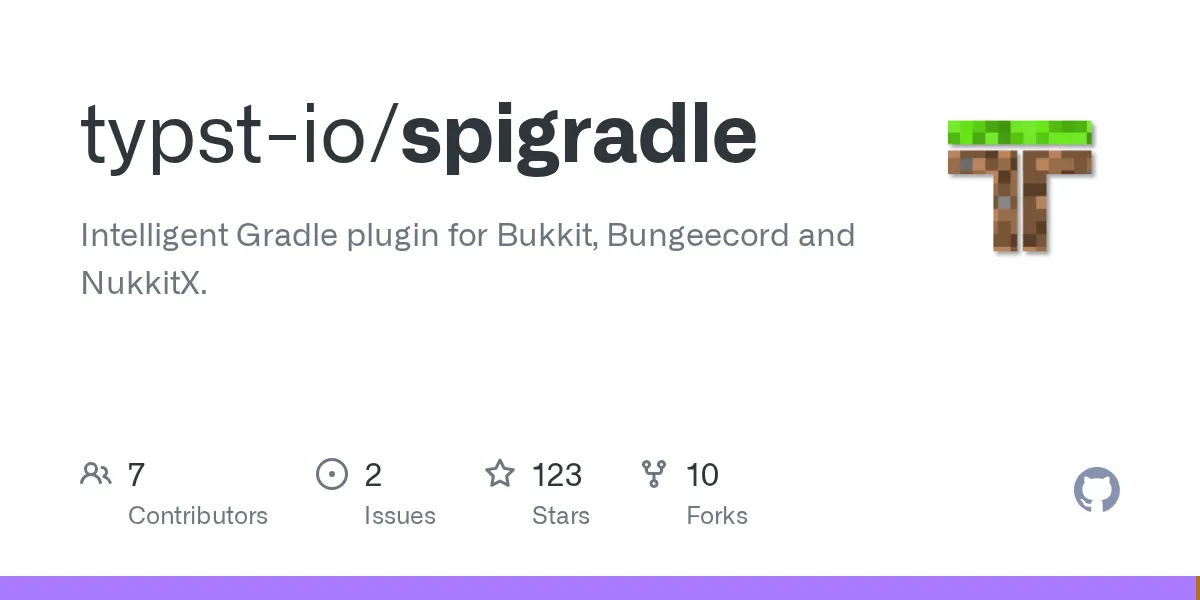
spigradle (typst-io/spigradle)
Intelligent Gradle plugin for Bukkit, Bungeecord and NukkitX.
If you've ever built a Spigot or BungeeCord plugin by hand, you know the tedious setup: creating plugin.yml, wiring up dependencies, managing version conflicts, debugging locally. Spigradle automates most of that drudgery. It's a Gradle plugin (written in Kotlin, open source under Apache-2.0) that turns plugin development from a chore into something you can actually focus on - you know, the code part.
What Spigradle Does
Spigradle is a Gradle plugin for Spigot, BungeeCord, and NukkitX development. Think of it as a bridge between the Gradle build system (which handles compilation, testing, packaging) and Minecraft server plugin APIs (which have their own quirks, version chaos, and repository weirdness).
The core idea is simple: you tell Spigradle what your plugin needs, and it handles the rest. Auto-generate your plugin.yml. Wire up the right API versions. Download a test server. Create IDE run configs so you can debug with breakpoints instead of print statements. It's not magic, but it feels close when you're used to manual setup.
Three plugins are available:
- Spigot plugin (most popular) - for Paper, Spigot, and compatible servers
- BungeeCord plugin - for proxy servers
- NukkitX plugin - for Nukkit-based servers (less common)
And yes, this is the project maintained by the Typst team behind that LaTeX-alternative document language. They built Spigradle to solve their own Minecraft plugin development headaches, then open-sourced it. That explains the quality.
Why You'd Use It (Concrete Scenarios)
Let's say you're building a custom game mode plugin for your 50-player server - maybe a survival economy system or a PvP arena. You want to write the logic without wrestling Gradle configs, dependency hell, or manually building test environments.
Spigradle cuts setup time from hours to minutes. Instead of manually managing Spigot API versions, repository URLs, and shade plugins, you define dependencies through version catalogs that Spigradle provides. Want to test locally? The plugin downloads a server, applies your changes, and hooks it into IntelliJ/Eclipse so you can set breakpoints. You hit F9 (or your IDE's debug shortcut), step through your code, and watch your plugin run live. That alone saves days of guessing why your listener isn't firing.
It's also valuable if you're maintaining multiple plugins or working with a team. Consistent build config, shared dependency versions, less weird local-only bugs. When a new Spigot version drops, you update once in the version catalog and all your plugins rebuild automatically.
Getting Started: Installation and Setup
You'll need Gradle 9.0+. If you're already using Gradle, great. If not, the Gradle wrapper makes it painless.
First, configure the version catalogs in your settings.gradle.kts:
dependencyResolutionManagement {
 repositories {
 mavenCentral()
 }
 versionCatalogs {
 create("spigots") {
 from("io.typst:spigot-catalog:1.0.0")
 }
 create("commons") {
 from("io.typst:common-catalog:1.1.0")
 }
 }
}
Then apply the plugin in your build.gradle.kts:
plugins {
 java
 alias(spigots.plugins.spigot)
}

repositories {
 mavenCentral()
 spigotRepos {
 spigotmc()
 jitpack()
 }
}

dependencies {
 compileOnly(spigots.paper.api)
 compileOnly(spigots.vault)
}

spigot {
 depend = listOf("Vault")
 apiVersion = "1.21"
}
That's genuinely it. Run gradle build and you've got a compiled plugin JAR with a valid plugin.yml auto-generated from your config. No manual XML fiddling.
Key Features That Save Time
Auto-Generated plugin.yml
Spigradle inspects your main plugin class and builds plugin.yml from your configuration. You specify the plugin name, version, depend list, and API version in the Gradle config, and the plugin.yml appears in your build output. If you change the API version or dependencies, the YAML updates automatically. Miss a dependency? The build warns you. That's the kind of catch-your-mistakes-at-build-time behavior that saves embarrassment in production.
Integrated Debug Server
The debugSpigot task downloads a server, loads your plugin, and runs it locally:
debugSpigot {
 version = "1.21.8"
 eula = true
}
Run gradle debugSpigot, wait 30 seconds, and you can connect with a client and test live. Way faster than manual server setup, and the IDE integration means you can set breakpoints and step through your code while the server runs. If you've ever added debug print statements because you couldn't figure out how to attach a debugger, you'll appreciate this.
Dependency and Repository Shortcuts
Instead of hunting for Maven repository URLs, you write spigotRepos { spigotmc() } and the plugin knows where to pull from. Look, same with dependencies - the version catalogs give you named references like spigots.paper.api instead of hunting through a POM file or remembering artifact coordinates. It's small, but when you're managing 5+ plugins, consistency matters.
Version Catalog Flexibility
The catalogs (spigot-catalog, bungee-catalog, common-catalog) live on Maven Central. You can override versions locally if you need a specific Spigot version or a snapshot build. Easy, transparent, shareable across your team.
Common Pitfalls and How to Avoid Them
Gradle itself can be confusing if you're new to it. If your IDE doesn't recognize your dependencies after initial setup, run gradle build from the command line first - sometimes the IDE needs to sync. You might also need to refresh your Gradle project in IntelliJ (View > Tool Windows > Gradle, then click the refresh icon).
Version mismatches trip up developers sometimes. If your plugin uses an API that only exists in 1.21+, but you declare apiVersion = "1.20", you'll get a runtime error on older servers. Set the minimum version you actually support. (By the way, if you're unsure what your server properties should be, the Server Properties Generator helps you sanity-check your config.)
One last thing: transitive dependencies. If you add a library and forget to exclude transitive dependencies, you might shade (bundle) unintended code into your JAR. The README examples show how to handle this - set isTransitive = false for libraries you don't want bundled. It's not a Spigradle-specific issue, but it bites plugin developers all the time.
How It Compares to Other Approaches
Without Spigradle, you're either building plugins the old Maven way (pom.xml files, verbose, harder to debug), or hand-configuring Gradle yourself. Hand config isn't bad - it's just repetitive and error-prone when you're on your third plugin.
Some developers use IntelliJ's built-in Spigot plugin template, which is fine for one-off projects. But if you're maintaining multiple plugins or want IDE integration for local testing, Spigradle wins. The version catalog approach also scales better in teams - a single shared catalog file beats copy-pasting Gradle configs.
There's also the Minecraft Text Generator if you're building UI components for your plugin (command messages, signs, item names) - not directly comparable to Spigradle, but a useful companion tool for developers.
If you're building NukkitX plugins, Spigradle is pretty much the only option with this level of polish. BungeeCord and Spigot have other approaches, but none that combine version catalogs, auto plugin.yml, and IDE-integrated debugging quite like this.
Is It Worth Your Time?
If you're building one small plugin for fun, Spigradle is nice but not mandatory. If you're running a server with custom plugins, maintaining multiple projects, or collaborating with teammates, it's a genuine productivity win. You're trading a one-time 10-minute setup for hours saved across your projects. That math is solid.
The project has 123 stars on GitHub, active maintenance, and real use in production servers. One documentation is solid (they even point to sample projects on the repo). And the Apache-2.0 license means you're not locked in or worried about surprise changes.

Lead writer at minecraft.how. Long-time Minecraft player running a small SMP server, testing every build, mod, and seed before writing about it.
Have a Question or Tip about this Guide?Community Q&A
Ask a question or help other players below. Join the discussion and share your Minecraft tips!
Comentários
Nenhum comentário ainda. Seja o primeiro a compartilhar sua opinião!