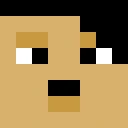
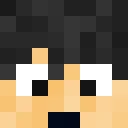
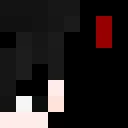
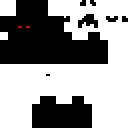
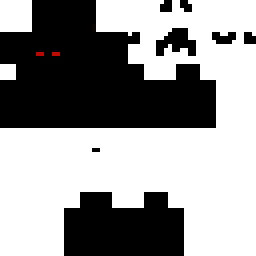
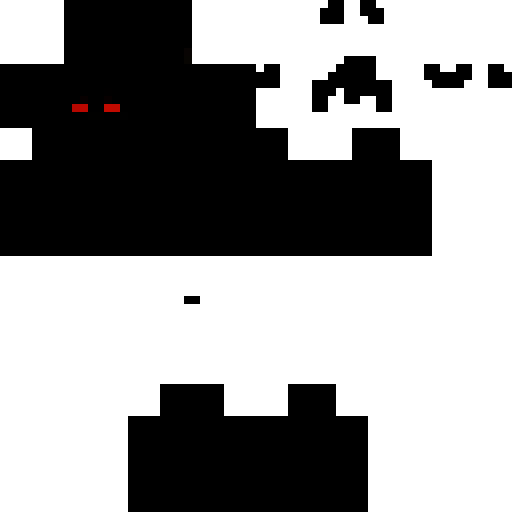
Skin showcase
Watch Page →Skin de Minecraft alfred146
✓ Aprovado
Esta skin altera a aparência do seu player model com uma estética vinculada ao nome alfred146. Use-a em servers públicos ou em seus próprios mundos single-player. O download é um arquivo PNG padrão que você pode aplicar através do launcher Minecraft ou nas configurações de perfil. Dê ao seu personagem uma nova identidade em segundos.
98
Downloads
2.6K
Visualizações
0
Curtidas
Reações
Entre para reagir.
Informações da skin
Versão do Minecraft:java
Tamanho do arquivo:0.4 KB
Gênero:Desconhecido
Enviado por:Admin User
Data de envio:14/04/2025
Minecraft profile
ce79d4cf-9aba-425a-af75-b2005f5f5487Model
classic
Views / 30 days
33
Observed names
Dates show when minecraft.how first observed each name.
alfred146—
Skin history
History grows as minecraft.how observes profile changes.

Head command
/give @p minecraft:player_head[profile={name:"alfred146"}]PNG · 64×64
Compartilhar esta skin
Escaneie com seu celular para compartilhar esta skin
Tags
MinecraftSkinsalfred146javaneutral
Perguntas frequentes
Para baixar a skin Minecraft alfred146:
- Clique no botão «Baixar» para obter esta skin alfred146 gratuita
- O arquivo da skin
.pngserá salvo no seu dispositivo - Funciona tanto com Java Edition quanto com Bedrock Edition
- Veja abaixo as instruções completas de instalação
Para aplicar a skin alfred146:
- Entre na sua conta Mojang ou Microsoft no site oficial do Minecraft.
- Vá até a seção «Skins» do seu perfil.
- Envie o arquivo
.pngbaixado. - Inicie o Minecraft e seu personagem agora usará a skin alfred146.
Nota: o processo pode variar ligeiramente entre Minecraft Java Edition e Minecraft Bedrock Edition.
Sim, a skin alfred146 é compatível tanto com Minecraft Java Edition quanto com Minecraft Bedrock Edition. No entanto, o método de aplicação da skin pode diferir ligeiramente entre as duas versões. Siga as instruções fornecidas nesta página para a sua edição específica.
Com certeza! Você pode editar a skin alfred146 usando um editor de skins do Minecraft. Basta abrir o arquivo
.png baixado no editor, fazer suas alterações e salvar o arquivo. Em seguida, envie a skin editada para o seu perfil do Minecraft.Se a skin alfred146 não estiver funcionando, tente o seguinte:
- Certifique-se de que baixou o formato correto do arquivo
.png. - Certifique-se de estar usando a versão correta do Minecraft: Java Edition ou Bedrock Edition.
- Verifique se o arquivo da skin não está corrompido. Baixe a skin novamente se necessário.
- Saia e entre novamente na sua conta Mojang ou Microsoft para atualizar seu perfil.
Crie a sua própria skin
Desenhe uma skin perfeita para o Minecraft, pixel a pixel, direto no navegador com o nosso editor de skins 3D gratuito.
→ Criador de Skins