Skin de Minecraft Einfachgustafhal
✓ Aprovado
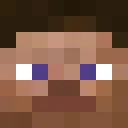
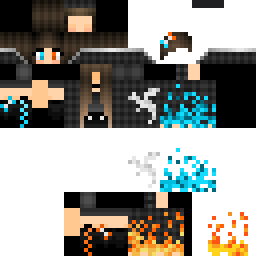
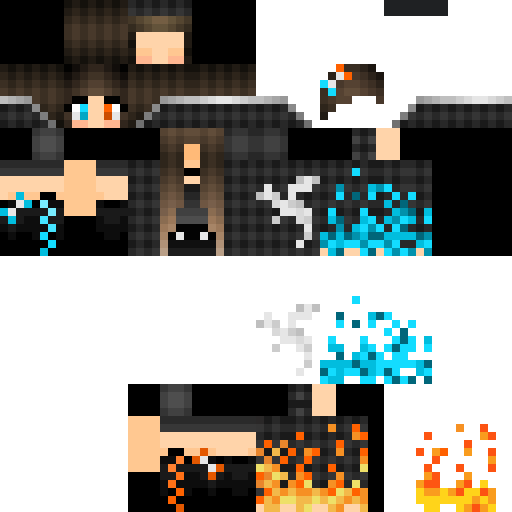
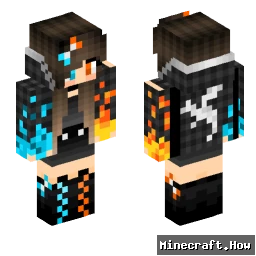
The Einfachgustafhal skin takes a stripped-back approach. No elaborate armor, no fantasy elements. Just a grounded male character with plain, everyday clothing. The name itself is German, loosely translating to 'simply Gustaf,' and the skin matches that energy. It's the kind of design that reads well at any render distance and doesn't clash with whatever biome or build you drop into.
You'll find it works well on survival servers where blending in matters more than showing off. It also holds up fine in roleplay or casual creative worlds, where an understated player model keeps attention on the builds rather than the character. The color palette stays in neutral territory, so it doesn't look out of place next to players running more elaborate skins either.
If you want a skin that just gets out of the way and lets you play, this one does that.
You'll find it works well on survival servers where blending in matters more than showing off. It also holds up fine in roleplay or casual creative worlds, where an understated player model keeps attention on the builds rather than the character. The color palette stays in neutral territory, so it doesn't look out of place next to players running more elaborate skins either.
If you want a skin that just gets out of the way and lets you play, this one does that.
0
Downloads
228
Visualizações
Informações da skin
Versão do Minecraft:Qualquer
Tamanho do arquivo:Desconhecido
Gênero:Desconhecido
Enviado por:System
Minecraft profile
7af8bed7-c390-422a-b87e-879c384e4b33Model
classic
Views / 30 days
27
Observed names
Dates show when minecraft.how first observed each name.
Einfachgustafhal—
Skin history
History grows as minecraft.how observes profile changes.

Head command
/give @p minecraft:player_head[profile={name:"Einfachgustafhal"}]PNG · 64×64
Compartilhar esta skin
Escaneie com seu celular para compartilhar esta skin
Tags
MinecraftSkinsEinfachgustafhal
Perguntas frequentes
Para baixar a skin Minecraft Einfachgustafhal:
- Clique no botão «Baixar» para obter esta skin Einfachgustafhal gratuita
- O arquivo da skin
.pngserá salvo no seu dispositivo - Funciona tanto com Java Edition quanto com Bedrock Edition
- Veja abaixo as instruções completas de instalação
Para aplicar a skin Einfachgustafhal:
- Entre na sua conta Mojang ou Microsoft no site oficial do Minecraft.
- Vá até a seção «Skins» do seu perfil.
- Envie o arquivo
.pngbaixado. - Inicie o Minecraft e seu personagem agora usará a skin Einfachgustafhal.
Nota: o processo pode variar ligeiramente entre Minecraft Java Edition e Minecraft Bedrock Edition.
Sim, a skin Einfachgustafhal é compatível tanto com Minecraft Java Edition quanto com Minecraft Bedrock Edition. No entanto, o método de aplicação da skin pode diferir ligeiramente entre as duas versões. Siga as instruções fornecidas nesta página para a sua edição específica.
Com certeza! Você pode editar a skin Einfachgustafhal usando um editor de skins do Minecraft. Basta abrir o arquivo
.png baixado no editor, fazer suas alterações e salvar o arquivo. Em seguida, envie a skin editada para o seu perfil do Minecraft.Se a skin Einfachgustafhal não estiver funcionando, tente o seguinte:
- Certifique-se de que baixou o formato correto do arquivo
.png. - Certifique-se de estar usando a versão correta do Minecraft: Java Edition ou Bedrock Edition.
- Verifique se o arquivo da skin não está corrompido. Baixe a skin novamente se necessário.
- Saia e entre novamente na sua conta Mojang ou Microsoft para atualizar seu perfil.
Crie a sua própria skin
Desenhe uma skin perfeita para o Minecraft, pixel a pixel, direto no navegador com o nosso editor de skins 3D gratuito.
→ Criador de Skins