Getting Started With Flarial Client for Bedrock
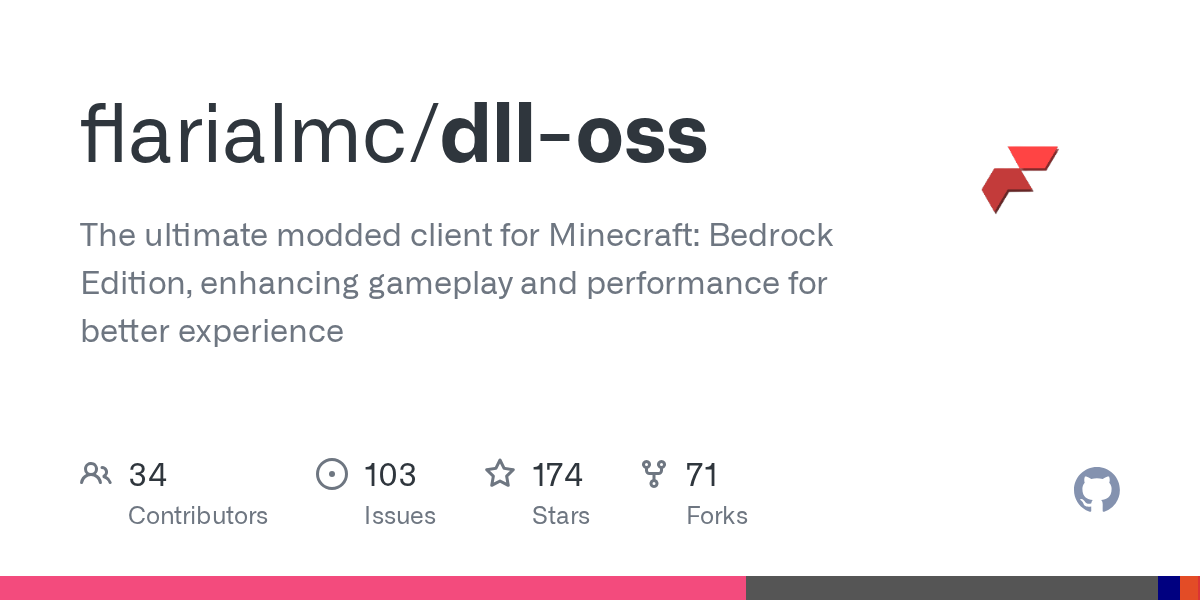
"The ultimate modded client for Minecraft: Bedrock Edition, enhancing gameplay and performance for better experience"
flarialmc/dll-oss · github.com
If you've spent much time in the Minecraft Bedrock community, you've probably heard about modded clients that squeeze extra performance out of your PC. Flarial Client is one of the more interesting open-source takes on this - it's a performance and visual enhancement tool specifically built for Bedrock Edition, and it's actually worth looking into if you're tired of playing at default settings.
What's Flarial Client?
Flarial Client is a modded client for Minecraft Bedrock Edition (the Windows 10/11 version). Built in C++, it acts as an overlay and enhancement layer that gives you control over visual settings, performance tweaks, and gameplay features that the vanilla launcher doesn't expose. The project itself is open source under the AGPL-3.0 license, meaning anyone can inspect the code, contribute improvements, or even build it from scratch if they want to.
The maintainers operate on a specific model here: some features stay private (they don't want to make *everything* public), but the core tool is open source with delayed releases - usually one Minecraft version behind the latest release. If you're impatient, you can build it yourself from the repository. The team actively takes community contributions through pull requests, and they're recruiting developers on their Discord if you want to get more involved.
Why You'd Want This
Here's the thing about Bedrock Edition - it's optimized for console and mobile first, so on PC you sometimes get framerate dips on lower-end hardware, or you're stuck with visual settings that don't match what Java Edition offers. This is where Flarial steps in.
If you're running a world on a potato GPU, Flarial's performance optimizations can genuinely help. Better render distance handling, memory management tweaks, and efficiency improvements mean you might actually hit a stable 60fps instead of bouncing between 40 and 50. Beyond that, it lets you customize visual quality - sharper textures, better lighting, that kind of thing - without waiting for Mojang to add it natively. And if you're building complex redstone contraptions or large farms, every bit of optimization counts.
That said, if you're already running Bedrock smoothly at high settings, you probably won't notice dramatic differences. Honestly, this is more for people who've hit a performance ceiling and want to push past it.
How to Install It
Installation is two options: download the pre-built DLL, or build it yourself.
Option 1: Quick Install (Easiest)
Head to the GitHub releases page and grab the latest Flarial.dll. Drop it into your Minecraft directory (usually C:\Users\[YourUsername]\AppData\Local\Packages\Microsoft.MinecraftUWP_8wekyb3d8bbwe\LocalState\games\com.mojang on Windows). Restart Minecraft and you should see Flarial's menu overlay next time you load a world. The process takes maybe two minutes.
Option 2: Build From Source
If you want to build it yourself, you'll need:
- CMake (grab it from cmake.org)
- Git
- Microsoft Visual Studio with MSVC compiler (Clang won't work here)
Clone the repository and open it in CLion or Visual Studio with the MSVC toolchain, preferably with Ninja. Alternatively, there's a build.bat file you can run. Once it compiles, follow the same DLL installation step above. Actually, that only works on 1.20 and above - the README specifies compatibility starting from MCBE 1.20, so if you're on an older version, you're out of luck.
git clone https://github.com/flarialmc/dll-oss.git
cd dll-oss
cmake -B build -DCMAKE_BUILD_TYPE=Release
cmake --build build --config Release
This approach is useful if you want to tinker with the source code or run the absolute bleeding-edge version before official releases.
Key Features That Matter
The project advertises performance optimization and visual improvements, but what does that actually *do*?
The performance side is the meat of it - Flarial handles memory more efficiently and optimizes chunk rendering, which means less stutter when you're flying around in Creative Mode or exploring a massive world. There's also configuration for render distance, particle optimization, and graphics settings that give you granular control. If you're playing on integrated graphics, you'll probably notice the difference. If you're on a 4080, maybe less so.
On the visual side, you get options for shader-like effects, lighting tweaks, and visual fidelity adjustments that go beyond what Bedrock's settings menu offers. The specifics depend on which version you're running - because releases are delayed compared to Minecraft versions, you might not have every bells-and-whistles feature on day one of a new Minecraft update.
One thing worth noting: Flarial is Bedrock-specific. If you're a Java Edition player, you won't find what you're looking for here. Java has Fabric, Quilt, and a huge modding ecosystem. Bedrock is more limited, so tools like this fill a gap.
What Can Go Wrong
First, the obvious: this is a third-party tool. If Minecraft updates and breaks something, you might need to wait for a fix. The delayed-release model helps mitigate this, but it also means you're always running one version behind the latest content.
Second, Windows Defender and some antivirus software *might* flag a DLL modification like this. It's not actually malicious - it's open source and you can inspect the code - but third-party DLL injections can look suspicious to heuristic scanning. You may need to add it to your antivirus exclusions if you get warnings.
Third, the configuration menu can be overwhelming if you're not technical. There are a lot of sliders and toggles. Start conservatively - enable one or two features at a time and see how they affect your framerate. Not every optimization is a win; sometimes turning on a visual feature tanks your fps, and you won't know until you try it.
And finally, if you're on an older PC with minimal RAM or a really weak GPU, some of the visual enhancements might make things worse, not better. It's a performance tool, not a magic wand.
Alternatives Out There
If Flarial doesn't appeal to you, there are other ways to optimize Bedrock. Some players swear by resource packs that simplify textures and reduce render load. Others use Bedrock's built-in raytracing and visual settings more aggressively. Then there are closed-source modded launchers like Badlion Client (originally Java-focused, but they've expanded), though those aren't as transparent about what they're doing under the hood.
If you want to check your server's actual performance, the Minecraft Server Status Checker can help you identify lag issues. And if you're curious about Minecraft versions and build details, the Minecraft Block Search tool is handy for finding exact texture and rendering data.
Is It Worth It?
Depends on your hardware and patience level. If you're running Bedrock on a mid-range PC and want to squeeze out better framerates or more visual polish, yeah. If you've already got performance dialed in, probably not. The project is well-maintained, the community is active on Discord, and the open-source model means you're not trusting some random company with your game files - you can verify everything yourself.
The 174-star count on GitHub suggests a solid, if niche, following. It's not a massive project, but it's stable enough that you're not experimenting with abandonware.
flarialmc/dll-oss - AGPL-3.0, ★174 Visit flarialmc/dll-oss on GitHub ↗
Lead writer at minecraft.how. Long-time Minecraft player running a small SMP server, testing every build, mod, and seed before writing about it.