Minecraft 26.2 Release Candidate 2: A Complete Guide
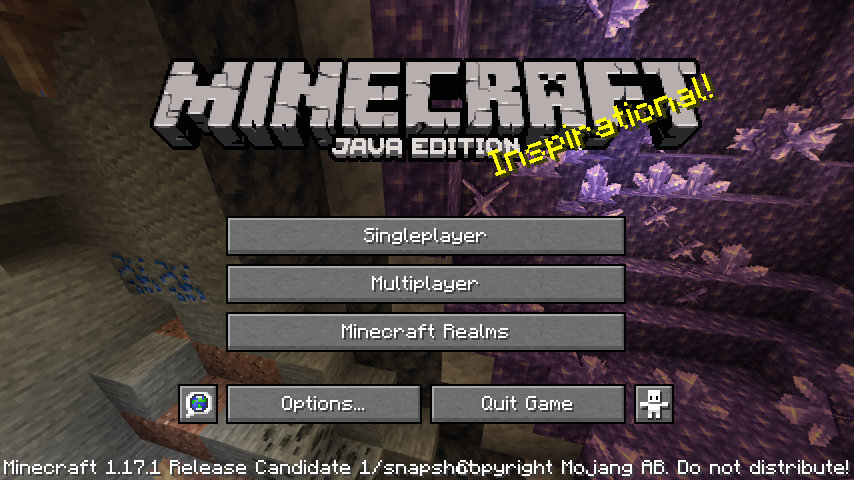
Minecraft 26.2 Release Candidate 2 is available for testing right now. This is the stage between active development and the final release, meaning the game's mostly locked down but still accepting feedback and critical bug fixes. If you're a server admin, modder, or just want to stay ahead of the curve, testing RC2 is the best way to know what's coming when the stable version drops.
What's a Release Candidate, Anyway?
Release Candidates sit in this interesting middle ground. They're not unstable snapshots (like the ones that come out every week during development), but they're not the finished product either. The Minecraft team has locked down features, squashed major bugs, and decided "okay, this is probably what 26.2 is going to be." But they're still watching for edge cases, server-specific issues, and anything that might cause problems when millions of players update all at once.
RC2 specifically means the team already pushed out RC1, got feedback, fixed stuff, and rebuilt. They're close. Really close.
Testing RCs matters because you catch problems before they hit your server, your single-player world, or your community. And honestly? The Minecraft team listens to RC feedback more seriously than most snapshot reports.
How to Install and Test 26.2-RC2
On the Java launcher, it's straightforward: click your installation, switch the version to 26.2-rc-2 from the dropdown, and launch. Your regular worlds stay safe because RC snapshots run in their own directory. Create a new world specifically for testing, or copy an existing one to test with.
Servers are where this gets important. Real talk, if you're running a multiplayer server, don't just update to RC2 without a backup and a plan. Plug management changes, data formats, or vanilla mechanics shifts could affect your server properties or require tweaks to your setup.
- Back up your world and server files first. Yes, before anything else.
- Test RC2 on a separate server instance, not your live one.
- Load your existing world and wander around. Check if things still work.
- Build something new. Try whatever features got changed or added.
- Check plugins or mods if you're using them. Some need updates for new versions.
And don't test alone if you can help it. Grab friends, join a testing server if there's one running 26.2-rc-2. Multiplayer edge cases are where real problems hide.
What Changed From 26.1.2
Since 26.1.2 is the current release and 26.2 is in RC phase, there's been a few months of development between them. Expect quality-of-life tweaks, balance adjustments to newer blocks or mechanics, and probably some new features that made it through the full development cycle.
The usual suspects in Minecraft point releases are mob behavior refinements, command adjustments, performance optimization, and whatever else the Mojang team identified as worth polishing before the next major version. Texture updates occasionally sneak in too, though nothing dramatic usually.
One thing to watch: if your server uses datapacks heavily, there's a chance command syntax or data structure changes could break them. Test your packs in RC2 before relying on them for the stable release. Same goes for scripts or automation you've built around server mechanics.
Why You Should Test This
Here's the thing nobody really talks about: when you test RCs and report bugs, you're literally making Minecraft better for everyone. Every crash log, every "I found a weird rendering issue," every "this command broke my farm" report helps the team fix problems before they become permanent.
Plus, if you're running a server, testing early means you're not scrambling to update when 26.2 goes stable and 10,000 players try to join at once expecting the new version. You'll already know if anything breaks, what to watch out for, and whether you need to adjust your setup.
Check our server list to see what versions other communities are running. There's usually a few test servers or small communities running release candidates if you want to see how 26.2-rc-2 performs with actual players before committing your own.
Common Issues and What to Watch For
RCs usually ship pretty stable, but edge cases exist. Watch for: performance dips in heavily-loaded chunks, rendering glitches in specific lighting conditions, and multiplayer synchronization hiccups (these are sneaky and only show up under real server load).
Comparisons between versions can be frustrating when features work slightly differently than before. Something that's been there forever might get a small balance tweak. Not broken, just... different.
And if you're updating a long-running server world from an older version, terrain generation near old chunk borders can get weird. Not a deal-breaker, but it's there. Make a backup, test in single-player first, then decide if you're comfortable with it.
Server Admin Checklist Before Updating
You've tested 26.2-rc-2. You didn't find anything catastrophic. Now what?
Make sure your plugins are compatible (if you use them). Check if your hosting provider officially supports the new version yet. Review any changes to default server properties or world generation. Back up everything again. And consider staggering the update: test on a secondary server first, maybe during off-hours, before touching your production instance.
Actually, don't just review server properties. Generate a fresh set using the server properties generator to see if anything new or deprecated has shifted. You might catch something important.
One more thing: tell your players it's coming. Give them a heads-up when you're planning to update so they can back up their player data and builds if they're particularly paranoid about stability. (They should be.)
Should You Use 26.2-RC2 Right Now?
If you're running a serious server? Test it, but don't go live until 26.2 stable drops. RCs are for testing, not production. Period.
Single-player? Go for it. Worst case, a world gets corrupted and you restore from backup (you made backups, right?). Best case, you find a cool feature early and can plan your next big build around it. The risk-reward is way different for single-player than it's for a server hosting 50 people.
The stable 26.1.2 release is still solid, still supported, still fine to play on. You're not missing anything urgent by waiting a few weeks for 26.2 to finalize. But if you want to stay current, want to test for the community, or you're just excited to see what's new? RC2 is the place to be right now.

Lead writer at minecraft.how. Long-time Minecraft player running a small SMP server, testing every build, mod, and seed before writing about it.