Minecraft Command Block 2026: Comenzi și Greșeli
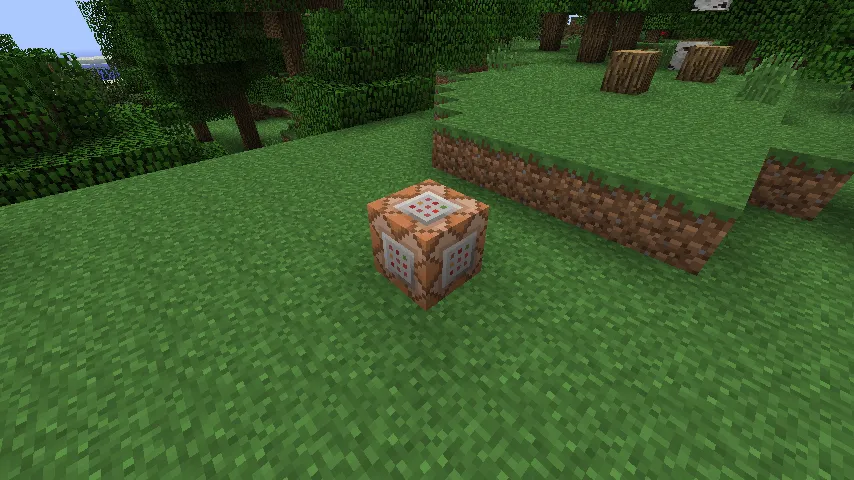
Un bloc de comenzi Minecraft alimentat cu redstone execută comenzi scrise automat, permițând construirea de mecanici personalizate, unelte admin, minijocuri și evenimente de hartă fără moduri. În 2026, rămâne cea mai rapidă cale de a face lumile vanilla să se simtă personalizate, dacă înveți sintaxa, permisiunile și logica lanțului corect.
Bazele blocului de comenzi Minecraft și de ce oamenii îl folosesc încă
Blocurile de comenzi sunt peste tot pentru că rezolvă probleme reale. Trebuie să teleportezi jucători la lobby? Ușor. Vrei o ușă de dungeons care se deschide doar după ce trei monștri mor? De asemenea ușor. Ai nevoie de o rețea de siguranță rapidă împotriva distrugerilor pe un server privat? Poți face asta fără a instala stive întregi de plugin-uri pentru a începe.
Am testat configurații de blocuri de comenzi pe un mic realm de supraviețuire, pe un server creative haotic și pe o lume locală Java unde rup lucruri în mod deliberat. Același model de fiecare dată: începătorii complică lucrurile, apoi realizează că câteva comenzi curate sunt mai bune decât un perete imens de spaghete redstone.
Și da, blocurile de comenzi pot fi abuzate. Asta nu-i noutate.
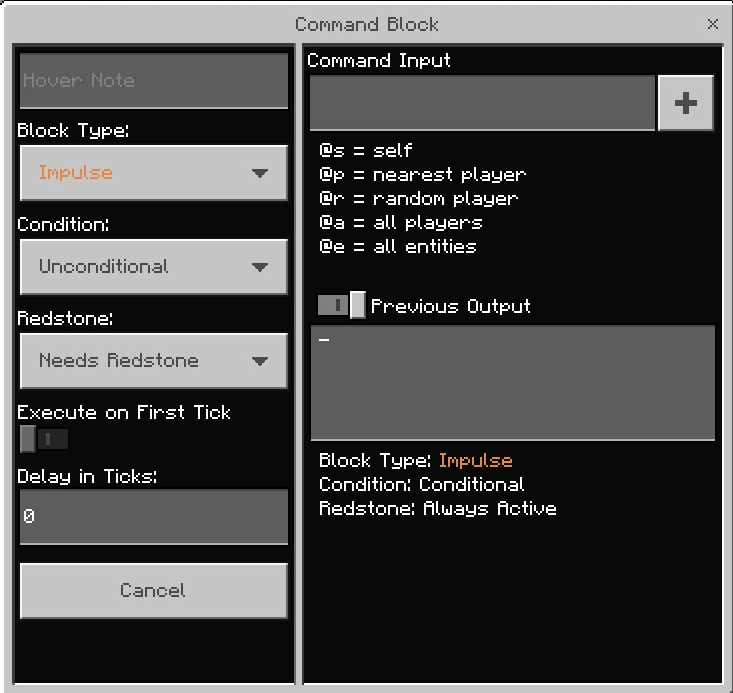
Trei moduri de bloc de comenzi sunt cel mai importante:
- Impulse: rulează o dată când este activat.
- Repeat: rulează în fiecare gametick în timp ce este alimentat (sau întotdeauna activ).
- Chain: rulează după un bloc de comenzi anterior, util pentru logica multi-pas.
Dacă construiești orice mai mare decât o comandă jucărie, blocurile lanț sunt prietenul tău cel mai bun. Ele păstrează automatizarea mai ușor de înțeles. Ei bine, mai mult sau mai puțin.
Cum să obții un bloc de comenzi și cum să îl activezi în siguranță
Nu poți crafta blocuri de comenzi în supraviețuire, deci le invoci cu o comandă. Pe Java, de obicei este:
/give @p command_block
Sintaxa Bedrock diferă în unele locuri - de fapt, nu-i o răspuns universal corect pentru că unele configurații Bedrock necesită mai întâi reglarea permisiunilor. Dacă comenzile eșuează, verifică statusul tău de operator al lumii sau serverului înainte de a rescrie totul.
Pentru servere multiplayer, fă asta înainte de a plasa ceva sofisticat:
- Limitează cine primește permisiuni OP.
- Păstrează blocurile de comenzi într-o zonă admin protejată.
- Etichetează blocurile cu titluri clare, deci viitorul tău înțelege ce fac.
- Testează pe o copie a lumii mai întâi.
Viitorul tău e o persoană diferită. Viitorul tău va uita absolut sigur de ce Blocul nr. 47 teleportează pui de găini în cer.
Încă un lucru pe care oamenii îl omit: rulează o auditare a permisiunilor după actualizări. Cadența de actualizare a Mojang s-a ajustat la lansări mai mici, și PCGamesN a raportat fereastra 1.26.1 "Tiny Takeover" în jurul martie 2026 pe baza acelui ritm trimestrial. Noile sincronizări pot însemna schimbări subtile de comportament sau cazuri extreme, deci retestează automatizările tale importante după ziua de patch.
Sintaxa blocului de comenzi Minecraft care cauzeaza 90% din erori
Cele mai multe eșecuri se reduc la țintire și condiții, nu la ideea de comandă în sine. Ai scris o comandă inteligentă, dar selectorul nu a lovit nicio entitate, sau un bloc lanț era condiționat atunci când nu ar trebui să fie.
1) Învață selectoarele țintă mai întâi
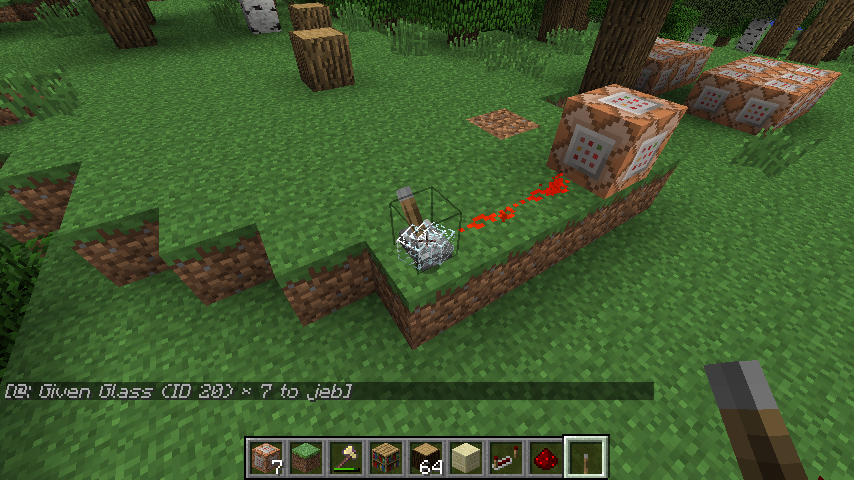
Folosește selectoarele cu intenție:
- @p: cel mai apropiat jucător
- @a: toți jucătorii
- @e: toate entitățile (periculos dacă larg)
- @s: executorul comenzii
Apoi filtrează. Exemplu:
/tp @a[distance=..10] 100 64 100
Asta preia toți jucătorii în raza de 10 blocuri și îi mută. Niciun filtru înseamnă nicio precizie, și nicio precizie înseamnă haos accidental.
2) Stăpânește execute, chiar dacă pare plictisitor
/execute este spinarea logicii comenzilor moderne. Poți rula o comandă ca o entitate, la o locație, doar dacă o condiție trece, și apoi lanț la următoarea verificare. Arată verbose pentru că este verbose, dar e puternic odată ce îl înțelegi.
Un model practic:
/execute as @a at @s if block ~ ~-1 ~ gold_block run effect give @s speed 3 1 true
Traducere: pentru fiecare jucător, dacă stau pe aur, aplică Speed pe scurt. Blocul Repeat îl rulează continuu. Asta e o mecanică simplă de zonă de presiune fără zgomot de ceas redstone.
3) Urmărește setările blocului de comenzi, nu doar textul comenzii
Am văzut comenzi perfecte eșua pentru că blocul era setat la "Needs Redstone" când sistemul se aștepta la "Always Active." Blocurile lanț au și un comutator condiționat. Condiționat înseamnă "rulează doar dacă comanda anterioară a reușit." Grozav atunci când e intenționat, brutal atunci când e accidental.
Scurtă listă de verificare:
- Modul corect (Impulse, Repeat, Chain)
- Starea corectă de alimentare
- Condiționat vs Incondiționat setat intenționat
- Niciun tipar ascuns în coordonate sau paranteze selector
Setări mici, consecințe mari.
Cele mai bune construcții de blocuri de comenzi în 2026 (pe care oamenii le folosesc)
Să omitem trucurile și să ne concentrăm pe construcții utile care se mențin în lumile reale.
Sisteme de lobby și spawn
Un hub de spawn cu bloc de comenzi e încă cea mai curată cale de a gestiona fluxul multiplayer. Teleportează soșirii, setează modul aventură în zone sigure, șterge efectele și afișează reguli cu comenzi de titlu. E rapid, și dacă ții fiecare funcție în lanțuri separate, e ușor de întreținut.
Vrei personalitate în lobby-ul tău? Leagă mesajele de bun venit de etichetele jucătorilor și rotează imagini. Poți chiar să tematizezi zone NPC cu showcaseuri de skin, deci spațiul nu arată steril. Îmi place adăugarea de referințe la skin-urile creatorului, de exemplu: BlockingWheat46 - design de skin Minecraft, Blocksberg1 - custom skin Minecraft, și YTblockman - creator-style skin Minecraft ca puncte de inspirație pentru zone tematizate.
Mini-jocuri și declanșatori de evenimente
Blocurile de comenzi strălucesc în mini-jocuri în care sincronizarea și condițiile contează. Gândește-te la puncte de control parkour, contoare de eliminare, arena auto-reset și reguli de moarte după ce temporizatorul expire. Logica Repeat plus Chain face asta fără a necesita plugin-uri externe în grupuri mici.
Am testat o provocare "ultimul jucător în mișcare" pe un server privat unde coborârea din lână te-a colorat roșu și a pornit o numărătoare inversă de 10 secunde. Stupid de simplu, surprinzător de tensionat, toată lumea a inculpat lagul oricum.
Automatizare admin pentru servere de supraviețuire
Poți rula curățare periodică, detecta articole interzise, sau muta jucători non-whitelisted într-o cameră cu informații. Fii atent cu comenzile de ucidere a entităților în bloc, deși. Un selector prost și armura ta decorativă pleacă.
Pentru stații de marcare vizuală, am văzut admini folosind galerii de skin ca zone cu semne. Aceste pagini sunt exemple solide de artă de profil tematizată din care poți împrumuta: blocksmc - Minecraft skin variant și blocksmc - alternate Minecraft skin.
Da, asta sunt doi varianti blocksmc. Nu, jucătorii tăi nu se vor plânge de opțiuni.
Diferențe între Java și Bedrock command block în 2026
Asta încă deranjează jucătorii experimentați pentru că sintaxa comenzilor e similară, nu identică. Dacă copiezi comenzi dintr-un tutorial Java în Bedrock, unele vor lucra, unele nu, și unele vor eșua în moduri care îți risipesc seara întreagă.
Diferențe esențiale de reținut:
- Argumentele selectorului și gestionarea scorului pot diferi după ediție.
- Anumite comenzi sau subcomenzii există într-o ediție mai întâi.
- Comportamentul sincronizării și limitele comenzilor se pot simți diferit pe hardware cu resurse reduse.
Jucătorii consolă ar trebui să urmărească și actualizările de platformă. Înapoi în iunie 2024, The Loadout a raportat Mojang testând o versiune nativă PS5. Punctul mai mare pentru utilizatorii de blocuri de comenzi e spațiul de performanță - optimizarea nativă poate îmbunătăți fiabilitatea pentru sisteme de ticking și hărți de mini-jocuri aglomerate pe consolă.
Dar nu presupune că "mai mult putere" repară logica proastă. Un bloc repeat care rulează scanări largi de entități în fiecare tick e încă scump, chiar și pe hardware mai bun. Optimizează comenzile mai întâi, apoi bucură-te de câștigurile de performanță.
Depanarea problemelor blocului de comenzi Minecraft rapid
Configurație de bloc de comenzi blocată? Fă asta în ordine, rapid:
- Rulează comanda manual în chat pentru a confirma sintaxa.
- Înlocuiește selectoarele complexe cu o țintă simplă cum ar fi @p.
- Verifică modul de bloc și comutatorul condiționat.
- Confirmă coordonatele, în special simbolurile relative (~).
- Testează într-o copie plană de creatoare a lumii.
Dacă pasul 1 eșuează, nu atinge redstone încă. Dacă pasul 1 funcționează dar blocul eșuează, setările sau contextul de execuție sunt greșite.
Și păstrează o bibliotecă "cunoscută ca bună" cu propriile tale comenzi într-un fișier text. Îmi tin a mea împărțită după scop - teleport, scoreboard-uri, efecte, unelte admin. Deci acel obicei salvează mai mult timp decât orice truc singular.
Concluzia finală practică: blocurile de comenzi sunt încă cel mai bun instrument de automatizare vanilla pentru creatori de hărți și proprietari de servere în 2026. Începe mic, lanț cu grijă, testează după actualizări, și tratează selectoarele cum ar fi arcuri cu bolț încărcate. Puternice, utile, și îndreptate spre propriul picior dacă nu ești atent.

Lead writer at minecraft.how. Long-time Minecraft player running a small SMP server, testing every build, mod, and seed before writing about it.
Întrebări frecvente
Cum obții un bloc de comenzi în Minecraft?
Care e diferența dintre modurile Impulse, Repeat și Chain?
De ce eșuează comenzile din blocul de comenzi?
Ce face /execute și când îl folosești?
Cum folosești blocurile de comenzi în siguranță pe un server multiplayer?
Cum funcționează selectorii țintă în blocurile de comenzi?
Have a Question or Tip about this Guide?Community Q&A
Ask a question or help other players below. Join the discussion and share your Minecraft tips!
Comentarii
Niciun comentariu încă. Fii primul care își spune părerea!