Building Custom Minecraft Launchers with MinecraftLauncher-core
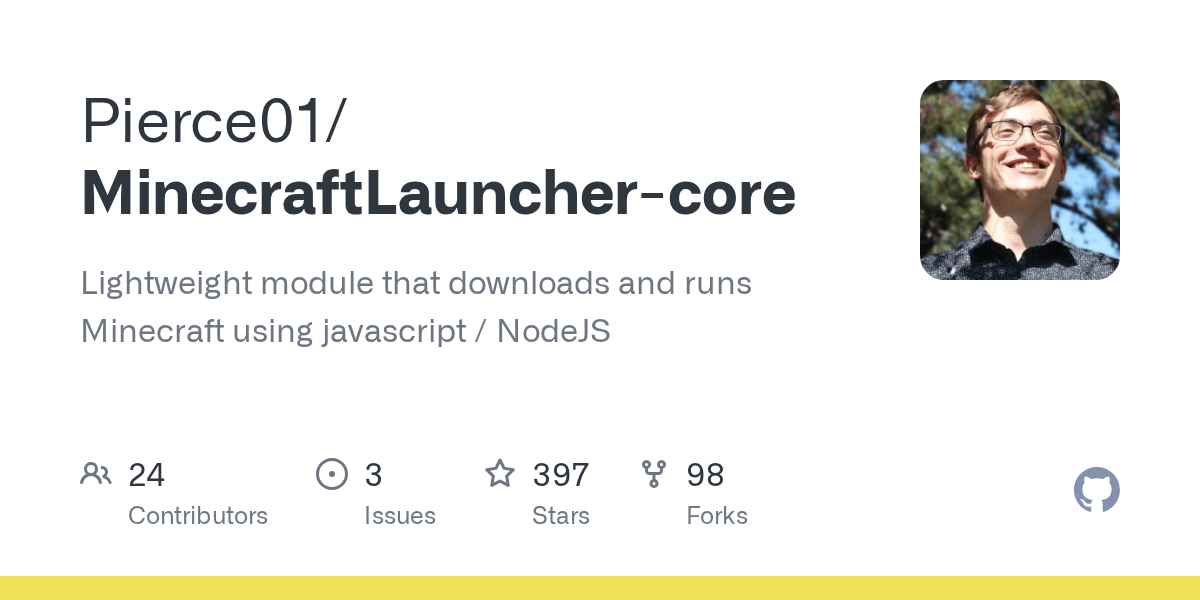
MinecraftLauncher-core (Pierce01/MinecraftLauncher-core)
Lightweight module that downloads and runs Minecraft using javascript / NodeJS
If you're building a custom Minecraft launcher, MinecraftLauncher-core (or MCLC) is the library that handles the hard parts: downloading versions, managing authentication, and configuring the client. Most players never encounter it directly. But if you've ever wondered how custom launchers work under the hood, this is probably what's running inside.
What MinecraftLauncher-core Does
Launching Minecraft involves downloading version files, libraries, assets, and validating your account. The official launcher handles all this invisibly. But if you wanted to build your own launcher - whether as an Electron desktop app, a web backend, or a distribution script - you'd need to replicate every step. That's what MCLC solves.
You feed it basic configuration: your version number, authentication token, memory settings, and a root directory. The library downloads everything needed, configures your JVM arguments, and spawns the game process. That's the core job, done well.
It's been around for years and has 397 GitHub stars. Currently stable at version 3.18.2. MIT licensed and actively maintained.
Why Developers Use This
Scenario one: you're managing a private Minecraft server network with custom mods and resource packs. Rather than tell every player to manually install a launcher, grab mods from five different sources, configure their RAM, and hope the JVM arguments don't break, you package everything with a custom launcher. MCLC handles the Minecraft side.
Scenario two is modpack distribution. Platforms like Modrinth host modpacks, but someone still needs to build the launcher that downloads and activates them. MCLC provides that Minecraft integration layer - version management, authentication, client spawning - while your code handles the mod metadata and patching.
It's also used for headless automation and testing. If you're running a bot or CI/CD pipeline that needs to spawn Minecraft instances programmatically, MCLC gives you the interface to do that without a GUI.
Getting Started: Installation and Basic Setup
You'll need Node.js installed first. Then it's a standard npm package:
npm install minecraft-launcher-coreHere's a minimal working example adapted from the project:
const { Client, Authenticator } = require('minecraft-launcher-core');
const launcher = new Client();

let opts = {
 authorization: Authenticator.getAuth("username", "password"),
 root: "./minecraft",
 version: {
 number: "26.1.2",
 type: "release"
 },
 memory: {
 max: "6G",
 min: "4G"
 }
}

launcher.launch(opts);

launcher.on('debug', (e) => console.log(e));
launcher.on('data', (e) => console.log(e));
This creates a launcher instance pointing to your Minecraft directory, specifies version 26.1.2 (the latest stable release), and allocates 4GB minimum and 6GB maximum RAM. The game launches once you call launch().
One note: the Authenticator.getAuth() call requires actual Minecraft account credentials. For production launchers, the maintainers recommend handling authentication separately and passing just the token. This gives you better error handling and validation before MCLC even starts.
What You Can Configure
Memory allocation is straightforward: set min and max in the options object. Don't allocate more RAM than you actually have; newer Minecraft versions (especially with mods) are surprisingly memory-hungry.
Custom launch arguments let you inject JVM tweaks. You might add -XX:+UseG1GC for better garbage collection, or disable the logging framework with -Dlog4j2.formatMsgNoLookups=true for security.
You can also specify feature flags like is_demo_user or has_custom_resolution if you're doing something non-standard. And if you need to run a server instead of a client, you can pass nogui mode or other Minecraft arguments directly in the options.
Custom client packages are supported too - you can point MCLC at a zip file containing pre-configured game data and have it extract on launch. Not recommended for production (distribution is a headache), but useful for testing.
Common Gotchas and Rough Edges
First gotcha: authentication. Microsoft's auth endpoints can be flaky. Test your error handling obsessively. Failed auth doesn't always fail gracefully.
Second, OS detection usually works, but on Linux you might need to explicitly set os: "linux" in your options. Same applies if you're on unusual architecture.
Third, MCLC only launches vanilla Minecraft. It doesn't handle mod downloading, jar patching, or resource pack installation. If you're building a modpack launcher, you need separate logic for all that. MCLC is the final step in your pipeline, not the whole thing.
Custom resource packs trip people up. MCLC doesn't validate or auto-download them. You manage those independently and drop them in the resourcepacks folder yourself.
Also: caching. MCLC caches downloaded files in a .cache directory by default. If you're distributing a launcher to end users, this can grow large over time. Real talk, document that.
Alternatives and When You'd Use Them
There's no direct equivalent in the JavaScript ecosystem that's as complete. Some developers parse Mojang's launcher JSON format directly and roll their own version manager - but that's lower-level and requires you to handle downloads yourself. MCLC wraps all that complexity.
For web-based launchers (running in a browser), you can't use MCLC directly. You'd need a backend service running Node.js that MCLC executes on, then ship download links to clients.
If you're building a modpack launcher specifically, CurseForge and Modrinth both have APIs for mod metadata. Those work alongside MCLC, not instead of it. MCLC handles Minecraft; those APIs handle the mod layer.
Worth The Setup?
Building a custom launcher is a real project. MCLC handles the complicated part - Minecraft integration - but you're still responsible for UI, mod management, version metadata, distribution, and support. That said, if you're serious about launcher development, MCLC saves massive amounts of time and gets you past the hardest technical hurdle.
And if you're interested in deep customization of the Minecraft experience itself, check out our Minecraft Skin Creator for designing custom player skins, or our Minecraft Block Search for exploring block properties when you're setting up launcher defaults or custom world generation.
The project is MIT licensed, has a Discord server if you get stuck, and the code is straightforward enough to fork or patch if you need something slightly different.

Lead writer at minecraft.how. Long-time Minecraft player running a small SMP server, testing every build, mod, and seed before writing about it.