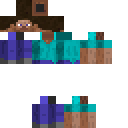
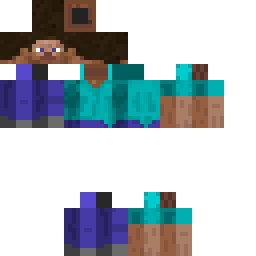
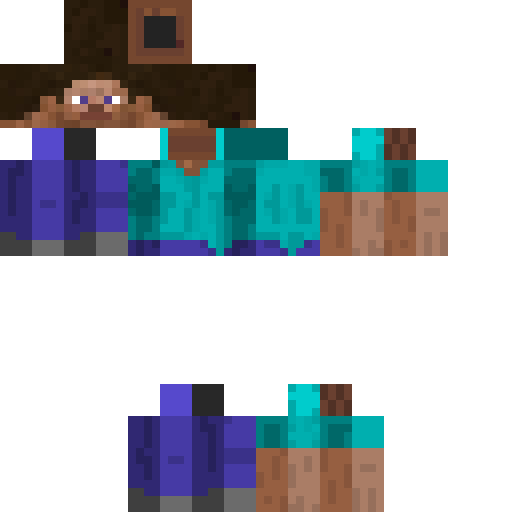
Slash2471081 Minecraft Skin
✓ Approved
Skin for Slash2471081
1
Downloads
133
Views
0
Likes
Reactions
Log in to react.
Minecraft profile
8bac1397-01ec-47df-b3fc-aad7875b5a05Model
classic
Views / 30 days
19
Observed names
Dates show when minecraft.how first observed each name.
Slash2471081—
Skin history
History grows as minecraft.how observes profile changes.

Head command
/give @p minecraft:player_head[profile={name:"Slash2471081"}]Users with Same Texture (51 total)
51
Total Users
32.8K
Combined Views
51
Combined Downloads
 ValoPro88
18.4K views1 downloads
 Aznardus
385 views1 downloads
 snooby123
367 views1 downloads
 BiggieSma11z
364 views1 downloads
 JanKillerSlatki
354 views1 downloads
 LuckSkywaker
353 views1 downloads
 Ceaseles
352 views1 downloads
 TheDeadJQ
337 views1 downloads
 pouton
335 views1 downloads
 HenryNeedsHelp
332 views1 downloads
 JonaStrout
328 views1 downloads
 CWCConbon
327 views1 downloads
 vishwa_gamerz
326 views1 downloads
 LiduenKvaedhi
322 views1 downloads
 __Stormrider__
317 views1 downloads
 mZ0ckERc
314 views1 downloads
 Jeff_Bond
312 views1 downloads
 Ezerial97
311 views1 downloads
 TheImmortalSpock
307 views1 downloads
 u0py
301 views1 downloads
 monke453
301 views1 downloads
 IkamoZ
300 views1 downloads
 CalSpeed1
295 views1 downloads
 _Taran
283 views1 downloads
 MasterMicah
282 views1 downloads
 Palbud
279 views1 downloads
 DannyK19
277 views1 downloads
 Chesszoom
276 views1 downloads
 HundredLotus107
275 views1 downloads
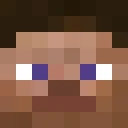 3CDude
274 views1 downloads
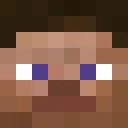 verticalnova
271 views1 downloads
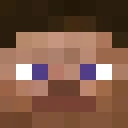 LillyHammer09
270 views1 downloads
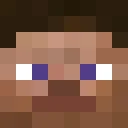 ZombiesKilled35
269 views1 downloads
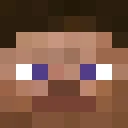 LeinadVon
269 views1 downloads
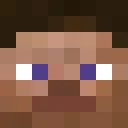 MatrixBear
268 views1 downloads
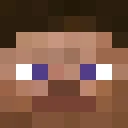 jasvindersingh
267 views1 downloads
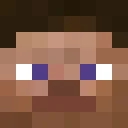 stampycat9495
264 views1 downloads
 MisterSpiderMan
264 views1 downloads
 Blockexplor
261 views1 downloads
 AstroPies23
261 views1 downloads
 Who_Am_I_2
256 views1 downloads
 y_w_d
255 views1 downloads
 aaa121w
254 views1 downloads
 tbennyh
252 views1 downloads
 fuzeIII_le_BG
251 views1 downloads
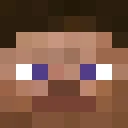 coolcucumber69
251 views1 downloads
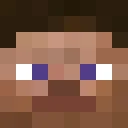 Arcturas_
251 views1 downloads
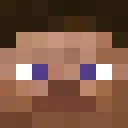 YeetusMcFleetus
248 views1 downloads
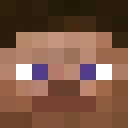 Vroxy33
246 views1 downloads
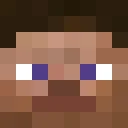 Icecreamdudeguy
244 views1 downloads
PNG · 64×64
Share this skin
Scan with your phone to share this skin
Tags
MinecraftSkinsSlash2471081
Frequently Asked Questions
To download the Slash2471081 Minecraft skin:
- Click the "Download" button to get this free Slash2471081 skin
- The skin file
.pngwill be saved to your device - Works with both Java Edition and Bedrock Edition
- See below for complete installation instructions
To apply the Slash2471081 skin:
- Log in to your Mojang or Microsoft account on the official Minecraft website.
- Navigate to the "Skins" section in your profile.
- Upload the downloaded
.pngfile. - Launch Minecraft, and your character will now use the Slash2471081 skin.
Note: The process may vary slightly between Minecraft Java Edition and Minecraft Bedrock Edition.
Yes, the Slash2471081 skin is compatible with both Minecraft Java Edition and Minecraft Bedrock Edition. However, the method of applying the skin may differ slightly between the two versions. Follow the instructions provided on this page for your specific edition.
Absolutely! You can edit the Slash2471081 skin using a Minecraft skin editor. Simply open the downloaded
.png file in the editor, make your changes, and save the file. Then, upload the edited skin to your Minecraft profile.If the Slash2471081 skin isn't working, try the following:
- Ensure you downloaded the correct file format
.png. - Make sure you're using the correct version of Minecraft Java Edition or Bedrock Edition.
- Check that the skin file is not corrupted. Re-download the skin if necessary.
- Log out and back into your Mojang or Microsoft account to refresh your profile.
Create your own skin
Draw a pixel-perfect Minecraft skin in the browser with our free 3D skin editor.
→ Skin Creator