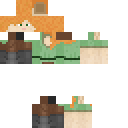
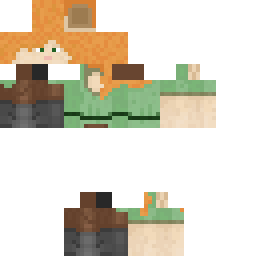
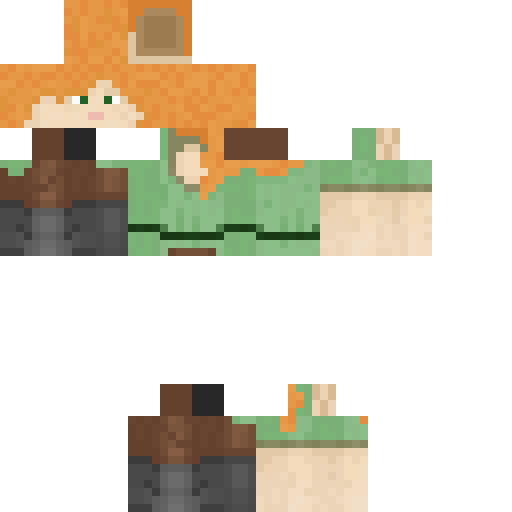
ETHIC_Goat_YT Minecraft Skin
✓ Approved
Skin for ETHIC_Goat_YT
1
Downloads
121
Views
0
Likes
Reactions
Log in to react.
Minecraft profile
c5f6be8e-b63f-494c-95e5-b5b9df22d8b6Model
classic
Views / 30 days
18
Observed names
Dates show when minecraft.how first observed each name.
ETHIC_Goat_YT—
Skin history
History grows as minecraft.how observes profile changes.

Head command
/give @p minecraft:player_head[profile={name:"ETHIC_Goat_YT"}]Users with Same Texture (51 total)
51
Total Users
15.1K
Combined Views
51
Combined Downloads
 livicc
4.2K views1 downloads
 Timbimboom
274 views1 downloads
 Dnwr1
270 views1 downloads
 MajinZer0
256 views1 downloads
 NeededArtist781
252 views1 downloads
 PrimeKoalaa
239 views1 downloads
 HOLAPAA
239 views1 downloads
 myronlojm
235 views1 downloads
 DChem
235 views1 downloads
 Isul89
229 views1 downloads
 Pickles69420
228 views1 downloads
 jonny39
227 views1 downloads
 Sythn_Attack
227 views1 downloads
 zyzy555
226 views1 downloads
 coco587
226 views1 downloads
 smart__boi
224 views1 downloads
 Katabug66
224 views1 downloads
 MouGouu
223 views1 downloads
 Underaider
222 views1 downloads
 DylanRocks94
221 views1 downloads
 SquigglyNest412
220 views1 downloads
 Afad0557
219 views1 downloads
 edsonefanoff
218 views1 downloads
 xlmFamous
218 views1 downloads
 callumbrack06
217 views1 downloads
 IKsKup
217 views1 downloads
 F34rless9927
217 views1 downloads
 dish_water
215 views1 downloads
 ClownishOyster
215 views1 downloads
 ParkTaenggul
213 views1 downloads
 Not_Ashton
213 views1 downloads
 KeyFeline683805
213 views1 downloads
 _Fixi
213 views1 downloads
 ColdIcy
212 views1 downloads
 Qyrb
212 views1 downloads
 19dx
212 views1 downloads
 yvonmoreau
212 views1 downloads
 scio_nihil_
210 views1 downloads
 dynemytePro889
209 views1 downloads
 redstonecold2
209 views1 downloads
 Cameron77546
208 views1 downloads
 caminion77
208 views1 downloads
 jokazzl
208 views1 downloads
 Linus1208DK
207 views1 downloads
 AzureAbyss
204 views1 downloads
 Sheerberry
203 views1 downloads
 AshWitch
202 views1 downloads
 Mashu_74
197 views1 downloads
 Phasmatic7
197 views1 downloads
 panxdu
196 views1 downloads
PNG · 64×64
Share this skin
Scan with your phone to share this skin
Tags
MinecraftSkinsETHIC_Goat_YT
Frequently Asked Questions
To download the ETHIC_Goat_YT Minecraft skin:
- Click the "Download" button to get this free ETHIC_Goat_YT skin
- The skin file
.pngwill be saved to your device - Works with both Java Edition and Bedrock Edition
- See below for complete installation instructions
To apply the ETHIC_Goat_YT skin:
- Log in to your Mojang or Microsoft account on the official Minecraft website.
- Navigate to the "Skins" section in your profile.
- Upload the downloaded
.pngfile. - Launch Minecraft, and your character will now use the ETHIC_Goat_YT skin.
Note: The process may vary slightly between Minecraft Java Edition and Minecraft Bedrock Edition.
Yes, the ETHIC_Goat_YT skin is compatible with both Minecraft Java Edition and Minecraft Bedrock Edition. However, the method of applying the skin may differ slightly between the two versions. Follow the instructions provided on this page for your specific edition.
Absolutely! You can edit the ETHIC_Goat_YT skin using a Minecraft skin editor. Simply open the downloaded
.png file in the editor, make your changes, and save the file. Then, upload the edited skin to your Minecraft profile.If the ETHIC_Goat_YT skin isn't working, try the following:
- Ensure you downloaded the correct file format
.png. - Make sure you're using the correct version of Minecraft Java Edition or Bedrock Edition.
- Check that the skin file is not corrupted. Re-download the skin if necessary.
- Log out and back into your Mojang or Microsoft account to refresh your profile.
Create your own skin
Draw a pixel-perfect Minecraft skin in the browser with our free 3D skin editor.
→ Skin Creator