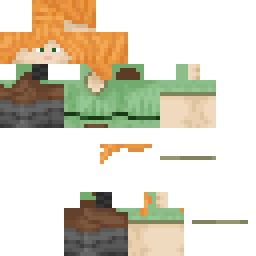
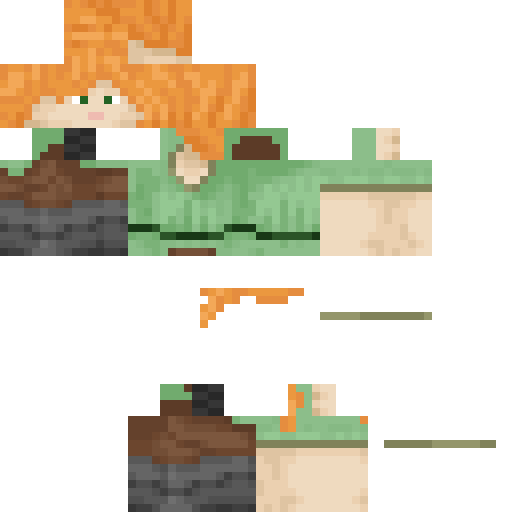
KanaEmily Minecraft Skin
✓ Approved
Skin for KanaEmily
1
Downloads
138
Views
0
Likes
Reactions
Log in to react.
Minecraft profile
7dc8c26f-e695-4a58-874f-861ac7f5c239Model
classic
Views / 30 days
28
Observed names
Dates show when minecraft.how first observed each name.
KanaEmily—
Skin history
History grows as minecraft.how observes profile changes.

Head command
/give @p minecraft:player_head[profile={name:"KanaEmily"}]Users with Same Texture (51 total)
51
Total Users
24.8K
Combined Views
51
Combined Downloads
 10gnikei23
12.5K views1 downloads
 youhavedreams143
319 views1 downloads
 belugaval
303 views1 downloads
 Roktim003
297 views1 downloads
 Clutch_op
294 views1 downloads
 Kelvin7725
279 views1 downloads
 sniczecs24
276 views1 downloads
 Spiky_Tofuu
275 views1 downloads
 Killercoo2
270 views1 downloads
 Ninja_Lucasxu
269 views1 downloads
 sebbzz7
265 views1 downloads
 casorneedhandle
265 views1 downloads
 HotSweatyMeat
264 views1 downloads
 Hyperbrozz
259 views1 downloads
 Ghost_Riderrr
251 views1 downloads
 TacosInTheVoid
250 views1 downloads
 zlxup
250 views1 downloads
 laupoia
250 views1 downloads
 annie_rainbow
249 views1 downloads
 LleNb
248 views1 downloads
 ISn0Z
247 views1 downloads
 CalmPlays
247 views1 downloads
 Bubbles0424
246 views1 downloads
 rationalGrin
246 views1 downloads
 Falconux
246 views1 downloads
 JeSuisTrash
245 views1 downloads
 VinnieDavis
245 views1 downloads
 xDitte
244 views1 downloads
 Dustbin2acc
244 views1 downloads
 DreamyHealer291
242 views1 downloads
 ItZPBPro007
240 views1 downloads
 _N311
240 views1 downloads
 stonkz27610
239 views1 downloads
 Vcycle
236 views1 downloads
 toho2508
235 views1 downloads
 SentinelDanielPL
234 views1 downloads
 itama21
233 views1 downloads
 Zeloahh
233 views1 downloads
 timster1611
231 views1 downloads
 Kiss_My_Axe_
230 views1 downloads
 King_morris3rd
230 views1 downloads
 FilipK112a
229 views1 downloads
 7GeorgeAnderson7
225 views1 downloads
 PhoNoodles22
224 views1 downloads
 pokeproef
223 views1 downloads
 MrNftNotFound
222 views1 downloads
 symiley
221 views1 downloads
 WagerQueen
220 views1 downloads
 matrix2625
214 views1 downloads
 Papergecko383
213 views1 downloads
PNG · 64×64
Share this skin
Scan with your phone to share this skin
Tags
MinecraftSkinsKanaEmily
Frequently Asked Questions
To download the KanaEmily Minecraft skin:
- Click the "Download" button to get this free KanaEmily skin
- The skin file
.pngwill be saved to your device - Works with both Java Edition and Bedrock Edition
- See below for complete installation instructions
To apply the KanaEmily skin:
- Log in to your Mojang or Microsoft account on the official Minecraft website.
- Navigate to the "Skins" section in your profile.
- Upload the downloaded
.pngfile. - Launch Minecraft, and your character will now use the KanaEmily skin.
Note: The process may vary slightly between Minecraft Java Edition and Minecraft Bedrock Edition.
Yes, the KanaEmily skin is compatible with both Minecraft Java Edition and Minecraft Bedrock Edition. However, the method of applying the skin may differ slightly between the two versions. Follow the instructions provided on this page for your specific edition.
Absolutely! You can edit the KanaEmily skin using a Minecraft skin editor. Simply open the downloaded
.png file in the editor, make your changes, and save the file. Then, upload the edited skin to your Minecraft profile.If the KanaEmily skin isn't working, try the following:
- Ensure you downloaded the correct file format
.png. - Make sure you're using the correct version of Minecraft Java Edition or Bedrock Edition.
- Check that the skin file is not corrupted. Re-download the skin if necessary.
- Log out and back into your Mojang or Microsoft account to refresh your profile.
Create your own skin
Draw a pixel-perfect Minecraft skin in the browser with our free 3D skin editor.
→ Skin Creator