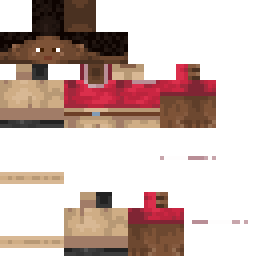
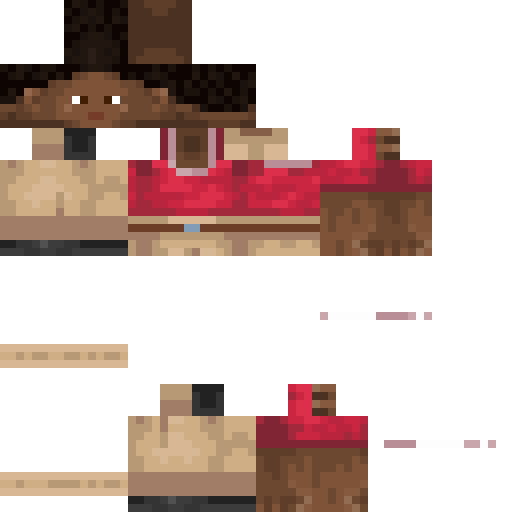
sjmmeec_2 Minecraft Skin
✓ Approved
Skin for sjmmeec_2
1
Downloads
131
Views
0
Likes
Reactions
Log in to react.
Minecraft profile
d9df3a80-3fe1-4076-a92f-885d373946afModel
classic
Views / 30 days
15
Observed names
Dates show when minecraft.how first observed each name.
sjmmeec_2—
Skin history
History grows as minecraft.how observes profile changes.

Head command
/give @p minecraft:player_head[profile={name:"sjmmeec_2"}]Users with Same Texture (51 total)
51
Total Users
52.5K
Combined Views
52
Combined Downloads
 StageNameFrank
9.1K views1 downloads
 GermanyProfi15
1.5K views1 downloads
 Baimpala
1.3K views1 downloads
 Tsuki_____
1.3K views1 downloads
 SirJaden2866
1.2K views1 downloads
 jaspayur
1.2K views1 downloads
 LordRex216
1.2K views1 downloads
 DEATH_SLAYERZZ
1.1K views1 downloads
 Arthurmaj12
1.1K views1 downloads
 ChillingCactus
1.1K views1 downloads
 SQUIDSPACE_CO
1.1K views1 downloads
 FirebaII22
1.0K views1 downloads
 YesBroBrogan
1.0K views1 downloads
 snpooy
1.0K views1 downloads
 AsianInvasion52
968 views1 downloads
 KillerKidd
964 views1 downloads
 StefRob___
957 views1 downloads
 H34mnn
889 views1 downloads
 KKholl
876 views1 downloads
 helge1233
874 views1 downloads
 TheBearKing13
867 views1 downloads
 Bedroomrockerr
866 views1 downloads
 LeMazju
862 views1 downloads
 mirpack_19
861 views1 downloads
 zChop
851 views2 downloads
 ClamLively
846 views1 downloads
 marciiiii
839 views1 downloads
 Defaultdude231
823 views1 downloads
 WaltonianRyry
808 views1 downloads
 zINoYze
805 views1 downloads
 zyroflux
805 views1 downloads
 william110765
801 views1 downloads
 SethKingDragon
788 views1 downloads
 HastyTerminator_
777 views1 downloads
 BANMIHA
771 views1 downloads
 GuiltySus
758 views1 downloads
 deltazyro
752 views1 downloads
 8484NiGHtmare
742 views1 downloads
 DermMan
732 views1 downloads
 Spinner1205008
729 views1 downloads
 UnsaidRook55251
719 views1 downloads
 Luciferchick0
717 views1 downloads
 RaulRosa
664 views1 downloads
 AvocadoTea
659 views1 downloads
 Grubzee
648 views1 downloads
 SigmaGrzesiu
637 views1 downloads
 Kamfall
632 views1 downloads
 msc915
629 views1 downloads
 Corruptwd
626 views1 downloads
 azasta
620 views1 downloads
PNG · 64×64
Share this skin
Scan with your phone to share this skin
Tags
MinecraftSkinssjmmeec_2
Frequently Asked Questions
To download the sjmmeec_2 Minecraft skin:
- Click the "Download" button to get this free sjmmeec_2 skin
- The skin file
.pngwill be saved to your device - Works with both Java Edition and Bedrock Edition
- See below for complete installation instructions
To apply the sjmmeec_2 skin:
- Log in to your Mojang or Microsoft account on the official Minecraft website.
- Navigate to the "Skins" section in your profile.
- Upload the downloaded
.pngfile. - Launch Minecraft, and your character will now use the sjmmeec_2 skin.
Note: The process may vary slightly between Minecraft Java Edition and Minecraft Bedrock Edition.
Yes, the sjmmeec_2 skin is compatible with both Minecraft Java Edition and Minecraft Bedrock Edition. However, the method of applying the skin may differ slightly between the two versions. Follow the instructions provided on this page for your specific edition.
Absolutely! You can edit the sjmmeec_2 skin using a Minecraft skin editor. Simply open the downloaded
.png file in the editor, make your changes, and save the file. Then, upload the edited skin to your Minecraft profile.If the sjmmeec_2 skin isn't working, try the following:
- Ensure you downloaded the correct file format
.png. - Make sure you're using the correct version of Minecraft Java Edition or Bedrock Edition.
- Check that the skin file is not corrupted. Re-download the skin if necessary.
- Log out and back into your Mojang or Microsoft account to refresh your profile.
Create your own skin
Draw a pixel-perfect Minecraft skin in the browser with our free 3D skin editor.
→ Skin Creator