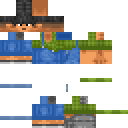
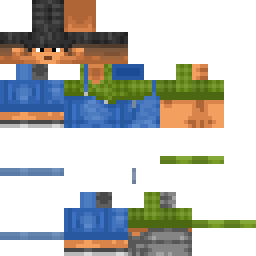
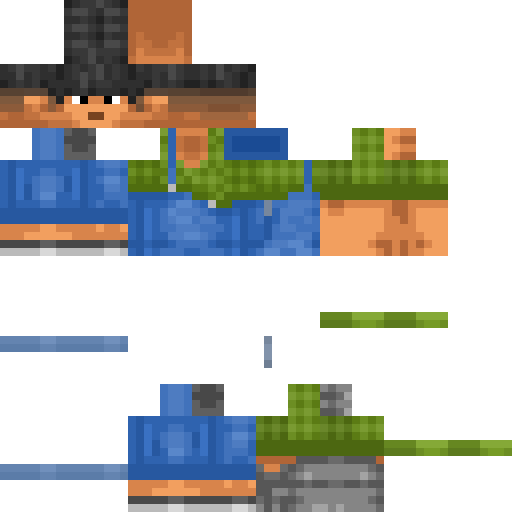
Idoesstuff Minecraft Skin
✓ Approved
Skin for Idoesstuff
1
Downloads
148
Views
0
Likes
Reactions
Log in to react.
Minecraft profile
5f3efece-97c9-4fa2-a6e2-3da7a150b96fModel
classic
Views / 30 days
26
Observed names
Dates show when minecraft.how first observed each name.
Idoesstuff—
Skin history
History grows as minecraft.how observes profile changes.

Head command
/give @p minecraft:player_head[profile={name:"Idoesstuff"}]Users with Same Texture (51 total)
51
Total Users
61.4K
Combined Views
51
Combined Downloads
 toivoonsmegmaa
21.3K views1 downloads
 matsios100
1.3K views1 downloads
 Good_buddy_
1.3K views1 downloads
 babinos2012
1.1K views1 downloads
 AirSuperMarine
1.0K views1 downloads
 BUNNYLOVER9999
1.0K views1 downloads
 TechnoGun10
980 views1 downloads
 MamaSquirrel809
936 views1 downloads
 Julian_Reiter
923 views1 downloads
 Dod0abominator
913 views1 downloads
 Daboyz2001
889 views1 downloads
 RicketyDawn5876
889 views1 downloads
 SirAlxssio
877 views1 downloads
 Eliloermig
849 views1 downloads
 twilightthousand
846 views1 downloads
 Derhvy
845 views1 downloads
 CutePi817
842 views1 downloads
 blake0812lopit
834 views1 downloads
 knight_intro
834 views1 downloads
 markksh18
816 views1 downloads
 Dr_Queeny
815 views1 downloads
 DiskMiller
807 views1 downloads
 Francko245
788 views1 downloads
 Le_Asian
784 views1 downloads
 kaz010
782 views1 downloads
 SharkPirateZE
775 views1 downloads
 zimbabweezeAap
774 views1 downloads
 Volodyaaa_
773 views1 downloads
 skyyyy421
773 views1 downloads
 130gil
766 views1 downloads
 Purmelheimer
763 views1 downloads
 theblockiteer6
763 views1 downloads
 Yinetty
750 views1 downloads
 yolo1306
739 views1 downloads
 sokar311
723 views1 downloads
 nottheproe1
719 views1 downloads
 TagMagWag
718 views1 downloads
 DasPoot5419
714 views1 downloads
 VLAN_010
713 views1 downloads
 CentralxxC4
712 views1 downloads
 beeyagee7878
707 views1 downloads
 AustinDuzis
706 views1 downloads
 lmp30p
702 views1 downloads
 KaboomREAL
697 views1 downloads
 Feuerhertz05
695 views1 downloads
 Beifahrersitz
695 views1 downloads
 anctyenIy
689 views1 downloads
 sarthak0124
685 views1 downloads
 Brandabuilder316
678 views1 downloads
 TheCat91
644 views1 downloads
PNG · 64×64
Share this skin
Scan with your phone to share this skin
Tags
MinecraftSkinsIdoesstuff
Frequently Asked Questions
To download the Idoesstuff Minecraft skin:
- Click the "Download" button to get this free Idoesstuff skin
- The skin file
.pngwill be saved to your device - Works with both Java Edition and Bedrock Edition
- See below for complete installation instructions
To apply the Idoesstuff skin:
- Log in to your Mojang or Microsoft account on the official Minecraft website.
- Navigate to the "Skins" section in your profile.
- Upload the downloaded
.pngfile. - Launch Minecraft, and your character will now use the Idoesstuff skin.
Note: The process may vary slightly between Minecraft Java Edition and Minecraft Bedrock Edition.
Yes, the Idoesstuff skin is compatible with both Minecraft Java Edition and Minecraft Bedrock Edition. However, the method of applying the skin may differ slightly between the two versions. Follow the instructions provided on this page for your specific edition.
Absolutely! You can edit the Idoesstuff skin using a Minecraft skin editor. Simply open the downloaded
.png file in the editor, make your changes, and save the file. Then, upload the edited skin to your Minecraft profile.If the Idoesstuff skin isn't working, try the following:
- Ensure you downloaded the correct file format
.png. - Make sure you're using the correct version of Minecraft Java Edition or Bedrock Edition.
- Check that the skin file is not corrupted. Re-download the skin if necessary.
- Log out and back into your Mojang or Microsoft account to refresh your profile.
Create your own skin
Draw a pixel-perfect Minecraft skin in the browser with our free 3D skin editor.
→ Skin Creator