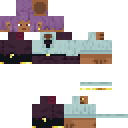
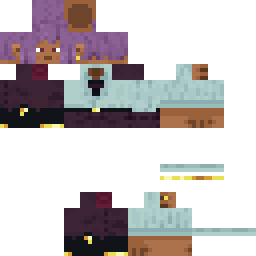
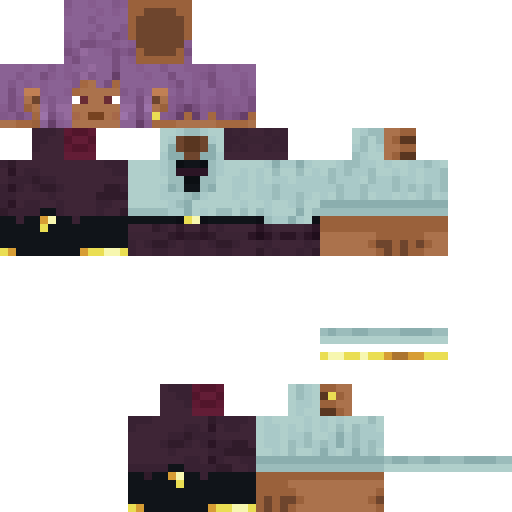
kane1709 Minecraft Skin
✓ Approved
Skin for kane1709
0
Downloads
176
Views
0
Likes
Reactions
Log in to react.
Minecraft profile
0669c6ce-2d6f-443c-91c2-351240ae6873Model
classic
Views / 30 days
15
Observed names
Dates show when minecraft.how first observed each name.
kane1709—
Skin history
History grows as minecraft.how observes profile changes.

Head command
/give @p minecraft:player_head[profile={name:"kane1709"}]Users with Same Texture (51 total)
51
Total Users
15.4K
Combined Views
0
Combined Downloads
 FoughtLEGEND276
7.1K views0 downloads
 HektorRsej
205 views0 downloads
 neyghar77
199 views0 downloads
 Snoxxy420
194 views0 downloads
 HeadYoungin
189 views0 downloads
 R3de3st
185 views0 downloads
 Sasastur
182 views0 downloads
 DigitalCow91234
181 views0 downloads
 Bohdan123456
181 views0 downloads
 apobaba6931
181 views0 downloads
 lilsoupski
180 views0 downloads
 dannyqqwq555
179 views0 downloads
 Kalhotakk
178 views0 downloads
 find_the_nugget
175 views0 downloads
 temyatemya
175 views0 downloads
 Flowzser
174 views0 downloads
 AndV2009
174 views0 downloads
 Arcanes_Son
173 views0 downloads
 MonkeySilverfish
169 views0 downloads
 Phoenixcatmeow
169 views0 downloads
 qwekusu_
169 views0 downloads
 AlecThunder1039
168 views0 downloads
 Emil5555
167 views0 downloads
 Thrower_game
166 views0 downloads
 vulcaN04N
165 views0 downloads
 Magma699
165 views0 downloads
 FireRaven25
164 views0 downloads
 BingBongWong
164 views0 downloads
 Xentoo89
163 views0 downloads
 eesazzr
163 views0 downloads
 KayaGame
162 views0 downloads
 Vinny200
162 views0 downloads
 LeifisLiving
161 views0 downloads
 dragonite_721
159 views0 downloads
 Avocadotoast343
158 views0 downloads
 ArcadeSmasher_92
158 views0 downloads
 ZOROFROMEARTH
157 views0 downloads
 mommy_kitte
157 views0 downloads
 izthatguy2333
156 views0 downloads
 Chinchiller
154 views0 downloads
 Retromani
153 views0 downloads
 Autumned
152 views0 downloads
 martq
martq152 views0 downloads
 liufucheng13
150 views0 downloads
 SupaBallerGuy121
150 views0 downloads
 Baerlauchpesto
149 views0 downloads
 Mohanni
148 views0 downloads
 JR_TheOof
146 views0 downloads
 Neipe
Neipe142 views0 downloads
 insaurralde05
140 views0 downloads
PNG · 64×64
Share this skin
Scan with your phone to share this skin
Tags
MinecraftSkinskane1709
Frequently Asked Questions
To download the kane1709 Minecraft skin:
- Click the "Download" button to get this free kane1709 skin
- The skin file
.pngwill be saved to your device - Works with both Java Edition and Bedrock Edition
- See below for complete installation instructions
To apply the kane1709 skin:
- Log in to your Mojang or Microsoft account on the official Minecraft website.
- Navigate to the "Skins" section in your profile.
- Upload the downloaded
.pngfile. - Launch Minecraft, and your character will now use the kane1709 skin.
Note: The process may vary slightly between Minecraft Java Edition and Minecraft Bedrock Edition.
Yes, the kane1709 skin is compatible with both Minecraft Java Edition and Minecraft Bedrock Edition. However, the method of applying the skin may differ slightly between the two versions. Follow the instructions provided on this page for your specific edition.
Absolutely! You can edit the kane1709 skin using a Minecraft skin editor. Simply open the downloaded
.png file in the editor, make your changes, and save the file. Then, upload the edited skin to your Minecraft profile.If the kane1709 skin isn't working, try the following:
- Ensure you downloaded the correct file format
.png. - Make sure you're using the correct version of Minecraft Java Edition or Bedrock Edition.
- Check that the skin file is not corrupted. Re-download the skin if necessary.
- Log out and back into your Mojang or Microsoft account to refresh your profile.
Create your own skin
Draw a pixel-perfect Minecraft skin in the browser with our free 3D skin editor.
→ Skin Creator