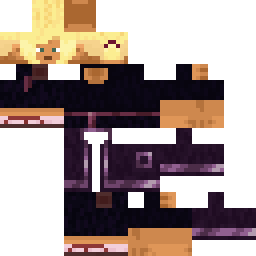
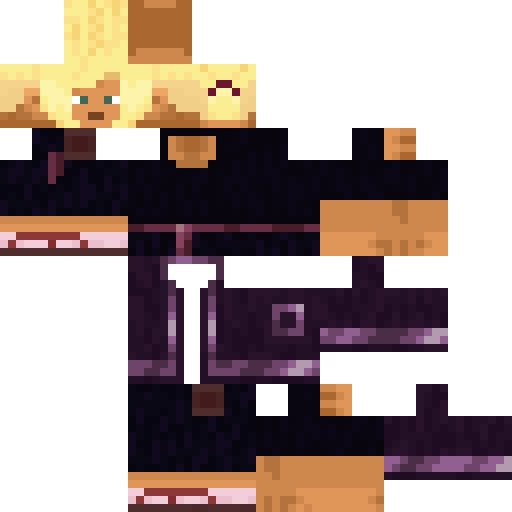
JahovoWitness Minecraft Skin
✓ Approved
Skin for JahovoWitness
1
Downloads
123
Views
0
Likes
Reactions
Log in to react.
Minecraft profile
008c5917-d2f2-496d-ab1a-1f78570cc0c2Model
classic
Views / 30 days
17
Observed names
Dates show when minecraft.how first observed each name.
JahovoWitness—
Skin history
History grows as minecraft.how observes profile changes.

Head command
/give @p minecraft:player_head[profile={name:"JahovoWitness"}]Users with Same Texture (51 total)
51
Total Users
54.3K
Combined Views
52
Combined Downloads
 ikasumi1025
14.6K views1 downloads
 RamiSyrjala
1.1K views1 downloads
 Maligo5
1.1K views1 downloads
 suminsbigtoe127
1.0K views1 downloads
 Xdwdanson
1.0K views1 downloads
 Parachute4443
1.0K views1 downloads
 SteelEagle568
977 views2 downloads
 BabaBooey1234
976 views1 downloads
 HarrisGR
970 views1 downloads
 scoopticles
936 views1 downloads
 SirQuintavious
918 views1 downloads
 KOPF12
914 views1 downloads
 ninjaboco
884 views1 downloads
 lazythepro
870 views1 downloads
 Alp4a
865 views1 downloads
 ragnarkiller111
863 views1 downloads
 frank93852
831 views1 downloads
 mintyminy26
826 views1 downloads
 StriverVT
820 views1 downloads
 AlteredBug9110
817 views1 downloads
 fires666
814 views1 downloads
 bodybagGODLIKE
800 views1 downloads
 Akshay3196
792 views1 downloads
 brHEEEE
791 views1 downloads
 GracedElf
787 views1 downloads
 faz3_m0n3y
786 views1 downloads
 DBomb222
769 views1 downloads
 Forrvator
765 views1 downloads
 Antibrix
758 views1 downloads
 _TheQuietKid
757 views1 downloads
 Maple__Donut
746 views1 downloads
 CorreiaMO
745 views1 downloads
 Jaca2116
744 views1 downloads
 HispanolaV2
740 views1 downloads
 MohammadSmith
734 views1 downloads
 gabbak
730 views1 downloads
 hypixeldeaf
730 views1 downloads
 CM_TheEnder
723 views1 downloads
 SAHILSTAFFMASTER
722 views1 downloads
 SrGohi
710 views1 downloads
 itsmejak78
709 views1 downloads
 Antu69_
707 views1 downloads
 Alelass
701 views1 downloads
 Wh1teKarma
685 views1 downloads
 M0neybagbr0
670 views1 downloads
 SeAlLoRd0312
667 views1 downloads
 AsR_Yes
666 views1 downloads
 Awesomefortyf
628 views1 downloads
 DumpyLin
621 views1 downloads
 TheTrueHen
621 views1 downloads
PNG · 64×64
Share this skin
Scan with your phone to share this skin
Tags
MinecraftSkinsJahovoWitness
Frequently Asked Questions
To download the JahovoWitness Minecraft skin:
- Click the "Download" button to get this free JahovoWitness skin
- The skin file
.pngwill be saved to your device - Works with both Java Edition and Bedrock Edition
- See below for complete installation instructions
To apply the JahovoWitness skin:
- Log in to your Mojang or Microsoft account on the official Minecraft website.
- Navigate to the "Skins" section in your profile.
- Upload the downloaded
.pngfile. - Launch Minecraft, and your character will now use the JahovoWitness skin.
Note: The process may vary slightly between Minecraft Java Edition and Minecraft Bedrock Edition.
Yes, the JahovoWitness skin is compatible with both Minecraft Java Edition and Minecraft Bedrock Edition. However, the method of applying the skin may differ slightly between the two versions. Follow the instructions provided on this page for your specific edition.
Absolutely! You can edit the JahovoWitness skin using a Minecraft skin editor. Simply open the downloaded
.png file in the editor, make your changes, and save the file. Then, upload the edited skin to your Minecraft profile.If the JahovoWitness skin isn't working, try the following:
- Ensure you downloaded the correct file format
.png. - Make sure you're using the correct version of Minecraft Java Edition or Bedrock Edition.
- Check that the skin file is not corrupted. Re-download the skin if necessary.
- Log out and back into your Mojang or Microsoft account to refresh your profile.
Create your own skin
Draw a pixel-perfect Minecraft skin in the browser with our free 3D skin editor.
→ Skin Creator