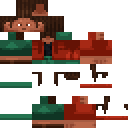
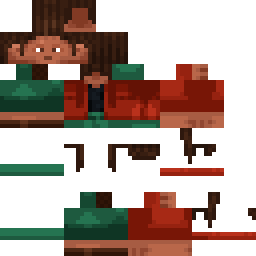
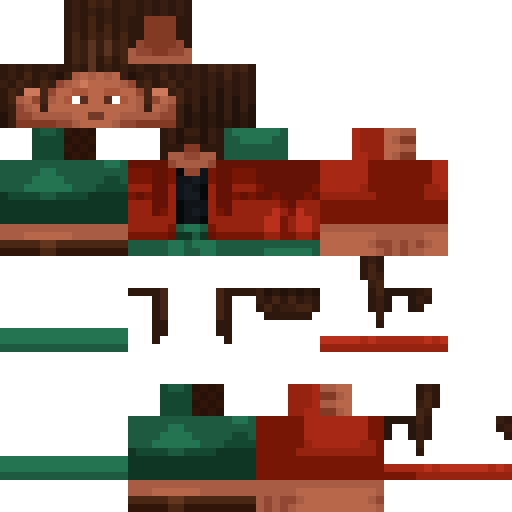
DupedAbso Minecraft Skin
✓ Approved
Skin for DupedAbso
1
Downloads
129
Views
0
Likes
Reactions
Log in to react.
Minecraft profile
78622fba-5f87-4d96-86f4-d2036f15372fModel
classic
Views / 30 days
20
Observed names
Dates show when minecraft.how first observed each name.
DupedAbso—
Skin history
History grows as minecraft.how observes profile changes.

Head command
/give @p minecraft:player_head[profile={name:"DupedAbso"}]Users with Same Texture (51 total)
51
Total Users
47.5K
Combined Views
51
Combined Downloads
 TSZ_Dr_egg
8.9K views1 downloads
 TSTARGAMING405
1.1K views1 downloads
 Fecostli
1.0K views1 downloads
 Parcivalplays02
1.0K views1 downloads
 CLAIRMOON_
965 views1 downloads
 thornzey
951 views1 downloads
 MHW_RAIGA65
930 views1 downloads
 Flux25809
921 views1 downloads
 SPD0987
909 views1 downloads
 Antifemand
894 views1 downloads
 TheVoid123
885 views1 downloads
 Demo0nic1
874 views1 downloads
 Coolkidthegogo
866 views1 downloads
 sethhasanstd
860 views1 downloads
 NewPrada
850 views1 downloads
 badatgames12
848 views1 downloads
 benirker3
836 views1 downloads
 Electenze0
829 views1 downloads
 Sub2Oasio
819 views1 downloads
 Errerasauro_1
798 views1 downloads
 diggeran455
796 views1 downloads
 Demdead
780 views1 downloads
 PoKiaChou
768 views1 downloads
 floonaut90
767 views1 downloads
 Eddie_be
767 views1 downloads
 XOTIM99
766 views1 downloads
 Katcakes77
759 views1 downloads
 cooldude492
757 views1 downloads
 Simutti
754 views1 downloads
 MrMinecraft9453
754 views1 downloads
 Urbannerboar1899
748 views1 downloads
 Daytimeboat
742 views1 downloads
 BurningFlame21
734 views1 downloads
 noobhead8702
733 views1 downloads
 SKzXXI
719 views1 downloads
 Supersonicjew69
719 views1 downloads
 MaiKaba
717 views1 downloads
 bigbbl4l
711 views1 downloads
 SkyblockPro_1231
686 views1 downloads
 simyropanda
685 views1 downloads
 Icehamster12
684 views1 downloads
 SkyDragonNF
684 views1 downloads
 koolhere
674 views1 downloads
 Way2Violent
671 views1 downloads
 IIlIDawgIIlI
662 views1 downloads
 dizzyyyyy13371
656 views1 downloads
 Netheritery
649 views1 downloads
 nexustar84147
646 views1 downloads
 Gringo10
609 views1 downloads
 Bernas_Gamer79
540 views1 downloads
PNG · 64×64
Share this skin
Scan with your phone to share this skin
Tags
MinecraftSkinsDupedAbso
Frequently Asked Questions
To download the DupedAbso Minecraft skin:
- Click the "Download" button to get this free DupedAbso skin
- The skin file
.pngwill be saved to your device - Works with both Java Edition and Bedrock Edition
- See below for complete installation instructions
To apply the DupedAbso skin:
- Log in to your Mojang or Microsoft account on the official Minecraft website.
- Navigate to the "Skins" section in your profile.
- Upload the downloaded
.pngfile. - Launch Minecraft, and your character will now use the DupedAbso skin.
Note: The process may vary slightly between Minecraft Java Edition and Minecraft Bedrock Edition.
Yes, the DupedAbso skin is compatible with both Minecraft Java Edition and Minecraft Bedrock Edition. However, the method of applying the skin may differ slightly between the two versions. Follow the instructions provided on this page for your specific edition.
Absolutely! You can edit the DupedAbso skin using a Minecraft skin editor. Simply open the downloaded
.png file in the editor, make your changes, and save the file. Then, upload the edited skin to your Minecraft profile.If the DupedAbso skin isn't working, try the following:
- Ensure you downloaded the correct file format
.png. - Make sure you're using the correct version of Minecraft Java Edition or Bedrock Edition.
- Check that the skin file is not corrupted. Re-download the skin if necessary.
- Log out and back into your Mojang or Microsoft account to refresh your profile.
Create your own skin
Draw a pixel-perfect Minecraft skin in the browser with our free 3D skin editor.
→ Skin Creator