Creación de modelos low-poly de Minecraft con Blockbench
blockbench (JannisX11/blockbench)
Blockbench - Un editor de modelos 3D low poly
¿Alguna vez has querido crear modelos 3D personalizados para tu servidor de Minecraft o paquete de recursos pero te asustó la curva de aprendizaje y el precio de Blender? Blockbench elimina la complejidad. Es un editor gratuito y de código abierto diseñado específicamente para modelos low-poly y contenido de Minecraft, con una interfaz limpia que los principiantes entienden perfectamente.
Qué hace Blockbench
Blockbench es un editor de modelos 3D creado desde cero para modelos low-poly con texturas de pixel art. Piensa en él como lo opuesto al diseño de Blender de "todo a la vez". Mientras que Blender te lanza todas las herramientas posibles y espera que lo resuelvas, Blockbench te da exactamente lo que necesitas y mantiene la simplicidad.
El proyecto comenzó porque alguien se dio cuenta de que hacer contenido personalizado para Minecraft no debería requerir un software de pago que toma semanas aprender. Eso se nota en el diseño. La interfaz se siente moderna sin ser pretenciosa, y funciona de la misma manera si estás haciendo tu primer bloque simple o un personaje complejo con estructura articulada.
Gratuito y de código abierto bajo la licencia GPL-3.0.
Exporta a múltiples formatos, pero esto es lo que importa: soporte nativo para formatos de modelos de Minecraft Java y Bedrock con características específicas de cada formato integradas. También puedes guardar como OBJ, Collada o GLFT, lo que significa que tus modelos no están limitados solo a Minecraft. Crea algo una vez y úsalo casi en cualquier lugar.
Cuándo usarlo
Hablemos de forma práctica. Si administras un servidor de Minecraft y quieres objetos o criaturas personalizadas que se vean diferentes a los bloques vanilla, Blockbench es donde debes empezar. Lo mismo se aplica para paquetes de recursos, paquetes de datos o simplemente para experimentar con la creación de contenido.
¿Conjuntos de armaduras personalizadas? ¿Muebles que parezcan parte del juego? ¿Bloques completamente nuevos? Todo eso es terreno de Blockbench.
El sistema de animación es donde la cosa se pone interesante. Si tu contenido tiene movimiento (NPCs, criaturas personalizadas, muebles animados), puedes configurar estructuras de huesos, crear animaciones con fotogramas clave y exportarlo todo en formatos que los motores de juegos entienden. No tendrás que pelear con la herramienta para hacer lo básico.
Y aquí está el detalle: puedes probar tus modelos en un entorno real de Minecraft. Una vez que hayas construido algo en Blockbench, puedes exportarlo y cargarlo en un servidor de prueba. Si necesitas configurar ese servidor, la lista de servidores de Minecraft te muestra lo que está funcionando, y el generador de server.properties configura tus ajustes básicos en minutos.
Instalación y configuración
La forma más fácil es descargar la aplicación de escritorio desde blockbench.net. Funciona perfectamente en Windows, macOS y Linux. ¿No quieres instalar nada? Utiliza el editor web directamente en tu navegador.
Si prefieres compilar desde el código fuente (para colaborar con el proyecto o experimentar con plugins), clona el repositorio e instala las dependencias:
npm installInicia la versión de escritorio con:
npm run dev¿Prefieres el navegador? Utiliza esto:
npm run serveLuego abre http://localhost:3000. Ambas opciones funcionan bien. Elige la que mejor se adapte a tu flujo de trabajo.
Características destacadas
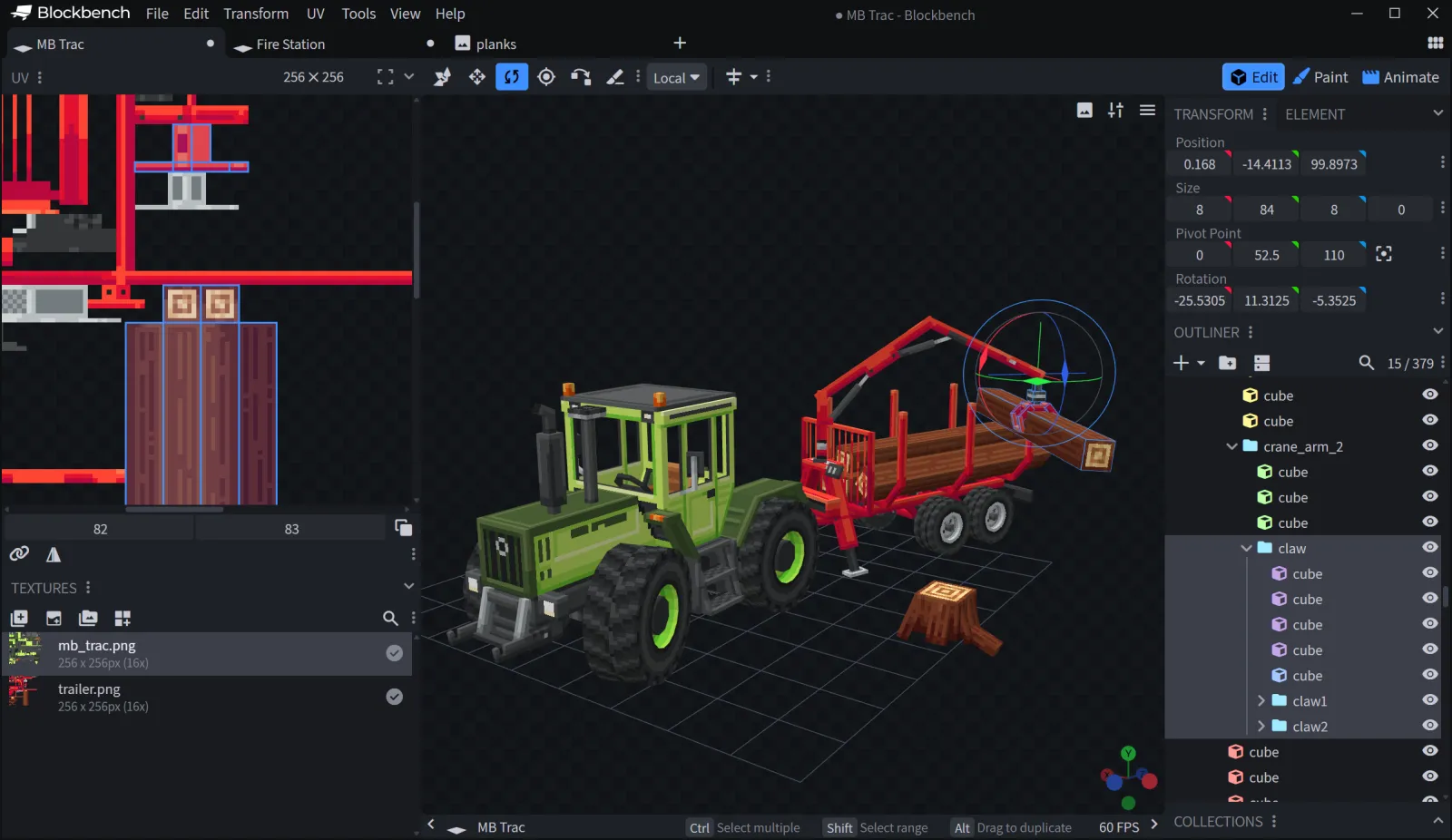
Modelado basado en cubos. Los modelos se construyen a partir de cubos (no de polígonos). Tú escalas, rotas y los posicionas. Esto puede sonar limitante, pero es precisamente lo que hace que Blockbench sea rápido y por qué crea recursos que encajan perfectamente con el estilo de Minecraft. El enfoque low-poly es el objetivo aquí, no una limitación.
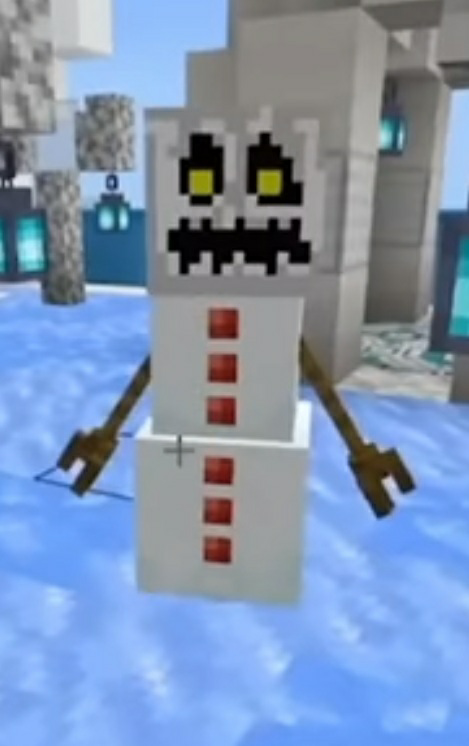
El área de visualización es muy directa: rota, haz zoom e inspecciona desde todos los ángulos. El texturizado también ocurre dentro del editor. Pinta directamente sobre tu modelo, o carga texturas de pixel art y asígnalas. Los formatos de Minecraft manejan las plantillas UV automáticamente, lo que te ahorra horas de mapeo manual.
Herramientas específicas para cada formato. Blockbench realmente entiende Minecraft Java Edition, Bedrock, paquetes de datos de Java y formatos de complementos. Incluye herramientas específicas para cada uno. Los modelos de Java reciben soporte para animaciones y articulaciones de huesos. Bedrock tiene un manejo de UV diferente debido a cómo funciona su formato. No tendrás que pelear con archivos de configuración para ajustar tu formato.
Animación que realmente funciona. Configura una estructura de huesos, crea fotogramas clave y Blockbench se encargará de la interpolación. Puedes previsualizar las animaciones en tiempo real, ajustar curvas y superponer varias animaciones. No se supone que esto sea posible en una herramienta gratuita. Es realmente impresionante.
Además, los plugins amplían todas las funciones. Alguien creó un plugin para importar desde otros formatos y otro automatiza el mapeo de texturas. La comunidad ha construido una sólida caja de herramientas a lo largo de los años.
Qué suele confundir a la gente
El mapeo UV y la estructura de huesos tienen curvas de aprendizaje si nunca has hecho modelado 3D. Blockbench enseña esto mejor que la mayoría de las herramientas, pero es posible que necesites un tutorial o dos. La documentación de la wiki es excelente.
Los modelos muy complejos pueden ralentizar el editor, especialmente con texturas de alta resolución y al pintar. La solución es simplificar tu modelo o dividir las piezas complejas. El rendimiento de la versión web varía según el navegador y el hardware.
Los formatos de modelos de Minecraft tienen límites estrictos. No puedes hacer curvas perfectamente suaves ni deformaciones avanzadas como lo harías en Blender, porque Minecraft utiliza cubos y huesos. Esto es intencional. Si necesitas recursos fotorrealistas, esta no es la herramienta. Si quieres modelos que se vean bien y funcionen rápido en Minecraft, estás en el lugar correcto. La última versión (versión 5.1.3) corrigió algunos problemas de rendimiento de pintura en mallas complejas.
Otras herramientas que vale la pena conocer
Blender es infinitamente más potente y también gratuito, pero es masivo, complejo y honestamente excesivo si solo quieres diseñar una espada o una criatura personalizada. La curva de aprendizaje y el tamaño de la descarga te harán arrepentirte si estás empezando.
Cubik Studio existe en un espacio similar, es de pago y se actualiza con menos frecuencia. Está bien si ya lo compraste, pero la inercia y el apoyo de la comunidad están del lado de Blockbench.
Aseprite, para flujos de trabajo enfocados en la textura (crear pixel art, importarlo y construir modelos a su alrededor), combina muy bien con Blockbench. Los visores de modelos como Crafatar son herramientas independientes para renderizar, no para editar.
En resumen: si estás creando contenido para Minecraft, terminarás usando Blockbench. Más de 5.300 estrellas en GitHub y un código base en JavaScript fácil de ampliar son las razones por las que este proyecto sigue vigente y creciendo.

Lead writer at minecraft.how. Long-time Minecraft player running a small SMP server, testing every build, mod, and seed before writing about it.
Preguntas Frecuentes
¿De verdad Blockbench es gratuito?
¿Puedo usar modelos personalizados de Blockbench en mi servidor de Minecraft?
¿Cuál es la diferencia entre el soporte para los formatos Java y Bedrock en Blockbench?
¿Necesito experiencia en modelado 3D para usar Blockbench?
¿Puedo crear animaciones y partes móviles en Blockbench?
Have a Question or Tip about this Guide?Community Q&A
Ask a question or help other players below. Join the discussion and share your Minecraft tips!
Comentarios
Aún no hay comentarios. ¡Sé el primero en compartir tu opinión!