Crear Mods de Minecraft: Herramientas Esenciales 2026
Crear mods de Minecraft requiere tres cosas: conocimiento de Java, las herramientas de desarrollo correctas, y paciencia genuina. La buena noticia es que los tres están totalmente al alcance de los principiantes en 2026. La barrera es más baja que nunca - las herramientas son gratuitas, la documentación existe, y la comunidad no te burlará por hacer preguntas básicas.
Lo Que Necesitarás
La programación en Java es innegociable. No necesitas ser fluido, pero necesitas entender los conceptos fundamentales - variables, métodos, clases, herencia. Si Java es completamente nuevo para ti, espera 2-4 semanas de aprendizaje antes de sentirte cómodo leyendo código de mods existentes. No hay atajos aquí, y no debería haberlos. Estás escribiendo código que se ejecuta en las máquinas de otras personas.
Un IDE es esencial.
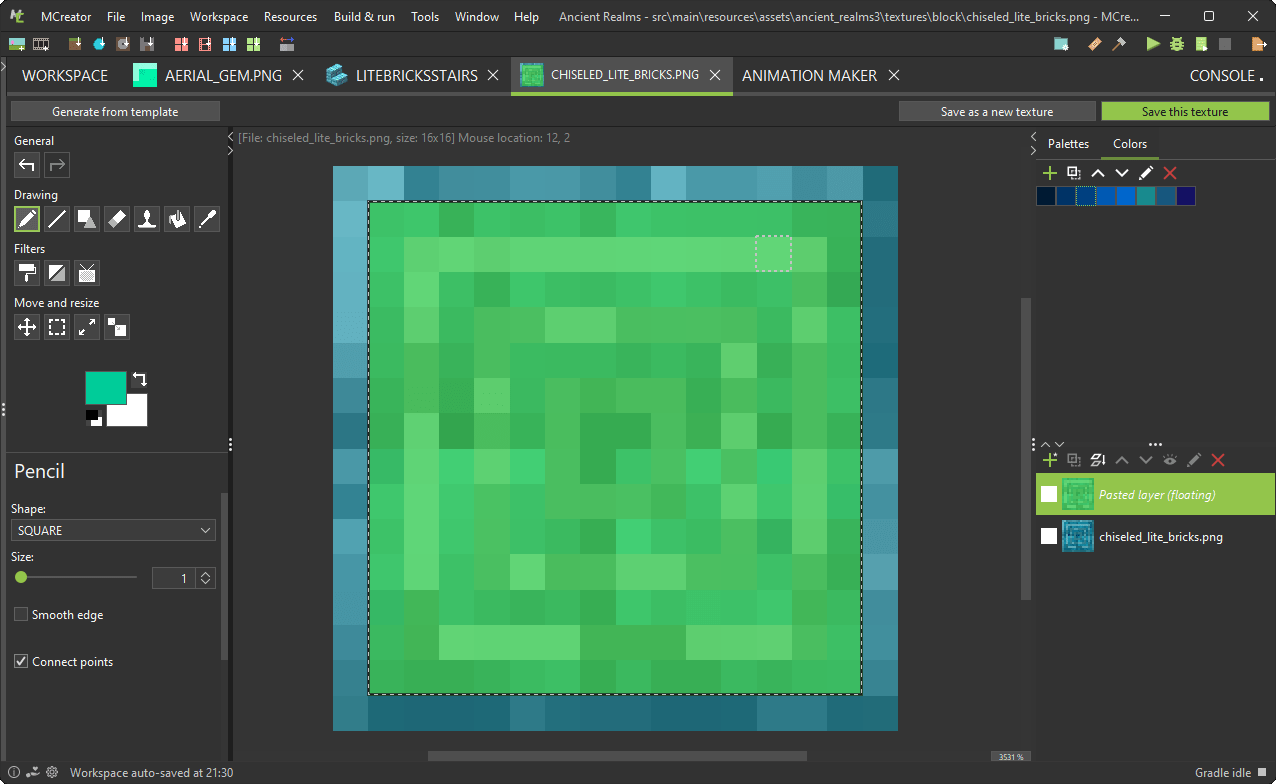
La mayoría de los creadores de mods usan IntelliJ IDEA Community Edition, y por buena razón - es gratuito, potente, y es prácticamente el estándar en el mundo del modding de Minecraft. Visual Studio Code funciona si estás decidido, pero IntelliJ te ahorrará horas de dolores de cabeza de configuración.
Necesitarás Java 17 o superior ya que Minecraft 26.2 se ejecuta en esa versión. El Minecraft Launcher es obvio. Y necesitas elegir un marco de modding - Forge, Fabric, o Quilt. Esas son tus tres opciones principales.
Entendiendo Forge vs Fabric
Forge es la opción establecida. Ha existido desde los primeros días del modding, y la mayoría de los mods que encontrarás en Curse Forge fueron construidos con él. La documentación es sólida, la comunidad es enorme, y cuando algo se rompe, probablemente alguien ya lo haya resuelto. Los principiantes generalmente se benefician de la madurez de Forge.
Fabric es más nuevo, más ligero, y atrae a desarrolladores que quieren un control más fino sobre sus mods. Es arquitectónicamente más limpio que Forge y no tiene peso muerto. Para programadores experimentados, Fabric se siente bien. Para principiantes absolutos, los recursos de la comunidad de Forge importan más que la elegancia arquitectónica.
Quilt es la opción más nueva, separándose de Fabric hace relativamente poco. Impulsado por la comunidad y ganando impulso, pero el ecosistema sigue siendo más pequeño.
Mi elección - Forge para tu primer mod. La documentación importa más que la filosofía en esta etapa.
Configurando Tu Entorno
Descarga IntelliJ IDEA Community Edition primero. Es gratuito y es el estándar de la industria.
Luego consigue el MDK de Minecraft Forge o una plantilla de inicio de Fabric dependiendo de qué marco elegiste. Instala Java 17 o superior. Mira, eso es genuinamente toda la infraestructura que necesitas.
Estaba a punto de decir que necesitas una máquina potente para esto. En realidad, eso no es del todo correcto - he creado mods en máquinas con 4GB de RAM. La mayoría de las computadoras portátiles funcionan bien. No estás renderizando nada pesado, y el IDE usa CPU razonablemente. Es manejable en hardware modesto.
Mantén tu espacio de trabajo organizado desde el primer día. Crea una estructura de carpetas que realmente recordarás. Confía en mí en esto.
Caminos de Aprendizaje Que Funcionan
El wiki de Minecraft Forge cubre los fundamentos. La documentación de Fabric es más delgada pero a menudo más clara. Ninguno es perfecto, pero ambos existen y son gratuitos. Cuando te quedes atrapado, busca la documentación primero antes de arrancarte el cabello.
YouTube tiene tutoriales de modding que son realmente actuales. Verifica las fechas de carga primero - los tutoriales de 2023 podrían estar completamente desactualizados para el desarrollo de 2026. ¿Los recientes? Oro puro.
Discord es donde se reúnen los verdaderos modders. Únete a un servidor de Discord dedicado al modding de Forge o Fabric. Las personas allí responden preguntas sin gatekeeping, lo que es raro en línea. Aprenderás más rápido rodeado de personas que están construyendo mods en este momento.
Construyendo Tu Primer Mod
Comienza pequeño.
No puedo enfatizar esto lo suficiente. Un bloque nuevo. Un artículo nuevo. Un mob simple. Algo que puedas terminar en 2-4 semanas sin quemarte. Veo demasiados principiantes renunciar porque comenzaron con visiones grandiosas - "Estoy haciendo un mod de automatización completo con 50 máquinas" como su primer proyecto. Eso es pensamiento de versión 5.0. No es así.
Termina algo básico. Algo que funcione. Publícalo. Obtén retroalimentación. Luego construye más grande. La progresión importa más que la ambición inicial.
Pruebas en Multijugador
El modo un jugador oculta errores. El multijugador los expone sin piedad - problemas de sincronización de red, problemas de velocidad de tick, rendimiento bajo carga. Si tu objetivo es mods para servidores, prueba en servidores reales donde puedas ver el comportamiento real del jugador.
Muchos modders configuran servidores de prueba privados para esto. Algunos prueban en servidores comunitarios como CraftMC donde los desarrolladores pueden verificar sus mods en condiciones reales. Si eres serio sobre infraestructura de servidor, necesitarás entender la configuración de DNS y la administración de servidor - minecraft.how tiene herramientas de DNS gratuitas que los administradores de servidor usan para la configuración adecuada de infraestructura.
Publicación y Comunidad
Curse Forge es donde se publican la mayoría de los mods de Minecraft, aunque GitHub, Modrinth y descargas directas también existen. Primero publica el código abierto en GitHub - ahí es donde realmente sucede la colaboración. Las personas pueden bifurcar tu código, contribuir correcciones y construir sobre lo que has hecho.
Cuando publiques, obtendrás reportes de errores de jugadores reales. Corrígelos. Participa con tu comunidad. Es genuinamente gratificante ver a personas usar algo que construiste y preocuparse lo suficiente como para reportar problemas en lugar de simplemente seguir adelante.
La comunidad de modding se superpone mucho con artistas, constructores y creadores de contenido. Revisa la galería de skins de minecraft.how para entender cómo los creadores visuales abordan la estética de Minecraft. Ese conocimiento te ayuda a construir mods que se integren hermosamente con el aspecto y la sensación del juego.
El Rendimiento Importa
Los mods mal optimizados son peores que ningún mod en absoluto. No hagas un bucle por cada chunk en cada tick. No crees estructuras de datos masivas que nunca se limpien. No ejecutes cálculos intensivos en el hilo principal sin almacenar en caché los resultados.
Aprende conceptos de optimización temprano.
Tu reputación depende del rendimiento de tu mod tanto como de sus características. Los principiantes generalmente ignoran esto hasta que su mod se vuelve más popular, luego de repente los servidores se quedan sin recursos. Comienza bien la primera vez.
Los mods para servidores son significativamente más difíciles que los mods para clientes porque necesitan sincronización de red - los datos tienen que sincronizarse entre el servidor y los clientes, y el timing de los ticks se vuelve crucial. La complejidad aumenta significativamente. No comiences con multijugador. Construye primero mods para clientes, aprende lo básico, luego aborda los mods para servidores cuando te sientas cómodo.
¿Vale La Pena?
Si disfrutas programar y amas Minecraft, absolutamente sí. La curva de aprendizaje es real pero no es imposible. Todas las herramientas son gratuitas. La comunidad es de apoyo y no practicará gatekeeping.
Forge y Fabric se han madurado en plataformas estables y confiables. Java no va a ningún lado. Minecraft 26.2 es sólido. La infraestructura para el modding nunca ha sido mejor.
Descarga IntelliJ. Sigue un tutorial. Comienza pequeño. Construye algo real. Tienes todo lo que necesitas.

Lead writer at minecraft.how. Long-time Minecraft player running a small SMP server, testing every build, mod, and seed before writing about it.
Preguntas Frecuentes
¿Cuál es el lenguaje de programación esencial para crear mods de Minecraft?
¿Qué IDE es recomendado para el desarrollo de mods de Minecraft?
¿Por qué es importante comenzar con un proyecto de mod pequeño?
¿Dónde se publican la mayoría de los mods de Minecraft?
¿Por qué es crucial probar mods en modo multijugador?
Have a Question or Tip about this Guide?Community Q&A
Ask a question or help other players below. Join the discussion and share your Minecraft tips!
Comentarios
Aún no hay comentarios. ¡Sé el primero en compartir tu opinión!