Guía de Referencia PDF de Minecraft para 2026
Si quieres una guía PDF de Minecraft en 2026, usa fuentes legales y actualizadas, e ignora sitios sospechosos de 'descarga gratis'. No existe un PDF oficial perfecto para cada jugador, así que la mejor opción suele ser un ebook con licencia o un PDF personalizado hecho para la versión que realmente juegas.
Dónde obtener una guía PDF de Minecraft de forma segura
La mayoría de jugadores que buscan esto quieren una de tres cosas: una hoja de trucos de supervivencia imprimible, un manual para principiantes para un niño, o una referencia sin conexión que siga funcionando cuando el Wi-Fi decide esfumarse como una antorcha de piedra roja muerta. Está bien. Minecraft es demasiado grande ahora para confiar en un archivo misterioso de 2021 sin etiqueta de versión y una miniatura llena de diamantes.
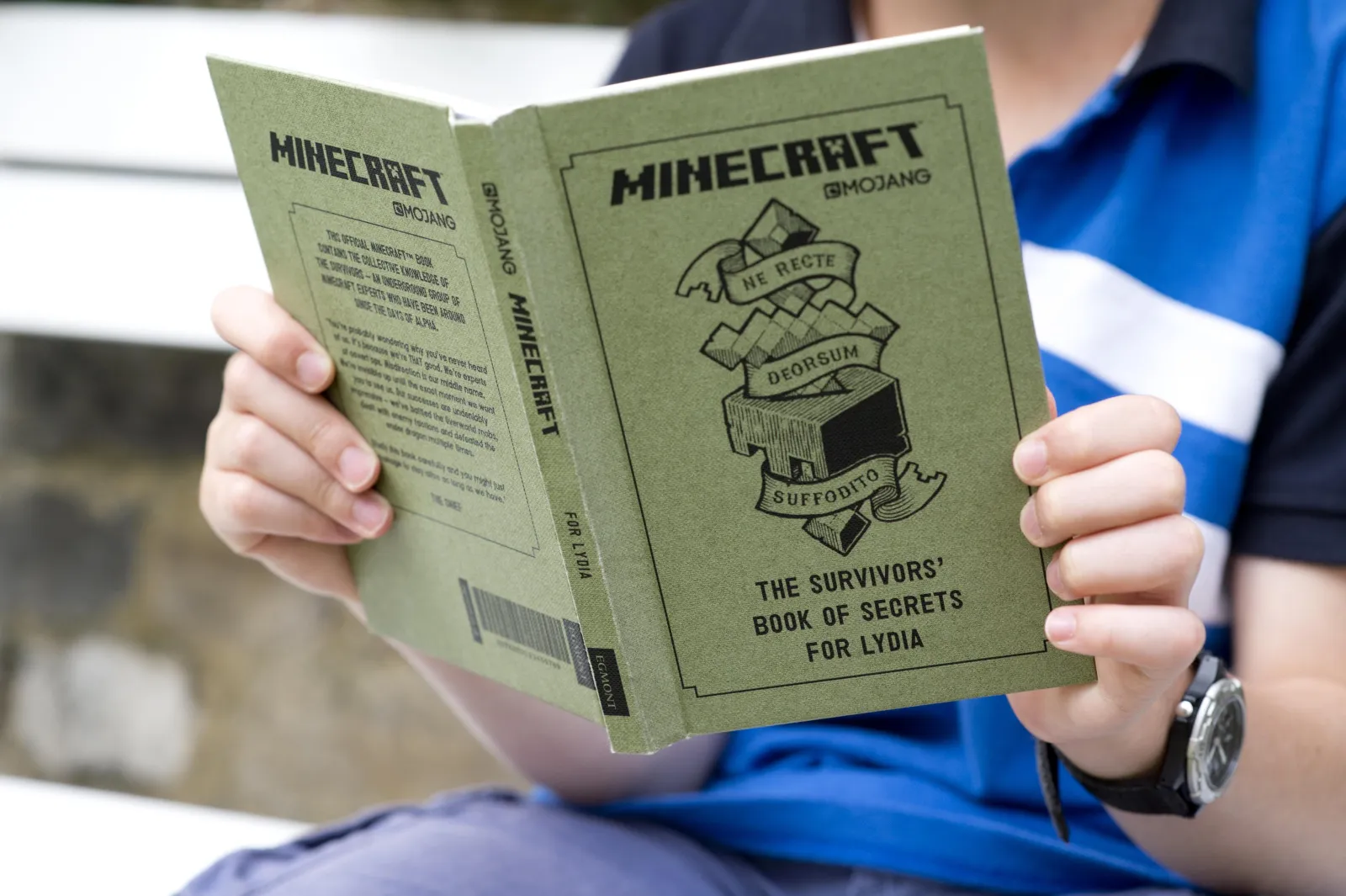
Aquí va la verdad un poco incómoda. Mojang no distribuye realmente un PDF oficial único, gratuito y completo para Minecraft vanilla. El hub oficial de consejos para principiantes de Minecraft dirige a los jugadores hacia artículos y videos, y los libros con licencia llenan el rol tradicional de guía. Penguin Random House también enumera un ebook oficial de guía para principiantes de Minecraft, que es una opción mucho más segura que sitios de intercambio de archivos al azar si quieres leer estilo libro.
Así que si una página promete la guía oficial de Minecraft PDF completa gratis, sería sospechoso. En el mejor de los casos, es vieja. En el peor, es vieja e intenta instalar algo emocionante en tu portátil.
- Guías web oficiales: mejor para mecánicas actuales, controles, y comenzar rápido.
- Libros con licencia o ebooks: mejor si quieres un manual estructurado con arte, capturas de pantalla, y un ritmo más tranquilo.
- Tu propio PDF exportado: mejor cuando necesitas notas específicas de versión para Java, Bedrock, Realms, o un aula.
Mi prueba básica es simple: si el archivo no tiene número de versión, sin etiqueta de plataforma, y sin autor nombrado, sáltalo.
Lo que un buen PDF de guía de Minecraft necesita en 2026
Los PDF antiguos de Minecraft envejecen como la leche en el Nether. Uno útil en 2026 tiene que reflejar el juego actual, no un recuerdo fosilizado de cuevas tempranas y un sueño.
Solo la cobertura de mobs lo hace obvio. PCGamesN reportó que Minecraft vanilla tenía más de 80 mobs únicos a partir de 1.21.11, y también señalaron cambios de snapshot que actualizan los gráficos de mobs bebé. Eso importa más de lo que suena. Si tu PDF tiene tres mobs hostiles, una vaca, y una oración sobre lobos, ya no es una guía. Es una postal de un archivo de guardado mucho más simple.
¿Alguna vez intentaste recordar reglas de estaciones de trabajo de aldeanos, ramas de pociones, prioridades de botín de cámaras de prueba, eficiencia de alimentos, y preparación de portales de memoria después de la medianoche? Exacto. Una guía adecuada debe reducir fricción, no alardear.
Un PDF decente de 2026 debe incluir:
- Versión y edición: di claramente si el consejo es para Java, Bedrock, o ambas.
- Flujo de juego temprano: refugio del primer día, comida, hierro, encantamientos, entrada al Nether, luego preparación para el End.
- Páginas de mobs actualizadas: nivel de peligro, gotas, hábitats, y si un mob vale la pena criar.
- Notas de biomas y estructuras: lo suficiente para ayudar a los jugadores a encontrar lo que necesitan sin escribir una novela.
- Particularidades de plataforma: controles táctiles, UI de consola, límites de pantalla dividida, y advertencias de rendimiento.
- Espacio en blanco: semillas, coordenadas, comercios de aldeanos, tiempos de granja, y tus propios recordatorios tontos pero útiles.
Probé una hoja de inicio de dos páginas en nuestro pequeño servidor Paper, Birch Debt, y en un Realm de Bedrock con la familia. Las páginas que la gente realmente usaba no eran las sofisticadas. Querían espaciado de antorchas, tiempos de cosecha, notas de granja de hierro, y una lista limpia de qué llevar antes de entrar al Nether. Glamour perdió. La utilidad ganó.
Las páginas de portada elegantes no salvan información mala.
Por qué hacer tu propio PDF de guía de Minecraft a menudo funciona mejor
Honestamente, mi opción favorita en este momento es construir mi propio PDF de guía de Minecraft. No porque suene edificante. Porque el consejo de Minecraft se vuelve extrañamente personal en el segundo que sales de un mundo de supervivencia predeterminado.

Si eres un jugador de Java hardcore, tu guía necesita preparación de incursiones, enrutamiento de aldeanos, hábitos seguros de elytra, y probablemente una página para granjas. Si juegas Bedrock en tablets con niños, necesitas capturas de pantalla más grandes, recordatorios de controles, y menos suposiciones sobre pantallas F3 o cargadores de mods. Mismo sandbox, puntos de fricción totalmente diferentes.
Un diseño que resiste
- Portada con número de versión, semilla, objetivos del mundo, y plataforma.
- Lista de verificación de la primera noche de una página.
- Página central de elaboración y comida.
- Hoja de mobs con etiquetas de pelear, evitar, domesticar, o criar.
- Registro de construcción para bases, granjas, portales, y coordenadas.
- Página de actualización para lo que cambió después de cada parche.
Google Docs, Word, y Notion todos exportan PDFs limpios, así que no necesitas software sofisticado. Comienza con una lista de verificación simple, pruébala durante una semana, luego agrega páginas solo cuando notes un hueco real.
Mantengo la mía fea a propósito. En serio. Cuanto más bonita se vuelve una guía, menos probable es que alguien la actualice, y luego se convierte en arte digital de pared con una mesa de elaboración en la portada.
Hay otra ventaja. Un PDF personalizado puede coincidir con el tema de tu mundo en lugar de parecer una tarea. Si quieres una vibra de diario de supervivencia literario, me gusta el skin de Minecraft AniArtBook para una partida temática de libro, el skin de Minecraft 6bookworms para una apariencia caótica de lector, o el skin de Minecraft taebooki para una estética de bibliotecaria acogedora. Eso es extra, sí. También hace que los mundos compartidos sean más memorables, que es la mitad de la batalla para que la gente siga el plan.
En resumen: un PDF sencillo que realmente actualizas siempre vence a una reliquia bonita de 80 páginas.
Notas de Java, Bedrock, y consola que tu PDF no puede ignorar
Aquí es donde muchas guías de Minecraft se desmoronan. Pretenden que Minecraft es una cosa ordenada y universal. No lo es.
Java los jugadores se preocupan por las asignaciones de teclas, información de depuración, consistencia de redstone, servidores, y el tipo de madrigueras técnicas que terminan con tres hojas de cálculo abiertas. Los jugadores de Bedrock se preocupan más por el rendimiento del dispositivo, invitaciones de amigos, sensación de control, entrada táctil, y contenido del mercado. Los jugadores de consola añaden su propia capa porque la fricción de la interfaz importa más allí que alguna ruta perfecta de min-max que encontraste en un foro a las 2 a.m.
Y las notas de plataforma expiran rápido. En junio de 2024, The Loadout escribió sobre Mojang comenzando pruebas de PS5. Mojang luego confirmó el lanzamiento completo nativo en el anuncio oficial de Minecraft para PS5 el 22 de octubre de 2024. Así que si tu PDF aún dice que PS5 solo ejecuta la versión de PS4, tíralo. Ese consejo murió en una fecha específica.
En realidad, eso no es del todo correcto para cada configuración de sala de estar. Algunas familias aún manipulan guardados antiguos, dispositivos mixtos, y hábitos de control que hacen que las instrucciones antiguas sean parcialmente útiles. Pero esas notas deberían etiquetarse como comportamiento heredado, no presentadas como hechos actuales.
Las notas de versión no son relleno. Son la diferencia entre una guía útil y una discusión sobre por qué el juego cruzado de repente no está funcionando.
Cuando hago un PDF para grupos mixtos, uso pequeñas insignias de plataforma en cada página: Java, Bedrock, o Ambas. Sistema aburrido, grandes resultados.
Páginas imprimibles y extras temáticos de libro que son útiles
Un PDF de guía de Minecraft no necesita ser un manual gigante. La mayoría de jugadores están mejor con cinco a diez páginas imprimibles que puedan mantener en una tablet, segundo monitor, o portapapeles. Sí, portapapeles. Algunos de nosotros disfrutamos viendo ligeramente desquiciado mientras organizamos un salón de aldeanos.
Las páginas a las que sigo volviendo son simples:
- Lista de verificación de la primera noche
- Fundamentos de comida y agricultura
- Preparación de Overworld a Nether
- Lista de empaque de Boss y cámara de prueba
- Rastreador de comercios de aldeanos
- Coordenadas de base y enlaces de portales
Para aulas o viajes, mantén las páginas amigables tanto para impresión A4 como Carta de EE.UU., con encabezados gruesos y márgenes lo suficientemente amplios para notas. Las impresoras son editores despiadados.
Si quieres que la guía se sienta como si perteneciera dentro del mundo, inclínate hacia el tema de librero. El skin de Minecraft temático de librero con colores brillantes de estante y el skin alternativo de librero de Minecraft para construcciones de biblioteca funcionan bien para salas de encantamiento, construcciones de archivo, o capturas de pantalla de pequeñas salas de guía. No, emparejar tu skin con un pasillo de almacenamiento no es necesario. Tampoco lo es clasificar cada cofre por categoría, y sin embargo aquí estamos.
Para verificaciones de hechos, prefiero hacer referencias cruzadas de algunas páginas de confianza que confiar en un PDF sin nombre para siempre. El hub de principiantes oficial en Minecraft.net es un buen punto de partida, y resúmenes de mobs actualizados como el de PCGamesN ayudan a detectar cambios que las guías antiguas de estilo impreso pierden.
La mejor configuración de PDF de guía de Minecraft en 2026
Si quieres una respuesta, aquí está. Usa guías web oficiales para mecánicas en vivo, compra un ebook con licencia si te gusta la lectura de estilo manual, y mantén tu propio PDF corto para las cosas que olvidas en el juego real.
Esa mezcla se mantiene mejor que buscar una descarga mágica. Minecraft cambia demasiado a menudo, amigos juegan en demasiados dispositivos, y cada grupo olvida cosas diferentes. Construye una guía que sobreviva a las actualizaciones, no una que solo se vea impresionante en un resultado de búsqueda.

Lead writer at minecraft.how. Long-time Minecraft player running a small SMP server, testing every build, mod, and seed before writing about it.
Comentarios
Aún no hay comentarios. ¡Sé el primero en compartir tu opinión!